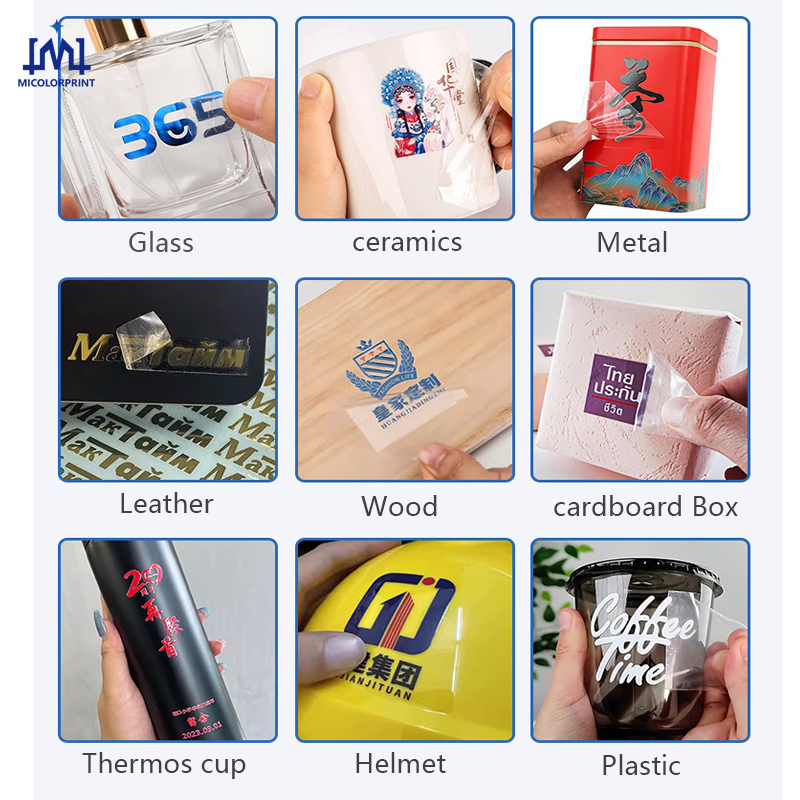
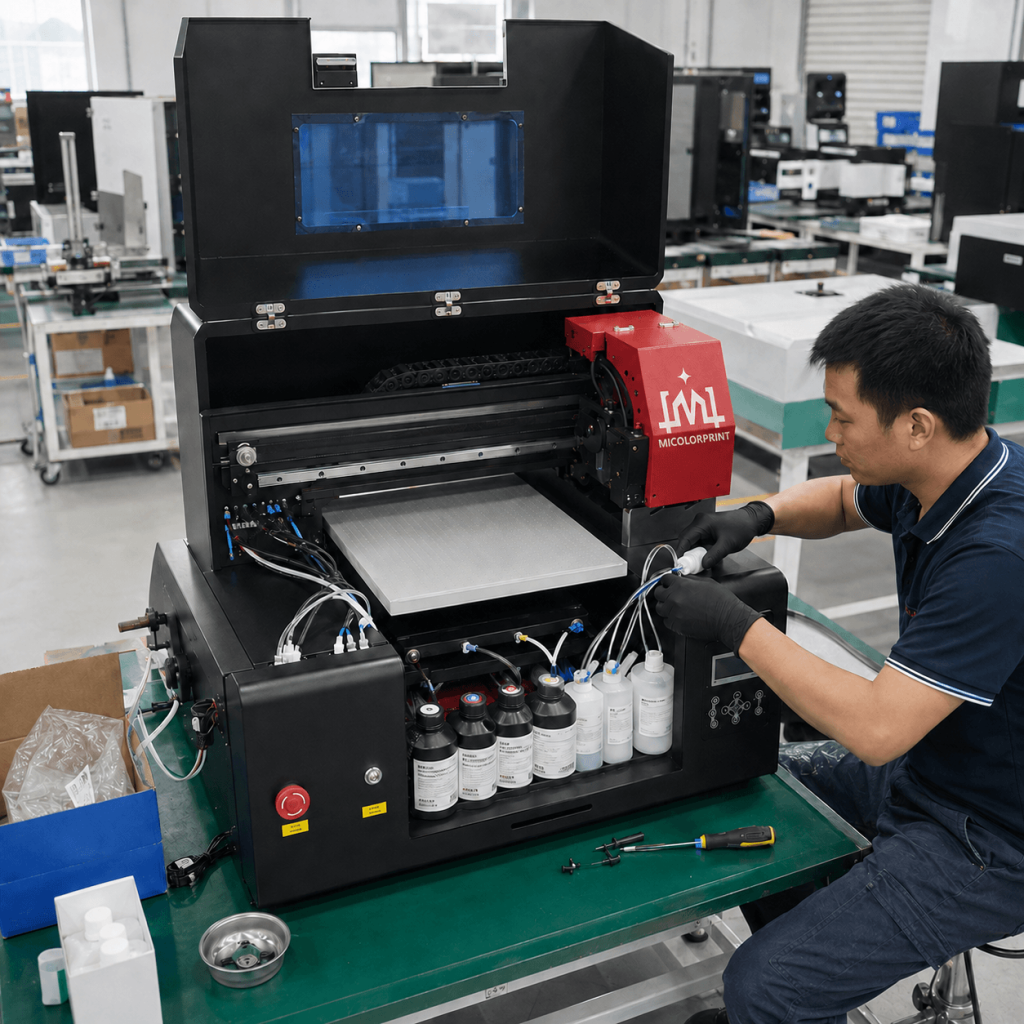
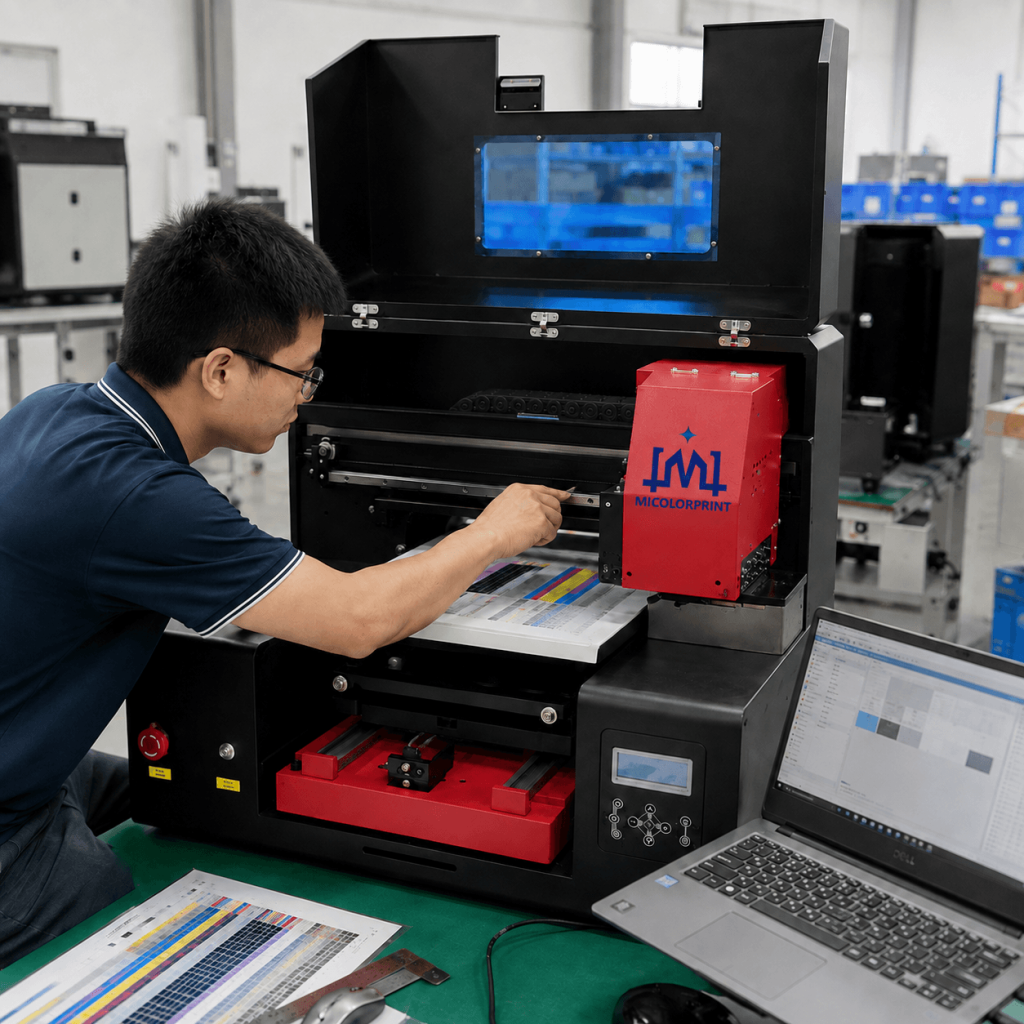
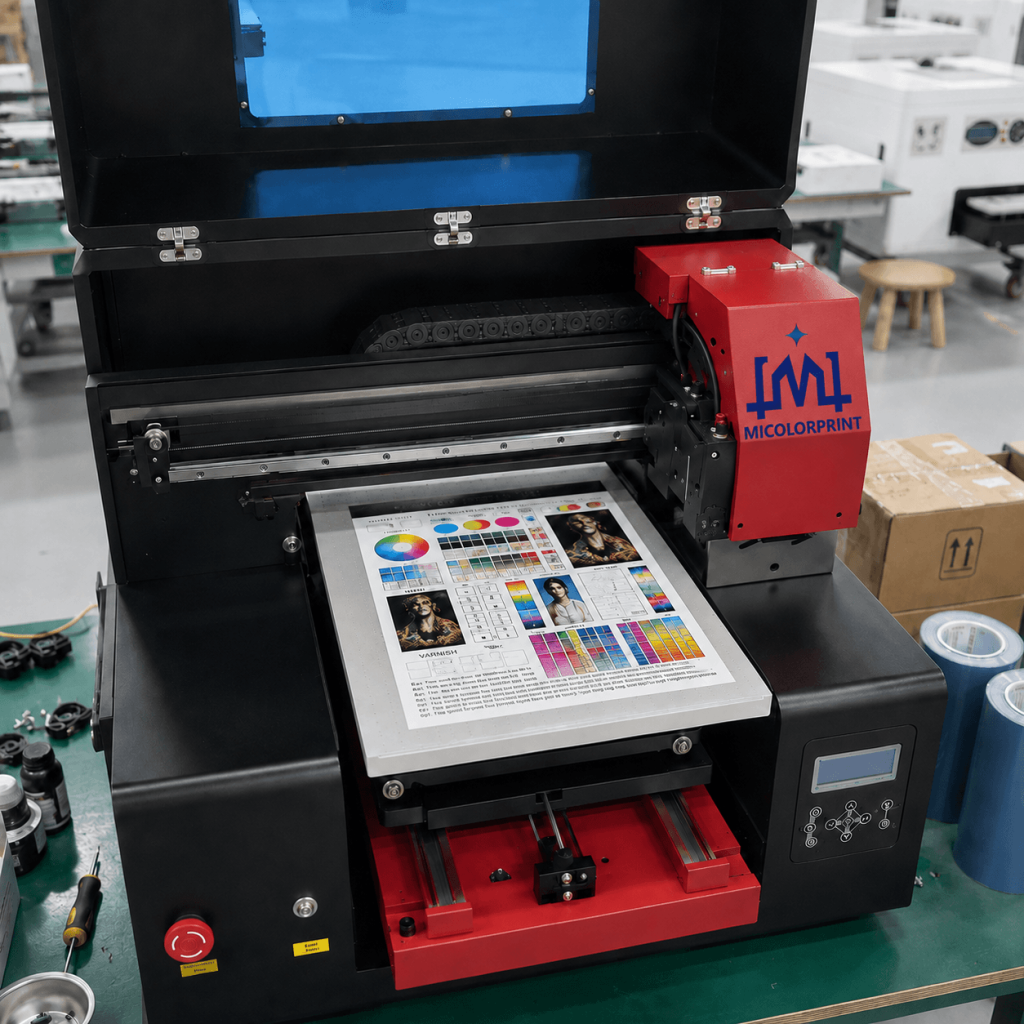
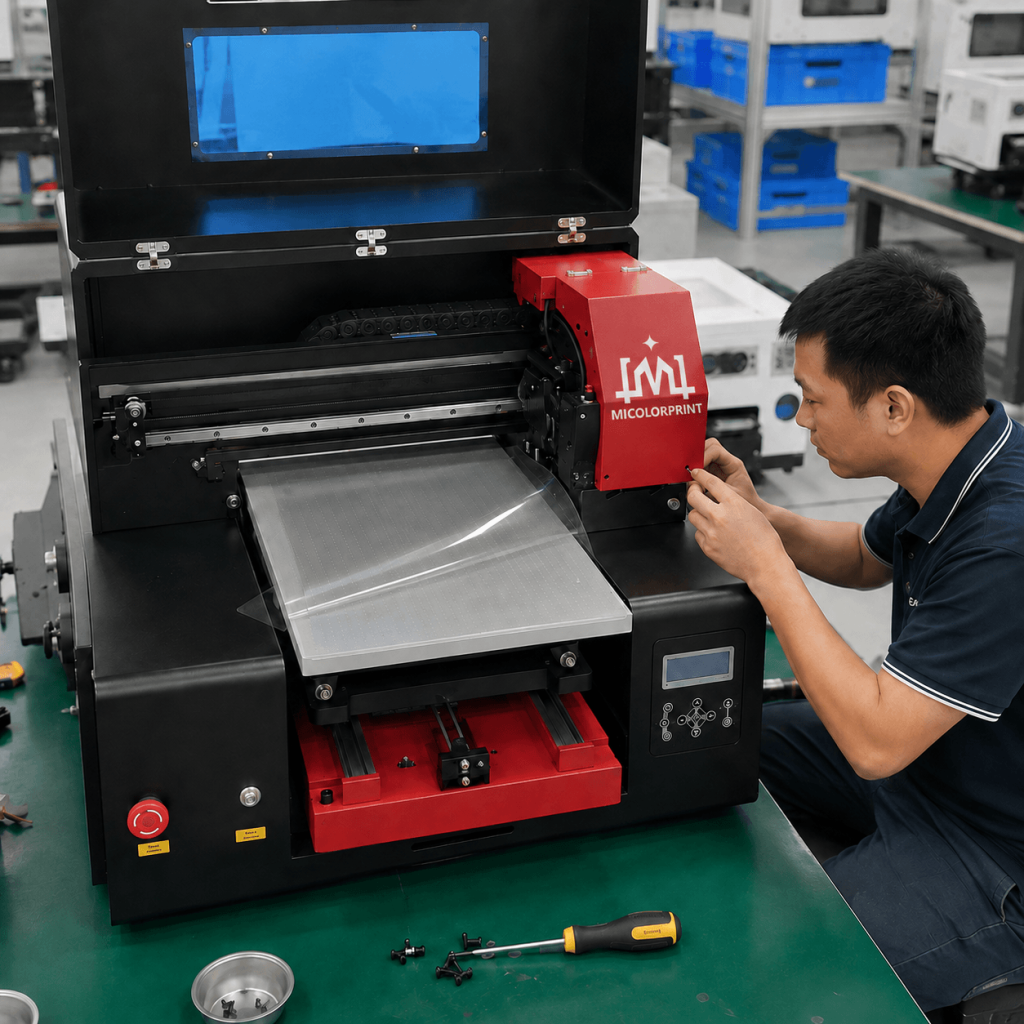
A3 UV DTF Printer

Compact Epson UV DTF Printing Solution for Bottles, Tumblers, Acrylic, Glass and Custom Hard-Surface Transfers

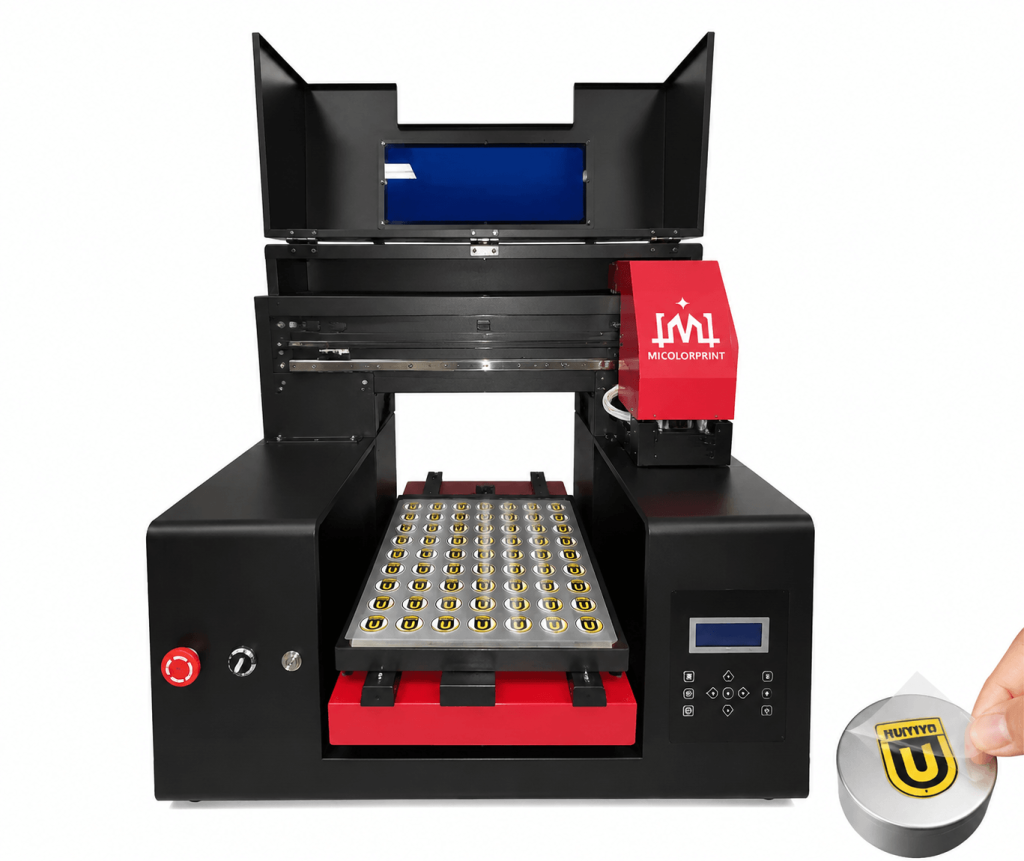
Our A3 UV DTF printer is designed for businesses that need a compact, flexible solution for producing full-color UV DTF transfers for bottles, tumblers, acrylic products, glass, packaging, promotional gifts and other suitable hard surfaces.

With Epson printhead options, CMYK + White + Varnish printing, UV LED curing and film laminating support, the machine allows you to produce detailed transfer graphics without printing directly on the final object.

It is suitable for custom gift shops, promotional product suppliers, online personalization businesses, small printing companies and distributors looking for a practical A3 UV DTF printing solution.

A3 UV DTF printer with Epson printhead

Quick A3 UV DTF Printer Overview

Item

Details

Printer Type

A3 UV DTF Printer

Printhead

Epson Printhead Options

Print Area

330mm*430mm/330mm*600mm

Ink Configuration

CMYK + White + Varnish

Printing Method

Print on A Film, Laminate and Transfer

Curing

UV LED

Typical Applications

Bottles, Tumblers, Acrylic, Glass, Packaging and Gifts

Suitable Business

Startup to Growing Customization Businesses

Support

Configuration, Training, Maintenance and Spare Parts Support

What Is an A3 UV DTF Printer?

An A3 UV DTF printer is a compact digital printing machine used inkjet technology to create transferable UV graphics on special film.

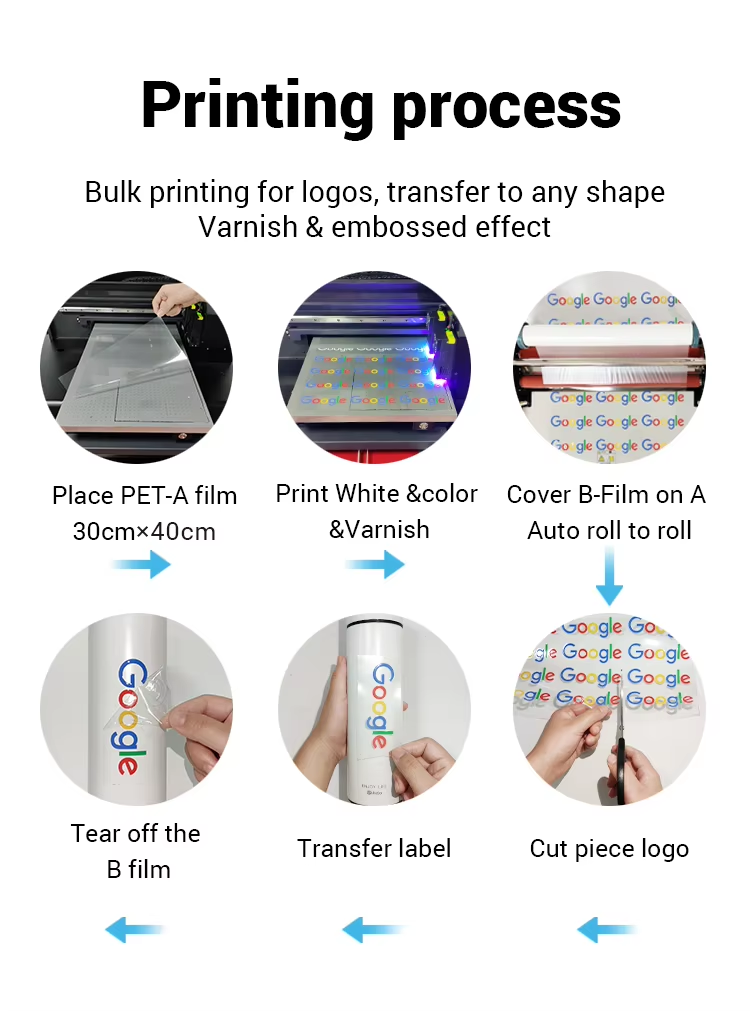
Instead of printing directly on a bottle, tumbler or other object, the design is first printed onto A Film using UV ink. The printed film is then laminated with B Film. After the transfer is prepared, the graphic can be applied to a suitable hard surface.(if need transfer on soft surface item except fabric, you need used soft uv ink to print, it will increases product cost)

This process makes UV DTF especially useful for products that are difficult to place inside a traditional flatbed UV printer.

Typical applications include:

  • Bottles
  • Tumblers
  • Acrylic gifts
  • Glass products
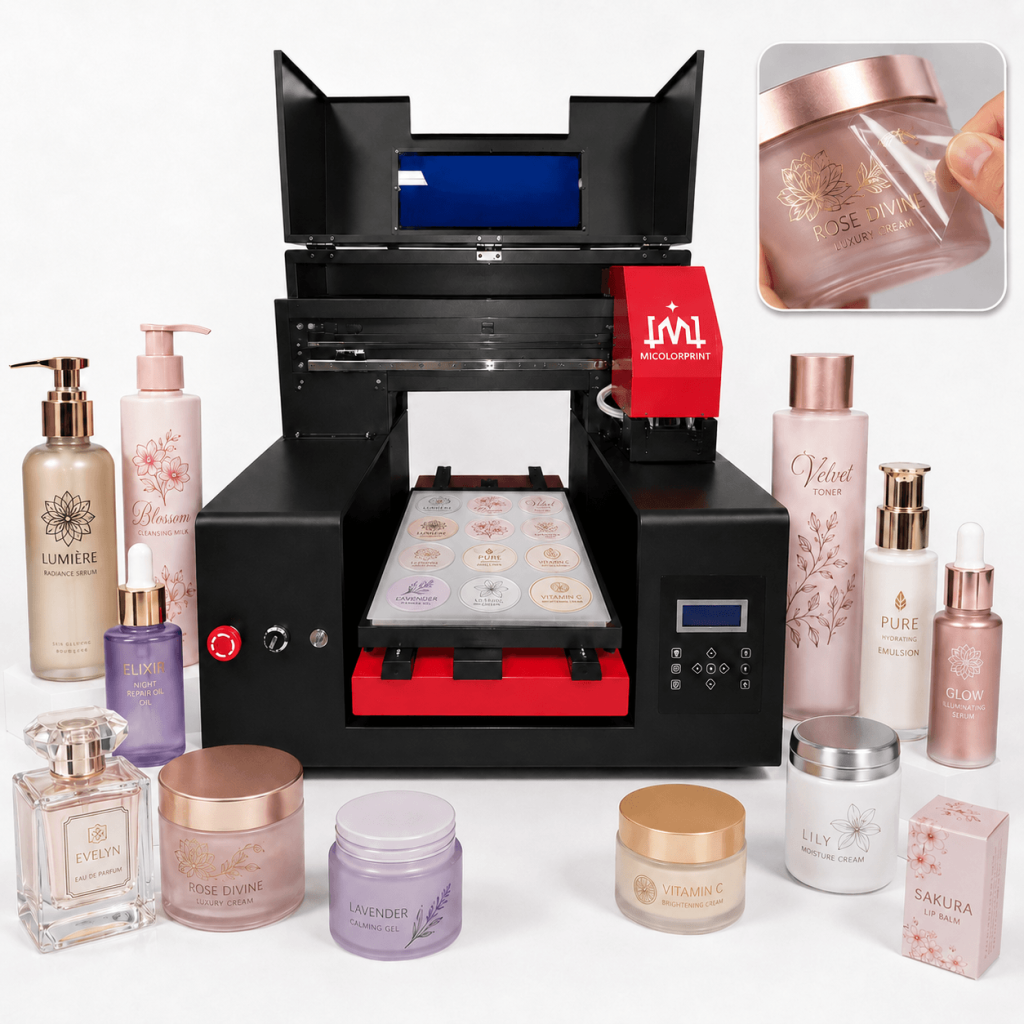
  • Cosmetic packaging
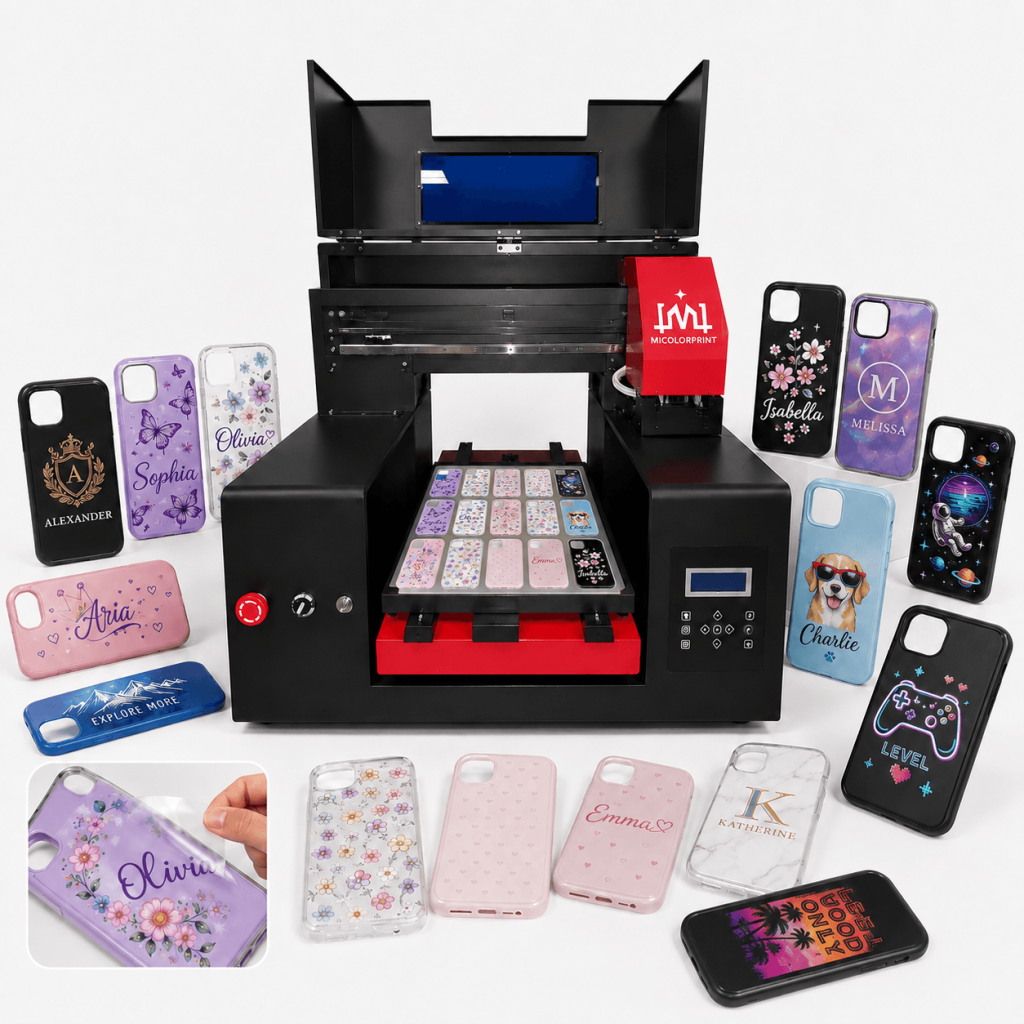
  • Phone cases
  • Promotional products
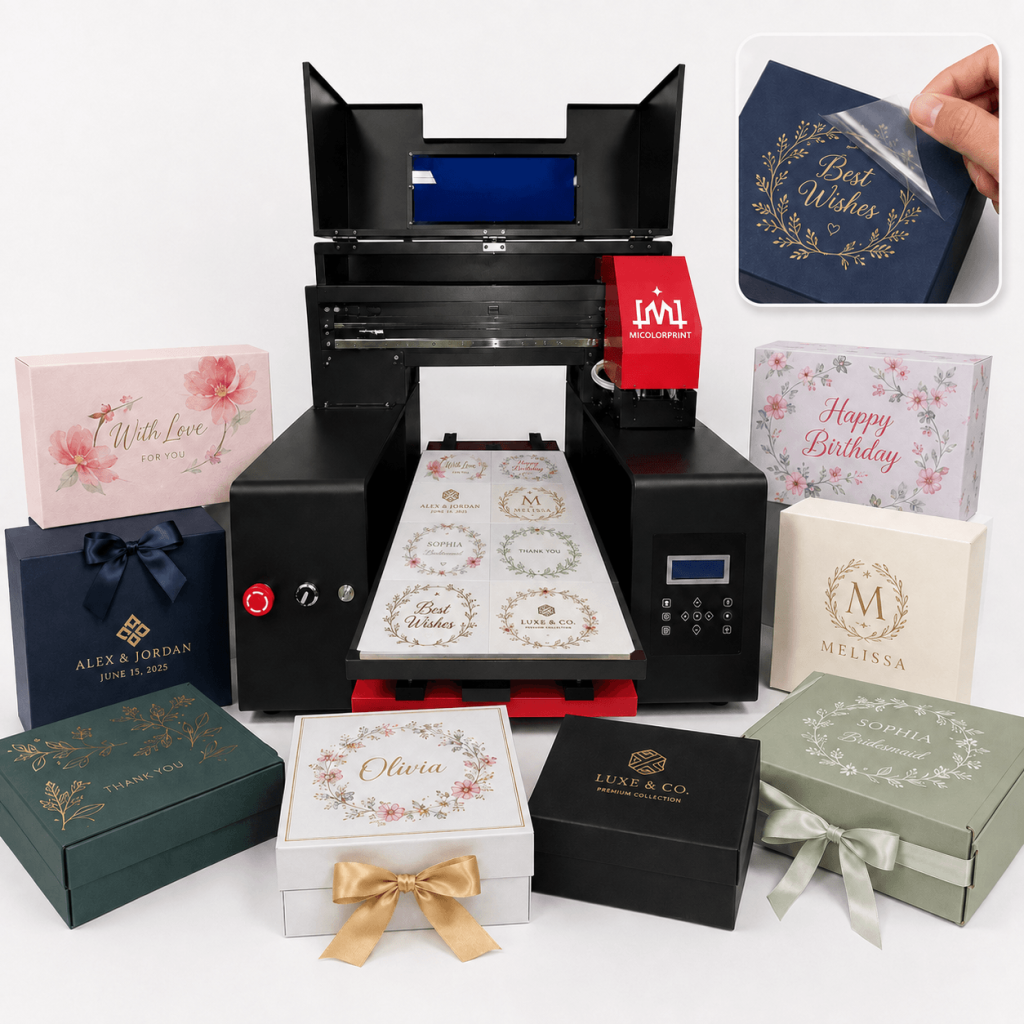
  • Gift boxes
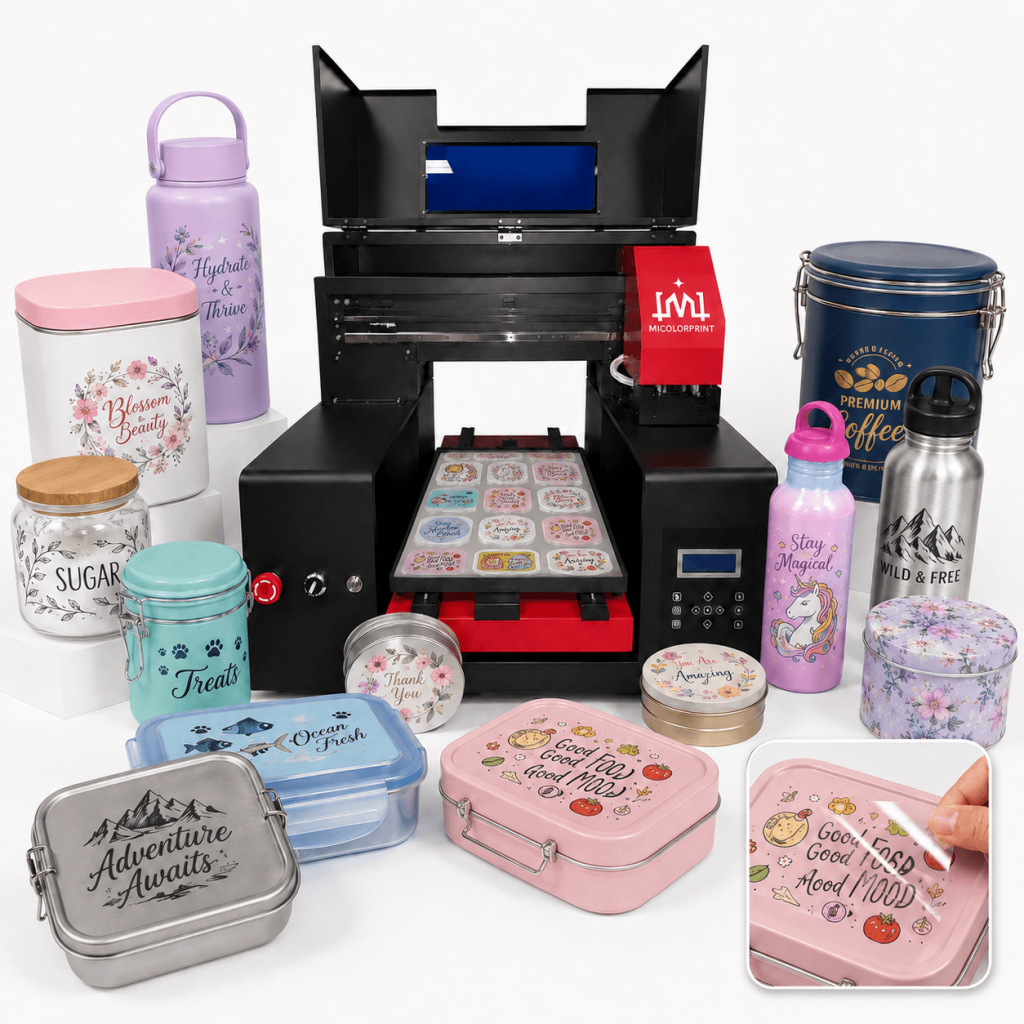
  • Plastic containers
  • Metal containers

For businesses handling many different products and short-run custom orders, UV DTF provides a more flexible way to change artwork without making a dedicated fixture for every product.

UV DTF Printing process, all clear

Who Is an A3 UV DTF Printer Suitable For?

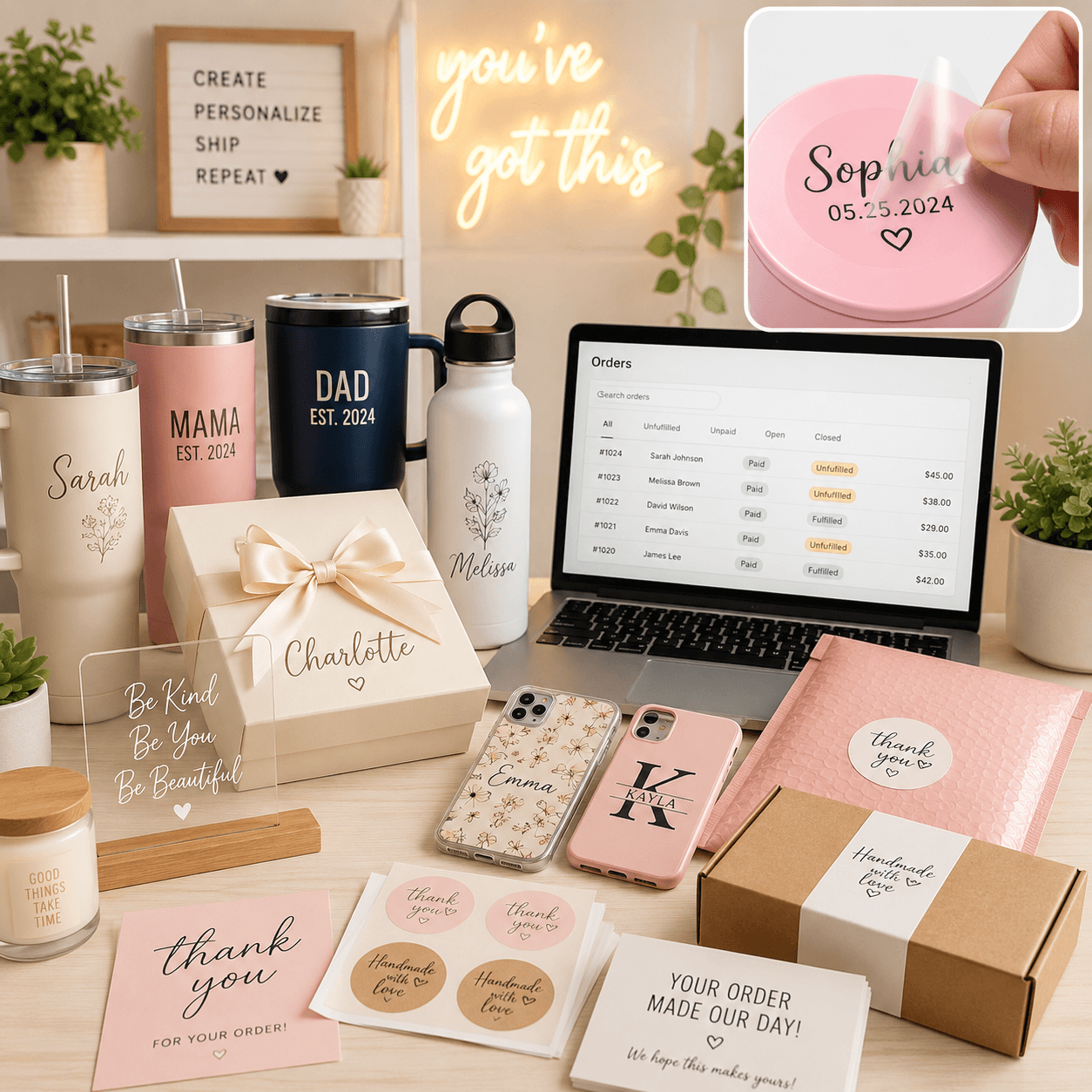
Custom Gift Shops

A3 UV DTF printers are suitable for gift businesses producing personalized names, logos, graphics and small custom orders.

Because artwork can be changed digitally, shops can handle many different designs without traditional plate making.

Typical products include:

  • Personalized bottles
  • Acrylic gifts
  • Custom tumblers
  • Gift boxes
  • Phone cases
  • Promotional items

Tumbler and Bottle Customization Businesses

Businesses producing customized bottles and tumblers often need to process different shapes and order quantities.

UV DTF transfers can be prepared first and then applied to compatible product surfaces, reducing the need to print directly on every curved item.

Typical orders include:

  • Company logo bottles
  • Personalized tumblers
  • Event drinkware
  • Promotional bottles
  • Custom gift sets

Promotional Product Suppliers

Promotional suppliers often receive many small orders with different customer logos.

An A3 UV DTF printer can help produce custom transfers for:

  • Corporate gifts
  • Exhibition products
  • Dealer gifts
  • Hotel promotional items
  • Event merchandise
  • Branded packaging

Online Customization Sellers

Online businesses selling through Shopify, Etsy or other e-commerce platforms often handle high-variety, low-quantity orders.

UV DTF is suitable for this type of production because each artwork file can be changed digitally.

Typical personalized content includes:

  • Names
  • Dates
  • Initials
  • Logos
  • Photos
  • Short messages
  • Event graphics

Small Printing Businesses

Printing shops already using DTF, sublimation, UV printing or laser engraving can add UV DTF as another customization service.

An A3 UV DTF printer can be suitable for businesses that want:

  • A compact machine footprint
  • Flexible small-batch production
  • More hard-surface applications
  • Lower entry investment than larger industrial systems

Printing Machine Distributors and Resellers

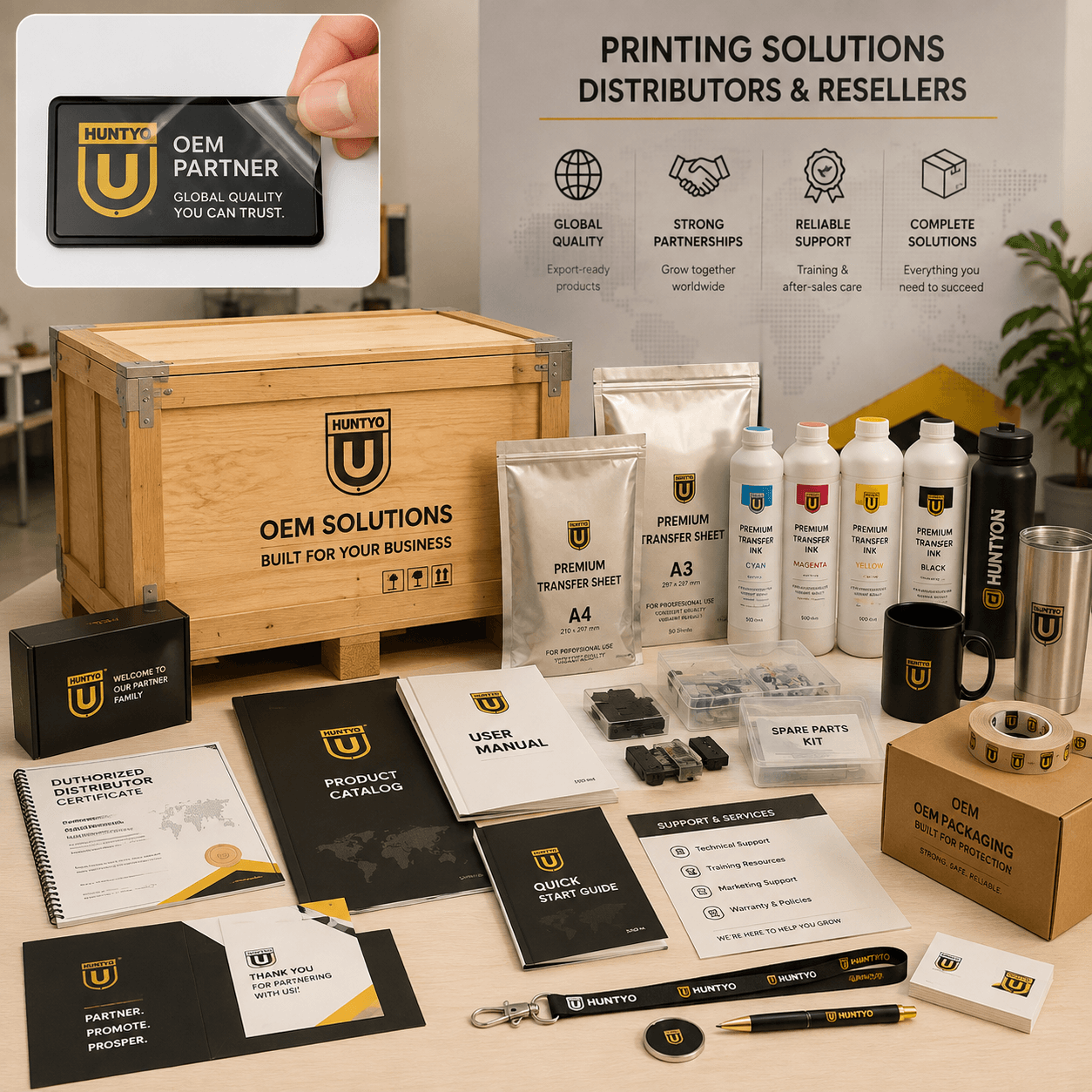
We can also support distributors and printing equipment resellers looking for A3 UV DTF printer configurations.

Depending on project requirements, support can include:

  • Machine configuration
  • Spare parts
  • Consumables
  • Technical documentation
  • Training
  • OEM branding support
  • Export packaging

Common Problems When Choosing an A3 UV DTF Printer

Buying a UV DTF printer involves more than comparing machine prices.

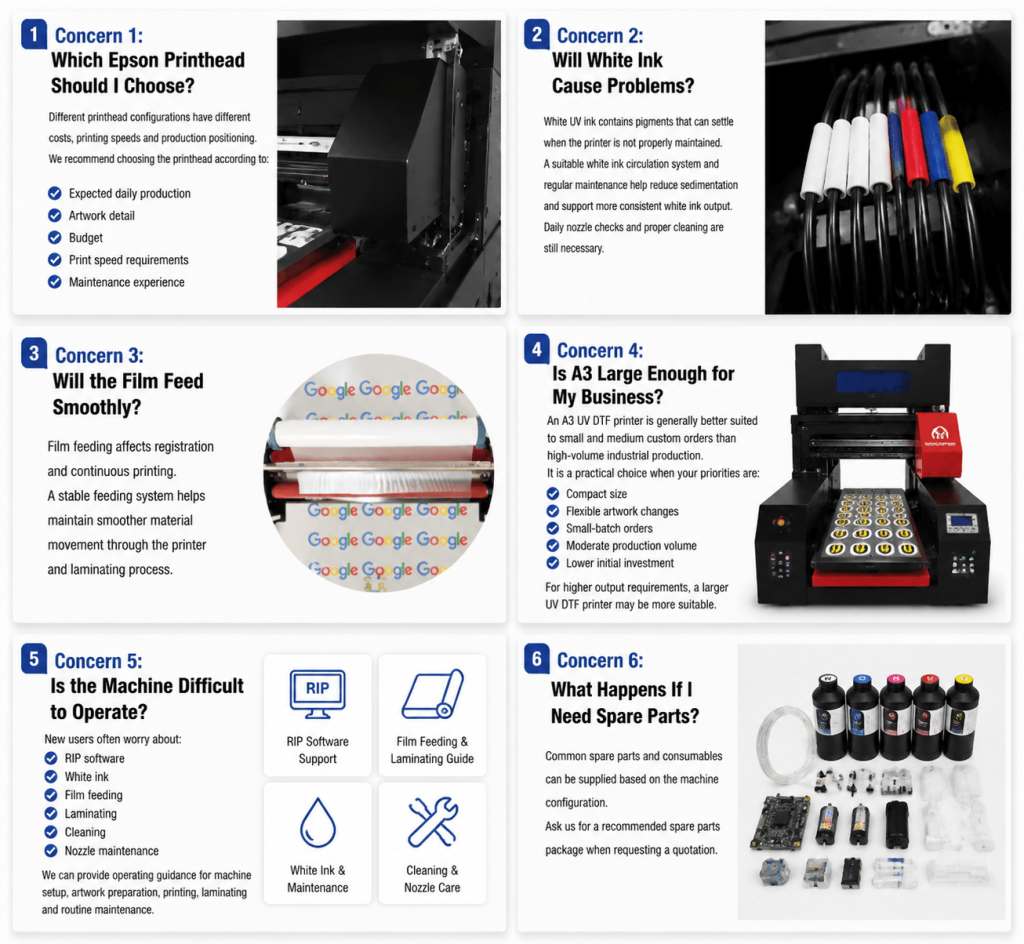
Most buyers are concerned about printhead stability, white ink maintenance, sheet film feeding, laminating quality, operating cost and technical support.

Different printhead configurations have different costs, printing speeds and production positioning.

We recommend choosing the printhead according to:

  • Expected daily production
  • Artwork detail
  • Budget
  • Print speed requirements
  • Maintenance experience

If you start with a used A3 UV DTF Printer, you can choose the XP600/F1080 head to test market; when you have a stable order volume, you can choose the I3200 printhead.

White UV ink contains pigments that can settle when the printer is not properly maintained.

A suitable white ink circulation system and regular maintenance help reduce sedimentation and support more consistent white ink output.

Daily nozzle checks and proper cleaning are still necessary.

Film feeding affects registration and continuous printing.

A stable feeding system helps maintain smoother material movement through the printer and laminating process.

It is a practical choice when your priorities are:

  • Compact size
  • Flexible artwork changes
  • Small-batch orders
  • Moderate production volume
  • Lower initial investment

For higher output requirements, a larger UV DTF printer may be more suitable.

New users often worry about:

  • RIP/Motherboard software
  • White ink
  • Film feeding
  • Laminating
  • Cleaning
  • Nozzle maintenance

We can provide operating guidance for machine setup, artwork preparation, printing, laminating and routine maintenance.

Common spare parts and consumables can be supplied based on the machine configuration.

Ask us for a recommended spare parts package when requesting a quotation.

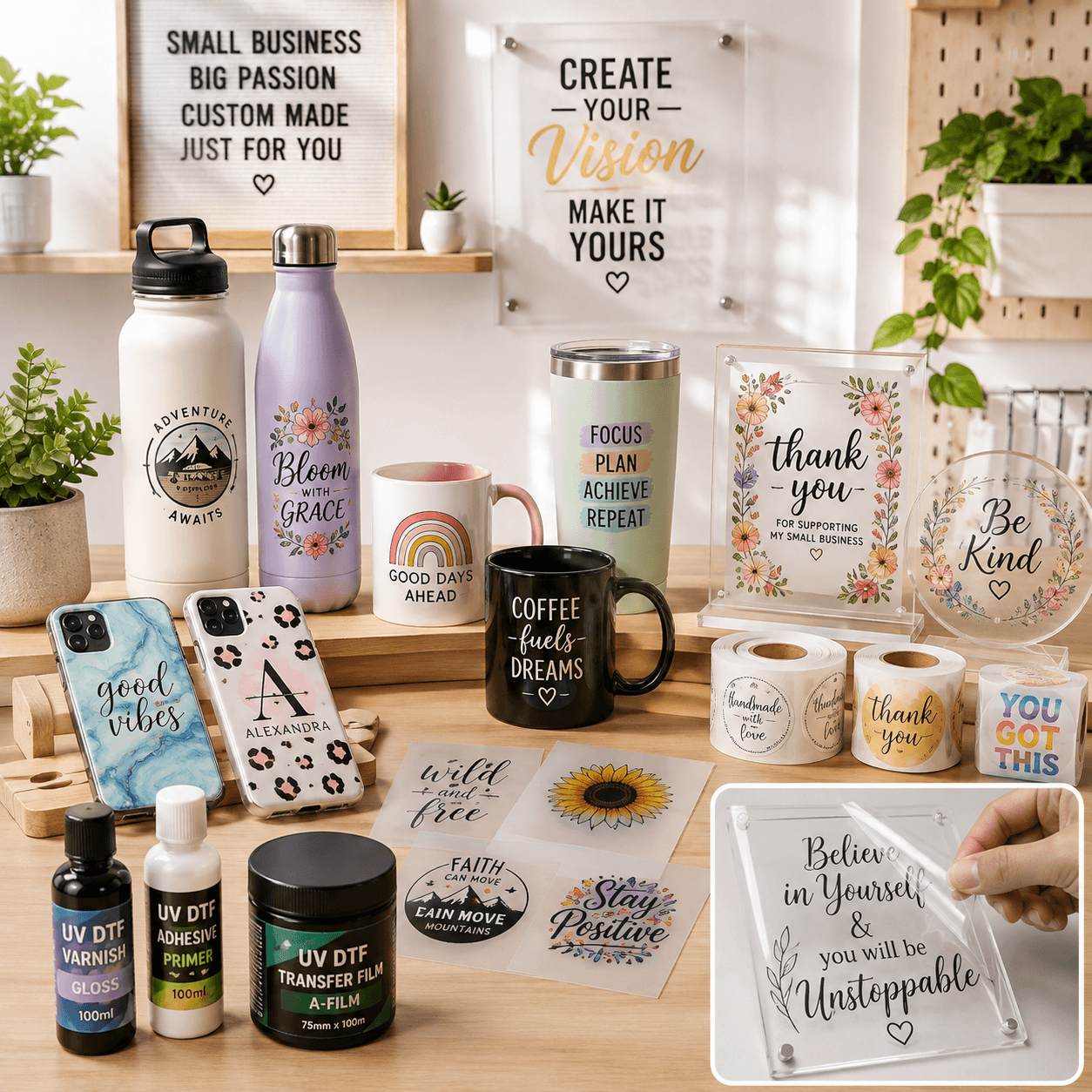
What Can You Make with an A3 UV DTF Printer?

UV DTF transfers can be applied to many suitable smooth or hard surfaces.

The actual transfer result depends on the material, surface finish, cleanliness and application method.

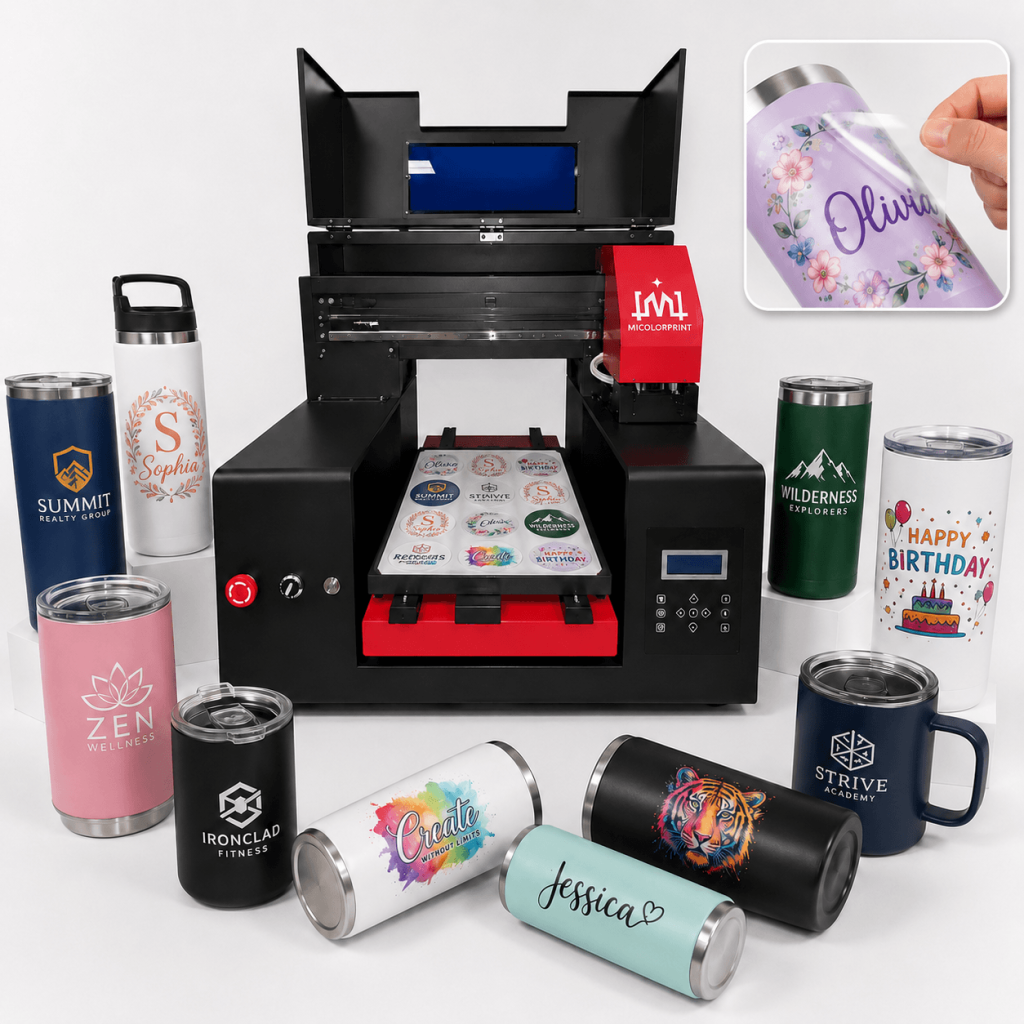
Custom Tumblers

Create:

  • Company logos
  • Personalized names
  • Event graphics
  • Promotional artwork
  • Decorative patterns

UV DTF is especially useful when direct printing on different tumbler shapes would require multiple fixtures.

If you are interested in direct to print tumbler with high speed, please click tumbler printer.

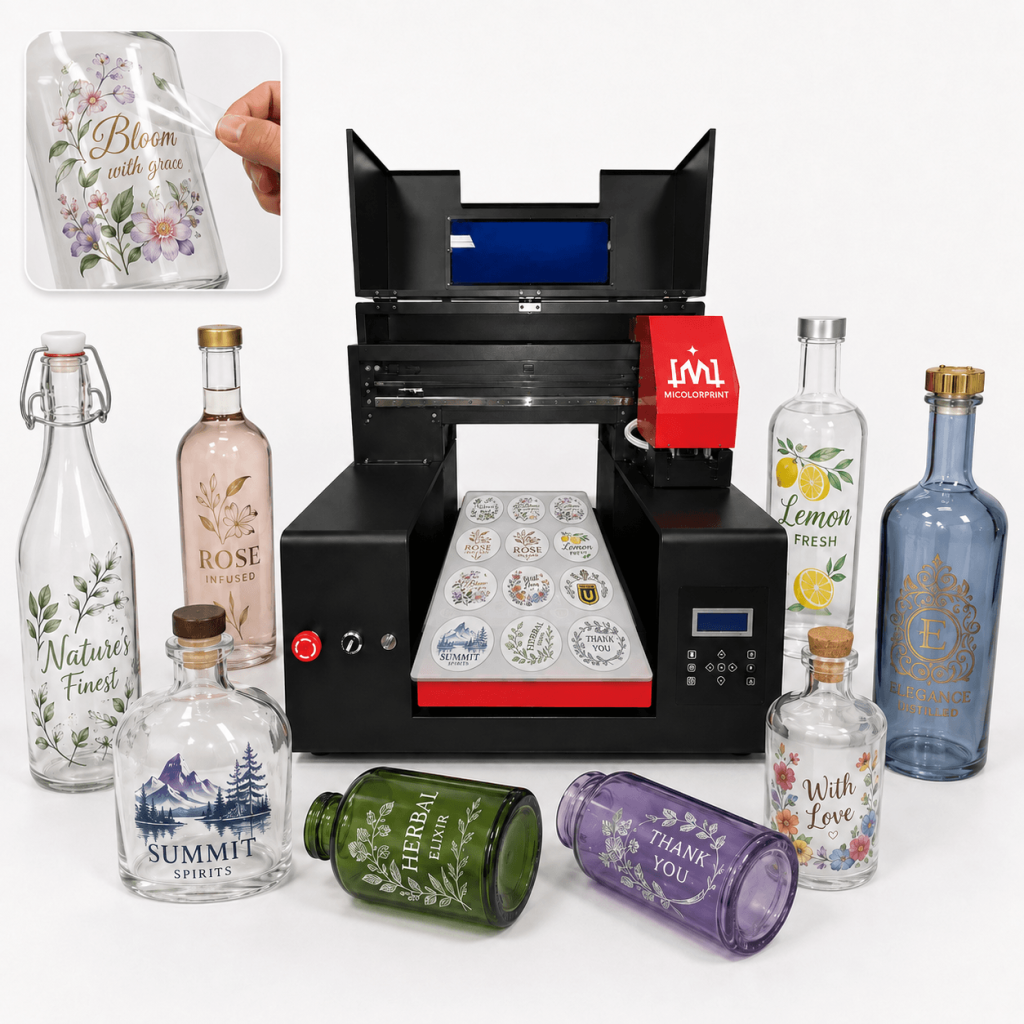
A3 uv dtf printer for Glass Bottles

Glass Bottles

Suitable applications include:

  • Beverage bottles
  • Decorative bottles
  • Gift bottles
  • Branded glass packaging
  • Promotional bottles

Test the surface before batch production because different coatings may affect adhesion.

If you are interested in direct to glass bottle, please click bottle printer.

A3 uv dtf printer for Cosmetic Packaging

Cosmetic Packaging

UV DTF can be used for customized branding on suitable:

  • Cosmetic bottles
  • Jars
  • Containers
  • Sample packaging
  • Small promotional packaging

This is useful for short-run branding and new-product sampling.

A3 uv dtf printer for Acrylic Gifts

Acrylic Gifts

Create decorative and personalized graphics for:

  • Acrylic signs
  • Gift plaques
  • Display products
  • Name plates
  • Promotional acrylic items

If you are interested in direct to print acrylic, please click the acrylic printer.

Phone Cases

Suitable phone case surfaces can be customized with:

  • Names
  • Logos
  • Full-color graphics
  • Small text
  • Decorative artwork

Always test surface compatibility before production.

If you are interested in a smart cloud phone case printer, please click the MC-H1A smart cloud phone case printer link to check.

A3 uv dtf printer for Gift Boxes

Gift Boxes

UV DTF transfers can help add:

  • Logos
  • Brand graphics
  • Event information
  • Personalized names
  • Decorative details

to suitable smooth gift box surfaces.

A3 uv dtf printer for Promotional Products

Promotional Products

Common applications include:

  • Company gifts
  • Event products
  • Dealer gifts
  • Branded accessories
  • Custom promotional packaging
A3 uv dtf printer for Plastic and Metal Containers

Plastic and Metal Containers

Suitable smooth plastic and metal surfaces may also be customized using UV DTF transfers.

Surface testing is recommended because adhesion can vary according to coating, texture and material.

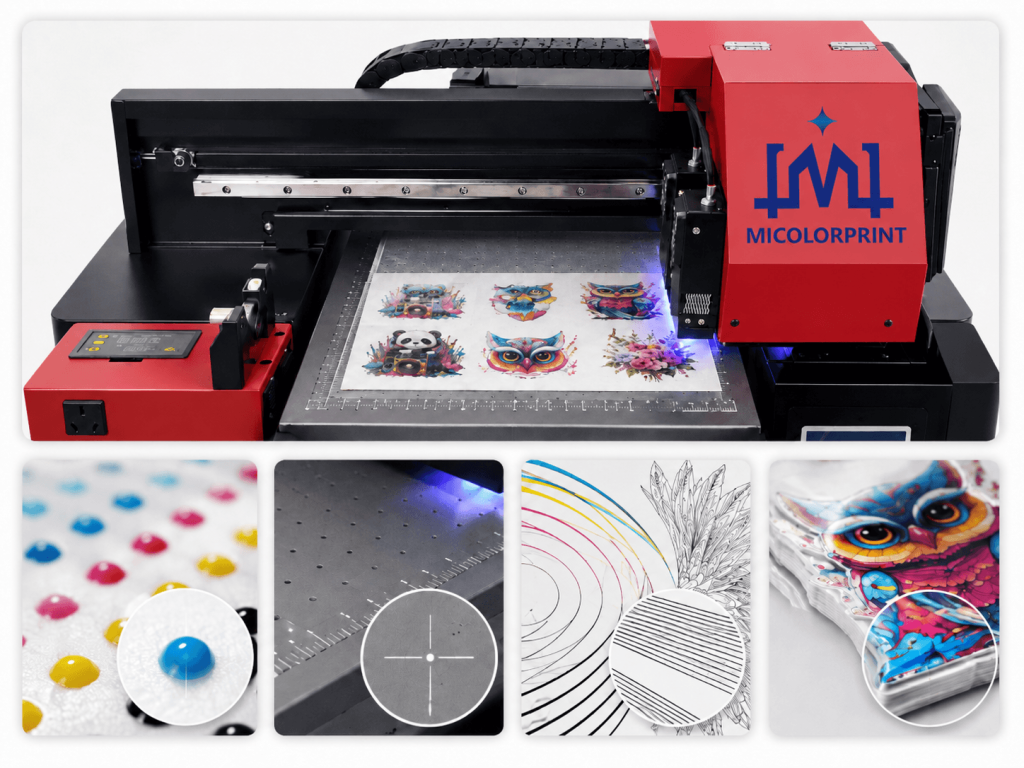
See the UV DTF Print Results

A machine specification alone does not tell you enough about actual output quality.

Before choosing an A3 UV DTF printer, evaluate real printing results.

Important quality points include:

  • Fine text clarity
  • Logo edges
  • Color gradients
  • White ink coverage
  • Varnish appearance
  • Transparent detail
  • Film registration
  • Transfer appearance

We recommend testing your own artwork whenever possible.

roll to roll uv dtf printer film transfer

A3 UV DTF Print Quality Tests

Evaluate the output that matters to your actual customer orders—not only the machine specification.

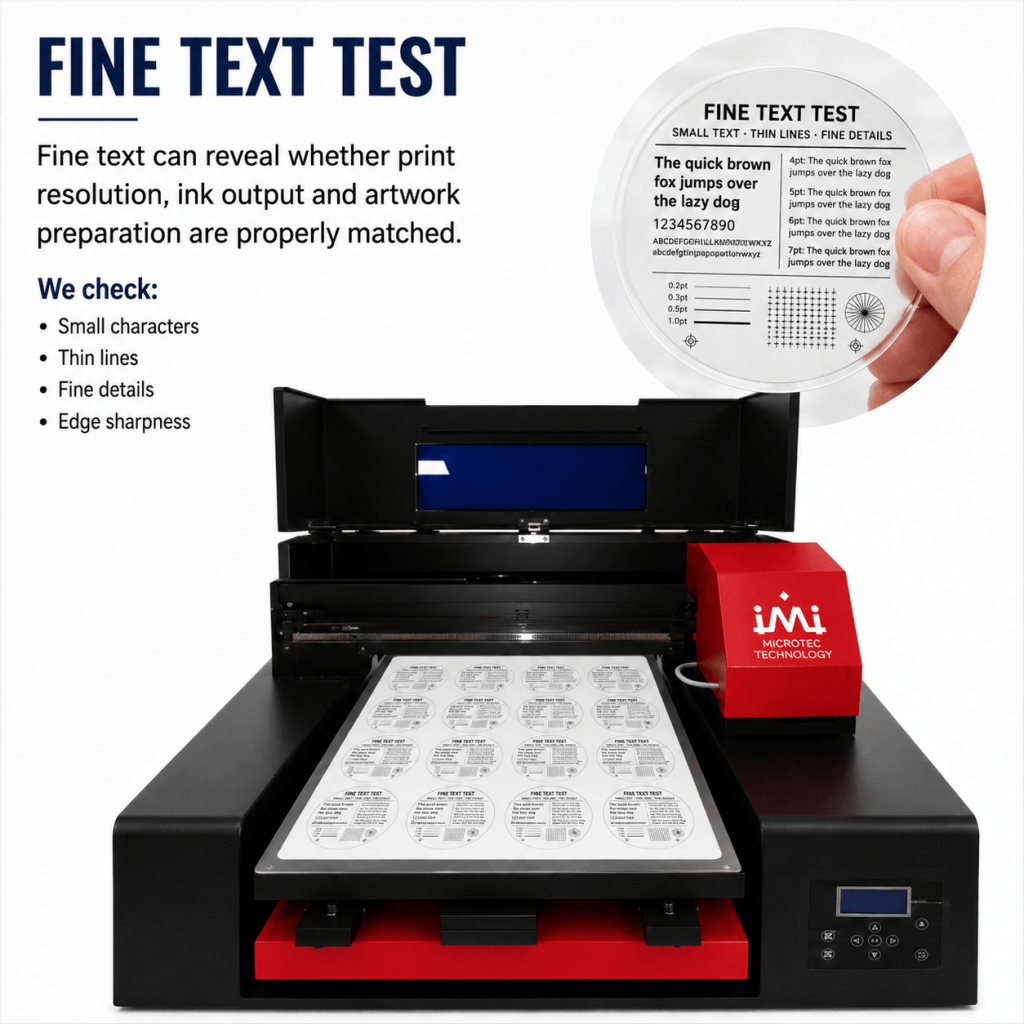
A3 uv dtf printer for Fine Text Test

Fine Text Test

Fine text can reveal whether print resolution, ink output and artwork preparation are properly matched.

We check:

  • Small characters
  • Thin lines
  • Fine details
  • Edge sharpness
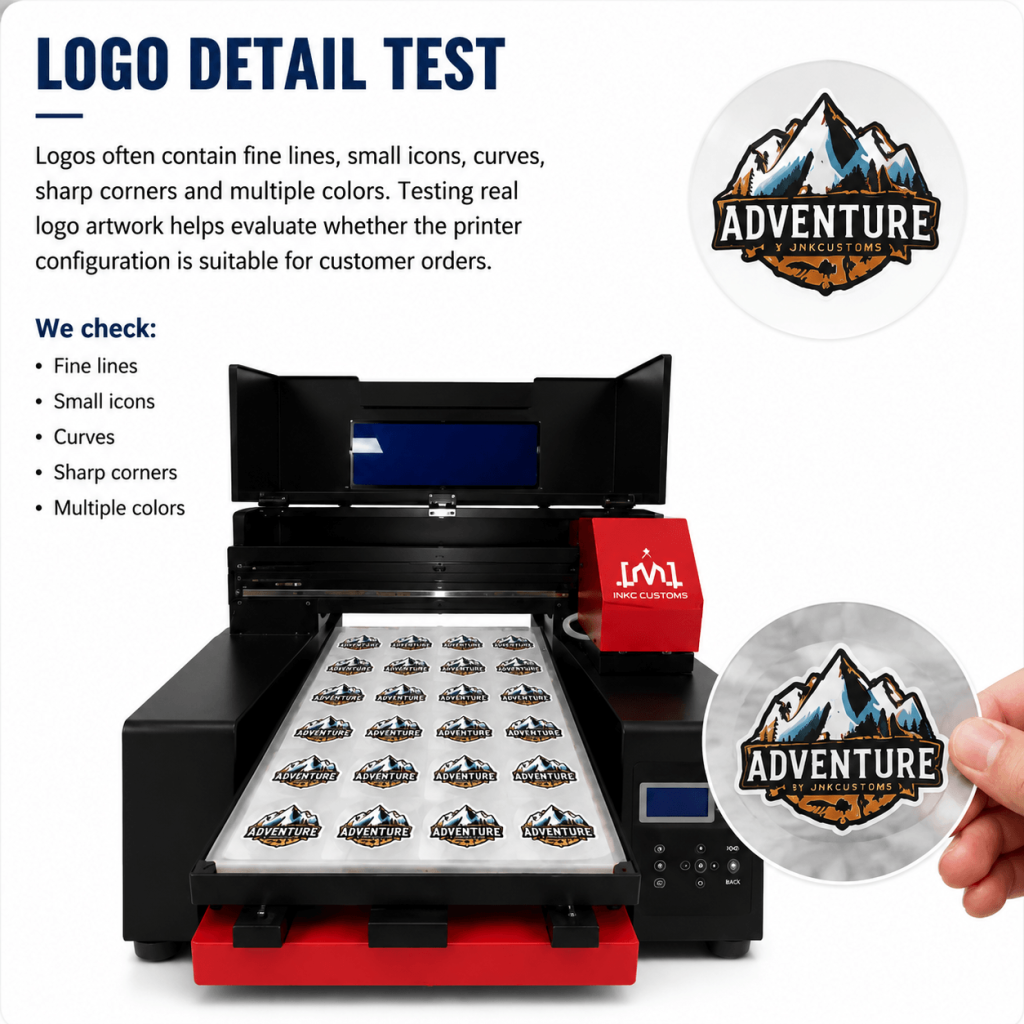
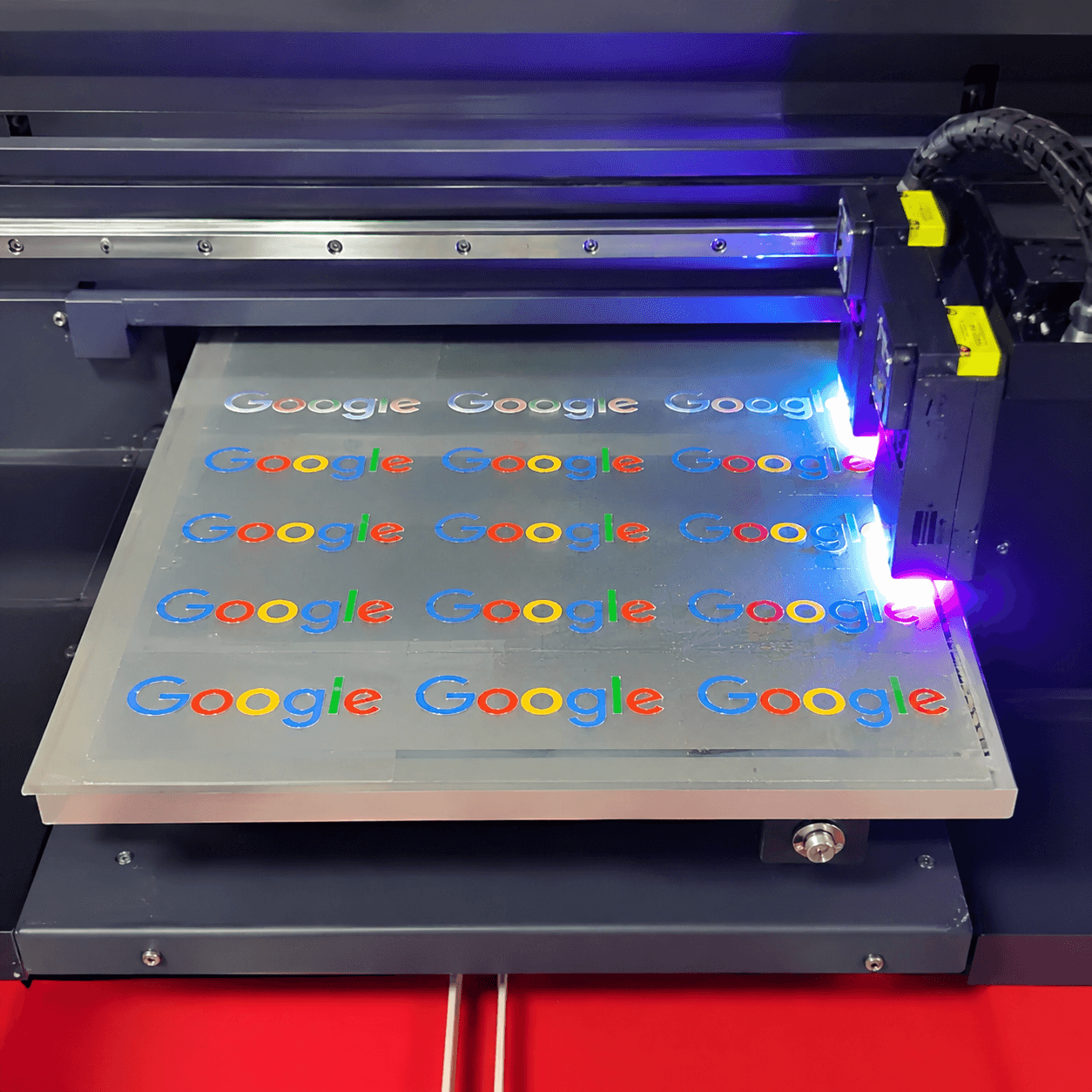
A3 uv dtf printer for Logo Detail Test

Logo Detail Test

Logos often contain:

  • Fine lines
  • Small icons
  • Curves
  • Sharp corners
  • Multiple colors

Testing real logo artwork helps evaluate whether the printer configuration is suitable for your customer orders.

Gradient Test

Gradient printing is useful for checking:

  • Color transition
  • Banding
  • Ink consistency
  • Artwork reproduction
A3 uv dtf printer for

White Ink Coverage Test

White ink provides the underbase that supports color visibility on transparent transfer film.

We evaluate:

  • Coverage
  • Uniformity
  • Registration
  • Ink consistency
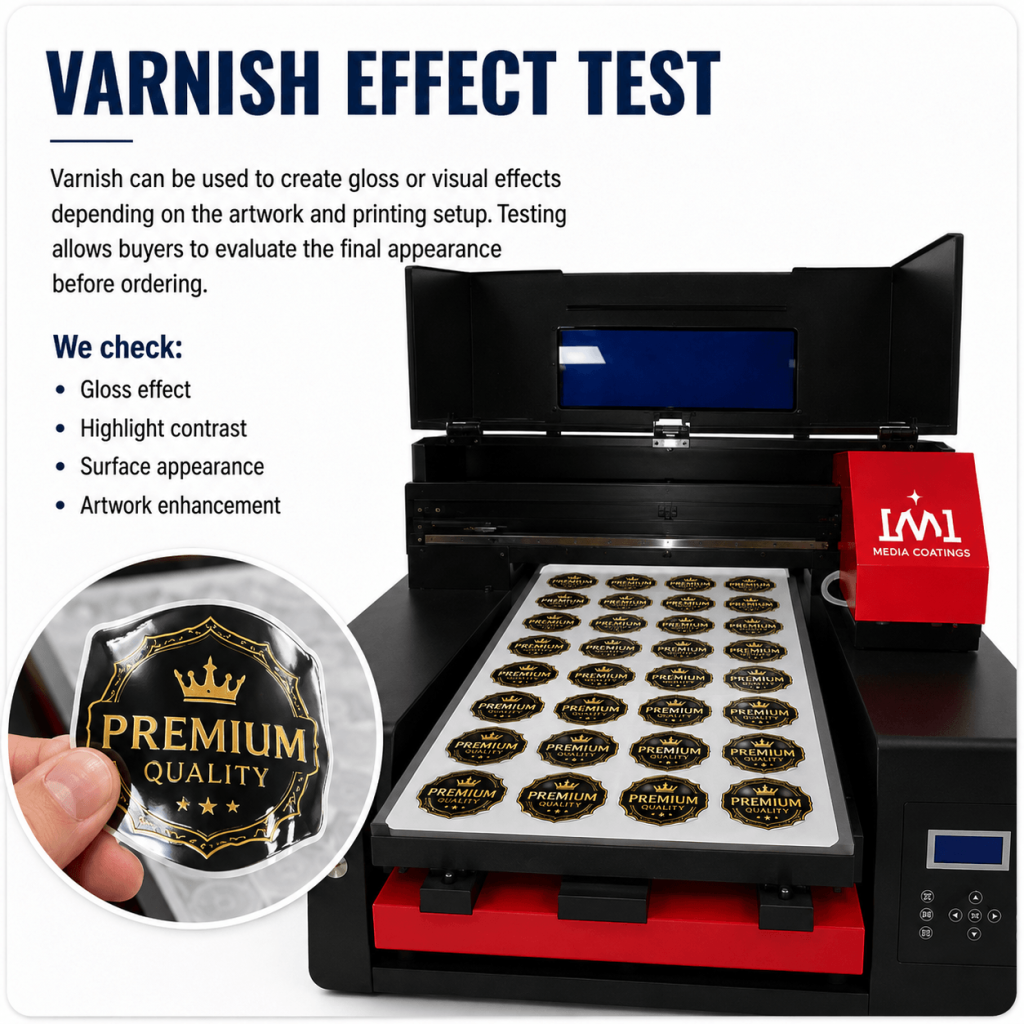
A3 uv dtf printer for Varnish Effect Test

Varnish Effect Test

Varnish can be used to create gloss or visual effects depending on the artwork and printing setup.

Testing allows buyers to evaluate the final appearance before ordering.

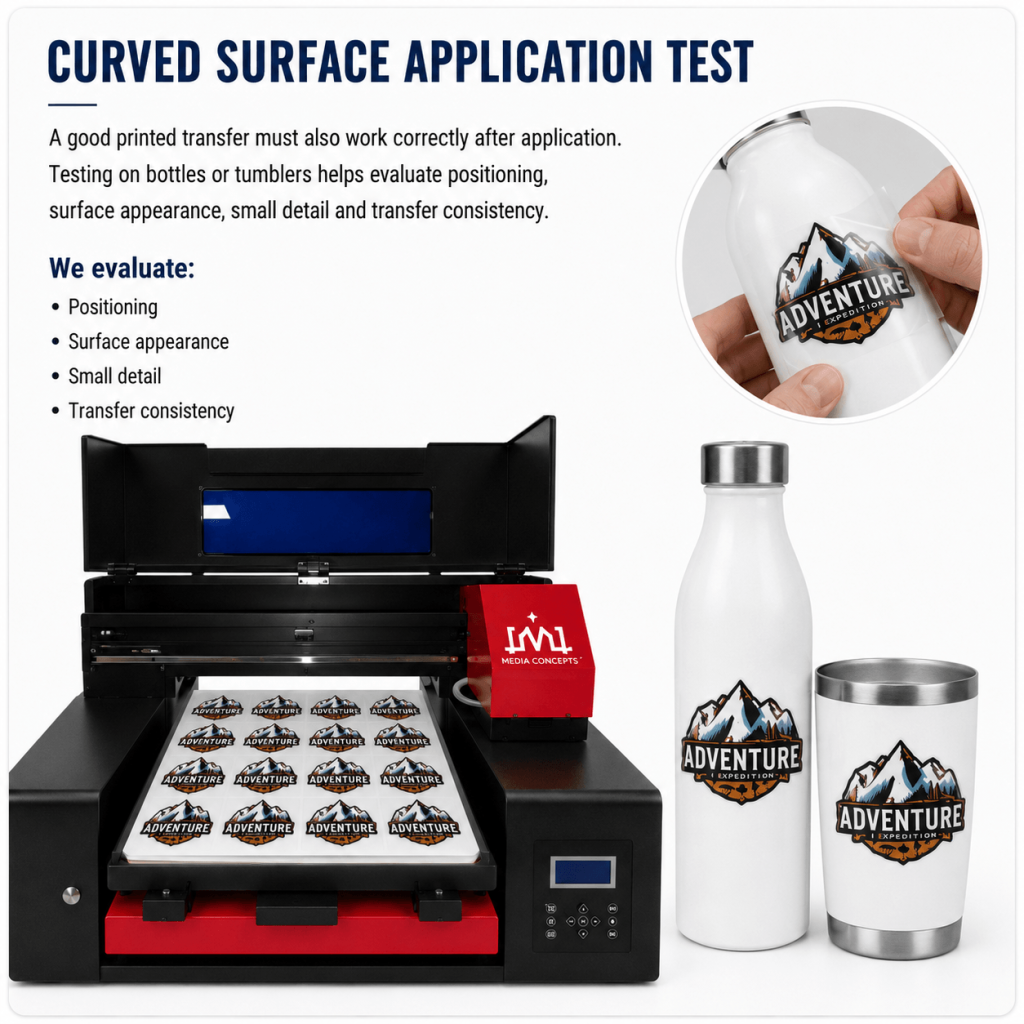
A3 uv dtf printer for Curved Surface Application Test

Curved Surface Application Test

A good printed transfer must also work correctly after application.

Testing on bottles or tumblers helps evaluate:

  • Positioning
  • Surface appearance
  • Small detail
  • Transfer consistency

Want to test your own logo or artwork?

How Does an A3 UV DTF Printer Work?

The basic UV DTF process includes six steps.

UV DTF Printing process, all clear

Create or import the artwork into the RIP/Motherboard software.

Adjust:

  • Size
  • Position
  • Color
  • White layer
  • Varnish layer

according to the required design.

The printer outputs:

  • CMYK color
  • White ink
  • Varnish

onto the printable side of A Film.

UV LED lamps cure the ink during printing.

This allows the printed image to become ready for the next processing step.

The printed A Film is laminated(hot) with B Film.

Proper pressure and feeding are important for smooth transfer preparation.

The prepared transfer is removed from the backing according to the film operating method.

Position the transfer on a clean, suitable surface.

Press evenly and remove the carrier film according to the transfer process.

The result is a full-color UV transfer graphic.

Choose the Right A3 UV DTF Printer Configuration

Different customers have different production requirements.

A machine should be selected according to the business rather than only according to the lowest price.

Consider:

  • Daily production volume
  • Artwork complexity
  • Printhead preference
  • Required speed
  • Budget
  • Laminating requirements
  • Available workspace
  • Maintenance experience

Entry-Level A3 UV DTF Configuration(XP600/F1080)

Suitable for:

  • Startups
  • Small gift shops
  • New UV DTF businesses
  • Low to moderate production

Typical priorities:

  • Lower initial investment
  • Compact size
  • Flexible short-run printing
  • Easier production planning

Higher-Output A3 UV DTF Configuration(i3200/i1600)

Suitable for:

  • Growing customization businesses
  • Promotional suppliers
  • Printing shops with regular orders
  • Customers requiring faster production

Typical priorities:

  • Higher output
  • More stable continuous production
  • Upgraded printhead configuration

Epson UV DTF Printer Printhead Options

One of the most important decisions when buying an A3 UV DTF printer is the printhead configuration.

Different Epson printhead options are positioned for different budgets and production requirements.

Only select from printhead configurations actually available for the machine model you are purchasing.

Epson XP600 UV DTF Printer

XP600 configurations are commonly selected by buyers who prioritize lower initial machine cost.

They can be suitable for:

  • Startups
  • Small customization shops
  • Moderate daily production
  • Budget-focused buyers

Advantages can include:

  • Lower initial investment
  • Lower replacement cost compared with higher-positioned printheads
  • Suitable detail for many personalized printing applications

The exact speed and output depend on machine design, print mode and head configuration.

Epson i1600 UV DTF Printer

An i1600 configuration may be suitable for buyers looking for a higher production positioning.

It can be considered for:

  • Growing print businesses
  • Regular daily production
  • Buyers prioritizing print performance
  • Businesses that expect higher long-term output

The correct choice should be based on production requirements rather than printhead name alone.

XP600 vs i1600: Which Epson Printhead Should You Choose?

Comparison

Epson XP600

Epson i1600

Initial Investment

Lower

Higher

Positioning

Entry / Standard

Higher Production

Suitable Buyer

Startup / Small Shop

Growing Business

Production Requirement

Low to Moderate

Moderate to Higher

Replacement Budget

Lower

Higher

Recommended When

Budget is important

Output and production are more important

The final recommendation depends on the actual machine configuration.

Key Features of Our A3 UV DTF Printer

White Ink Circulation System

White UV ink contains heavier pigments that can settle over time.

The circulation system helps keep white ink moving through the ink path and supports more consistent operation.

Regular maintenance is still required.

CMYK + White + Varnish Printing

This ink configuration allows the printer to produce:

  • Full-color graphics
  • White underbase
  • Gloss or varnish effects

within the UV DTF production workflow.

A3 uv dtf printer for Print White &color&Varnish
A3 uv dtf printer for Laminating Test

Laminating System

The laminating system combines printed A Film with B Film.

Stable pressure and feeding help prepare a consistent transferable graphic.

Epson Printhead System

Epson printhead configurations support detailed digital printing for logos, text, graphics and personalized artwork.

Print quality depends on:

  • Print mode
  • Artwork quality
  • Ink
  • RIP settings
  • Maintenance
  • Machine calibration
smaller uv dtf printer of Printhead System
A3 UV DTF printer with Epson printhead

Compact A3 Machine Design

The A3 format is suitable for businesses that want UV DTF capability without installing a large industrial printing system.

It can be used in:

  • Printing shops
  • Gift studios
  • Small production workshops
  • E-commerce customization businesses

A Closer Look at the Machine

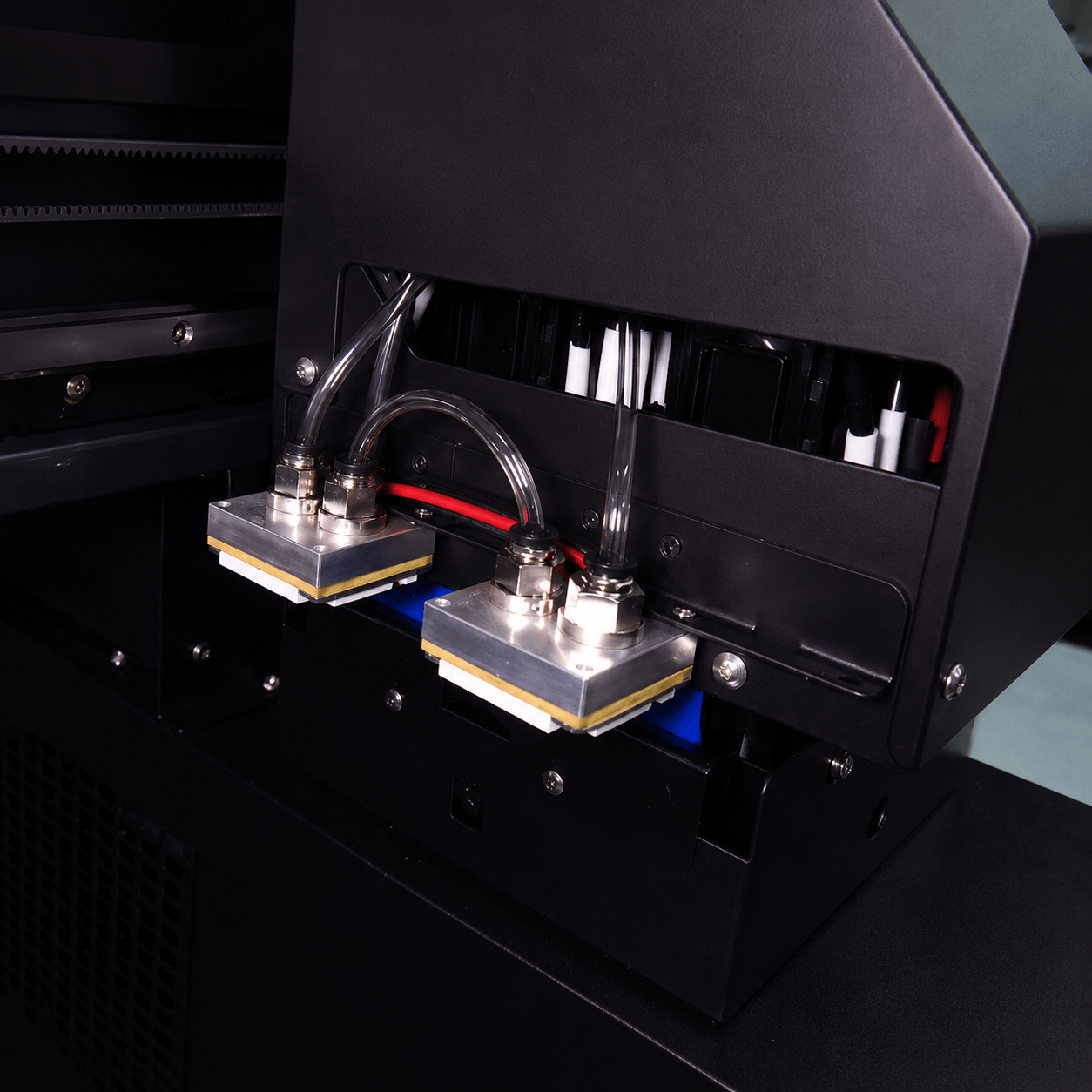
Printhead Area

The printhead system controls ink output and detail reproduction.

Proper maintenance, cleaning and operating environment are important for stable long-term performance.

White Ink System

The white ink system includes circulation and ink supply components designed to manage pigment ink during operation.

Daily checks are recommended.

UV LED Lamps

UV lamps cure ink during the printing process.

The curing system must be correctly matched with printing speed and ink output.

Film Feeding System

The film feeding structure guides A Film through the printing area.

Stable film movement supports more consistent registration.

Laminating Unit

The laminating unit combines A Film and B Film after printing.

Correct film alignment and pressure are important for transfer preparation.

Ink Supply System

The ink system supplies:

  • CMYK
  • White
  • Varnish

to the printhead according to the selected configuration.

Control System

Machine controls are used for routine movement, printing preparation and operation.

Exact control functions vary by model.

Machine Frame

A stable machine structure supports printhead movement, film feeding and daily printing operations.

A3 UV DTF Printer Specifications

The exact specifications depend on the machine configuration.

Please confirm the final specification sheet before ordering.

Specification

Configuration

Product Type

MC-H2C/MC-3360/MC-A3 UV DTF Printer

Printing Area

330mm*430mm/330mm*600mm

Printhead

XP600/F1080/i1600/i3200

Printhead Quantity

Original printhead

Ink

CMYK + White + Varnish

Ink Type

UV Ink

Printing Material

A Film Sheet

Transfer Film

B Film Roll

Curing

UV LED

White Ink System

Circulation System

Laminating

Separate with printer

RIP Software

RIIN/UltraPrint/Maintop

File Format

TIFF(RGB&CMYK), BMP, PDF,EPS,JPEG,AI,PSD

Voltage

110V / 220V Options Depending on Model

Machine Dimensions

870mm*870mm*650mm 

Packing Dimensions

980mm*920mm*800mm

Net Weight

68kg

Gross Weight

108kg

How Much Does an A3 Epson UV DTF Printer Cost?

The price of an A3 Epson UV DTF printer depends on the actual machine configuration.

Two machines described as “A3 UV DTF printers” may have different prices because they may use different printheads, laminating systems, ink systems, accessories and spare parts packages.

What Affects A3 UV DTF Printer Price?

Different Epson printhead configurations have different equipment and replacement costs.

Machines with different head configurations can have different production positioning and prices.

An integrated laminating system or separate laminating configuration affects the total machine package.

White ink circulation, ink supply design and other system components can affect machine configuration.

Some quotations may include starter consumables such as:

  • Ink
  • A Film
  • B Film
  • Cleaning materials

Always compare what is included rather than comparing only the machine price.

Additional:

  • Dampers
  • Wipers
  • Filters
  • Maintenance parts

may be included or quoted separately.

Freight depends on:

  • Destination country
  • Shipping method
  • Package size
  • Gross weight
  • Local delivery requirements

Get Current Factory Price

Tell us your application, expected output and destination country.

UV DTF Consumables and Running Costs

UV DTF Consumables

A UV DTF printer requires more than ink.

The main production consumables include:

CMYK UV Ink

Used to produce full-color artwork.

White UV Ink

Used as an underbase behind color graphics.

White ink requires more attention to circulation and maintenance because of pigment settlement.

Varnish

Used for gloss and visual effects according to artwork requirements.

A Film

The primary film used during the printing process.

Artwork is printed onto A Film before laminating.

B Film

Used during the laminating and transfer preparation process.

Cleaning Solution

Used for suitable maintenance and cleaning procedures.

Only use cleaning materials compatible with the printhead and ink system.

Maintenance Parts

Depending on machine use, maintenance parts may include:

  • Wipers
  • Dampers
  • Filters
  • Tubes
  • Caps

Ask us which parts are recommended for your machine configuration.

What Affects UV DTF Printing Cost?

The actual printing cost depends on several variables.

These include:

  • Artwork size
  • CMYK ink coverage
  • White ink coverage
  • Varnish coverage
  • A Film consumption
  • B Film consumption
  • Cleaning consumption
  • Maintenance frequency
  • Printhead condition
  • Waste rate

Because every artwork is different, a single universal cost-per-print figure is usually not accurate.

If you send us your typical design size and expected production volume, we can help you estimate a more realistic consumable requirement.

Maintenance and Technical Support

A3 UV DTF Printer Maintenance

UV printers require routine maintenance.

A properly maintained printer is more likely to provide stable daily output than a machine that is only cleaned when a problem appears.

Daily Nozzle Check

Check nozzle condition before important production.

This helps identify missing nozzles before printing large batches.

Printhead Cleaning

Use the cleaning procedure recommended for your machine.

Avoid unnecessary aggressive cleaning because improper cleaning can also affect printhead condition.

White Ink Maintenance

Keep the white ink circulation system operating according to the manufacturer’s procedure.

Do not leave pigment ink unmanaged for extended periods.

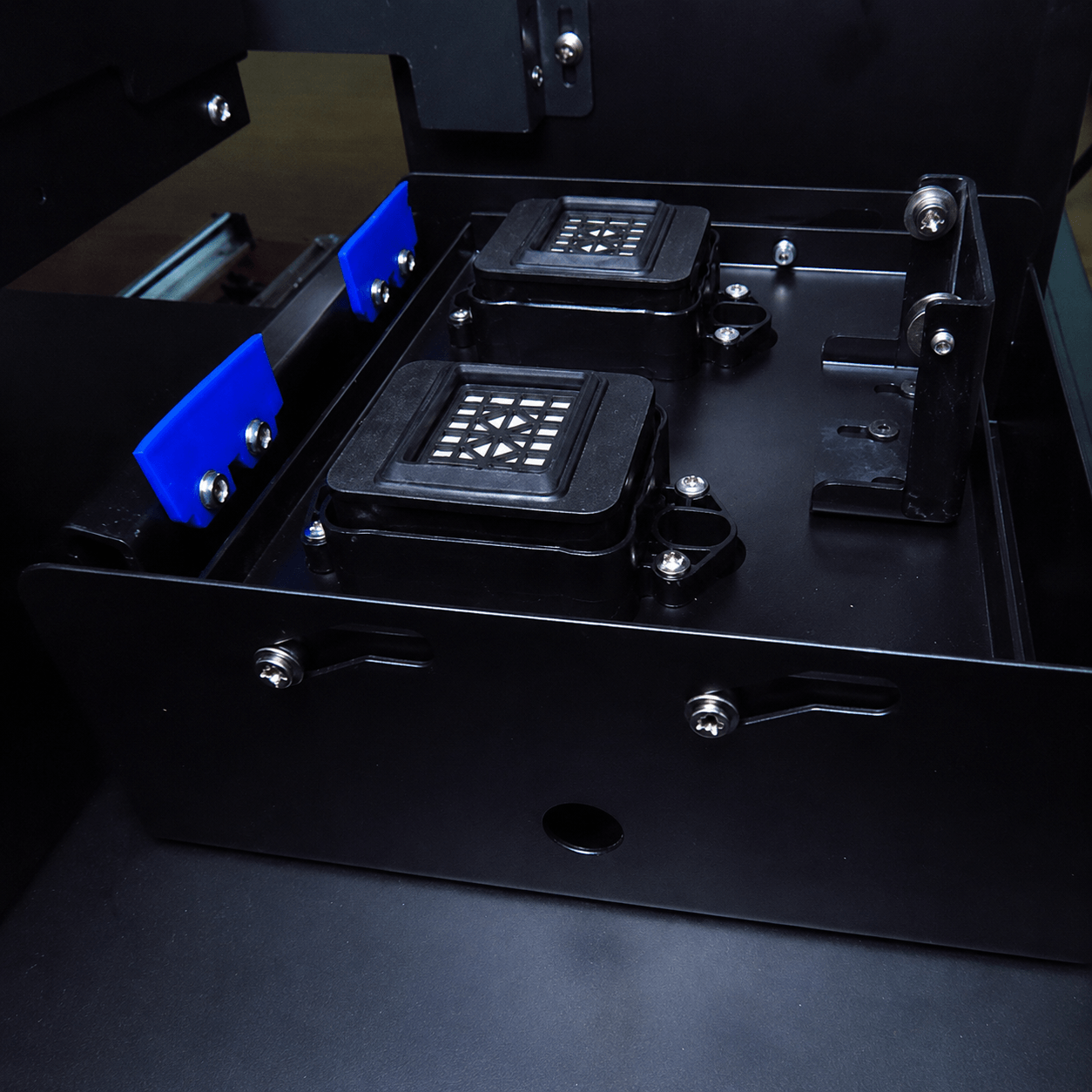
Wiper and Cap Cleaning

Ink residue around the cleaning station can affect printhead maintenance.

Inspect and clean relevant components regularly.

Film Path Check

Keep the film path clean and correctly aligned.

Check feeding before long print jobs.

Laminator Check

Inspect:

  • Film alignment
  • Roller condition
  • Pressure
  • Feeding

before production.

Ink Level Check

Avoid allowing the ink supply to run too low during production.

Training and Technical Support

Depending on your machine configuration and order, support can include:

Machine Installation Guidance

Help with initial setup and basic preparation.

RIP/Motherboard Software Setup

Guidance for:

  • Software installation
  • Artwork import
  • Printing setup
  • White layer
  • Varnish layer

Printing Training

Covers:

  • Film installation
  • Printing preparation
  • Test printing
  • Basic parameter setup

Laminating Training

Includes:

  • A Film and B Film loading
  • Alignment
  • Laminating preparation
  • Transfer handling

White Ink Maintenance

Includes routine circulation, nozzle checking and cleaning guidance.

Troubleshooting Support

Common operating questions can be checked through video, images and machine information.

Available support methods should be confirmed before ordering.

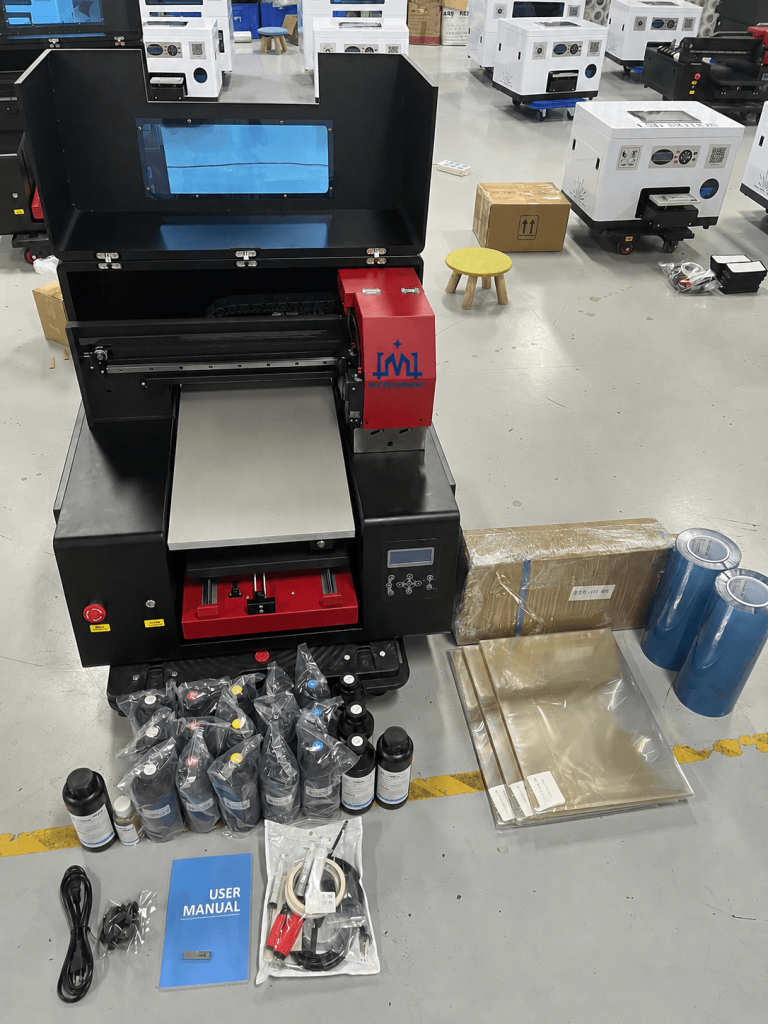
How We Prepare Your A3 UV DTF Printer Before Shipping

Every machine should be tested before international shipment.

Our preparation process can include the following stages.

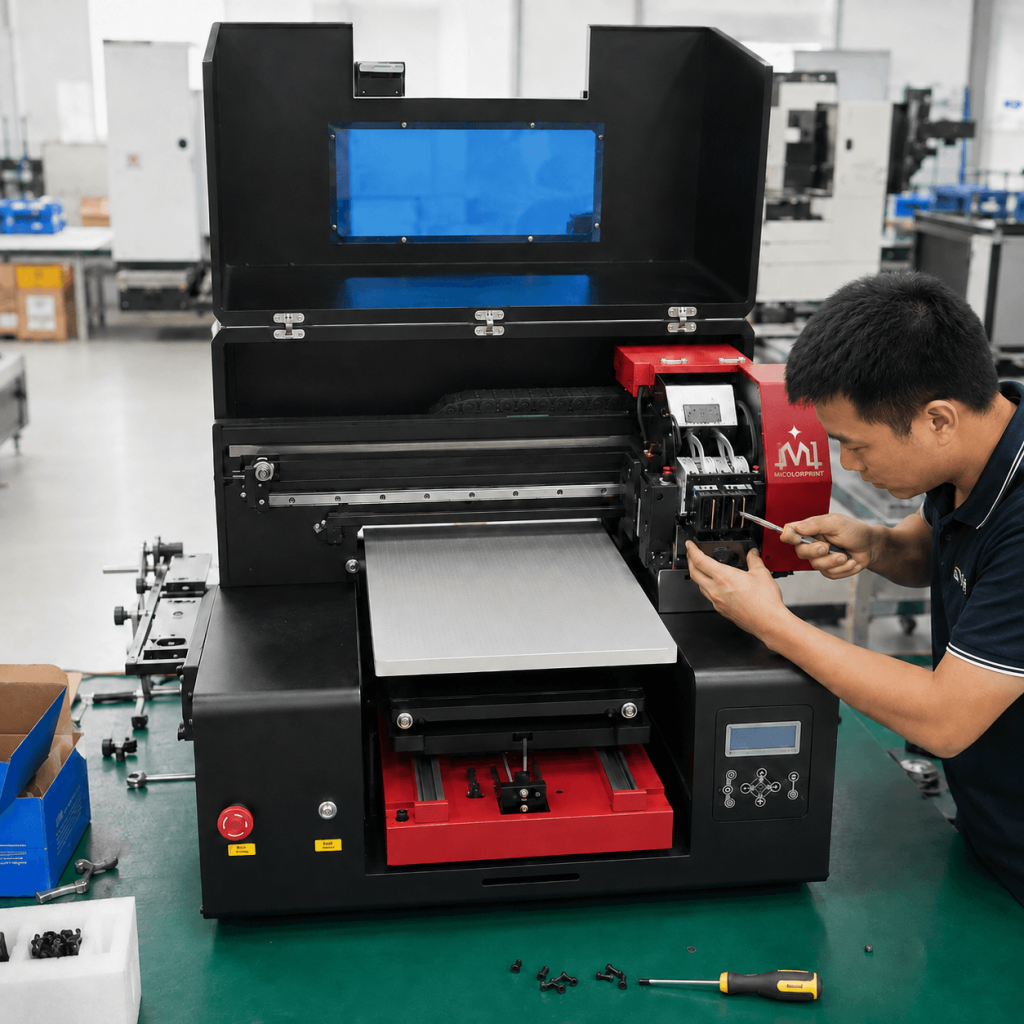
A3 uv dtf printer for Machine Assembly

1. Machine Assembly

Mechanical, electrical and printing components are assembled according to the selected configuration.

A3 uv dtf printer for Printhead Installation

2. Printhead Installation

The printhead is installed and prepared for machine testing.

3. Ink System Setup

Ink supply and white ink systems are checked before printing.

A3 uv dtf printer for Machine Calibration

4. Machine Calibration

Printing movement and output settings are adjusted.

A3 uv dtf printer for Printing Test

5. Printing Test

Test artwork is printed to check:

  • Color
  • White ink
  • Varnish
  • Detail
  • Nozzle condition
A3 uv dtf printer for Film Feeding Test

6. Film Feeding Test

A Film sheet feeding is tested to check movement and alignment.

A3 uv dtf printer for Laminating Test

7. Laminating Test

The laminating system is tested, separate with printer.

A3 uv dtf printer for Final Inspection

8. Final Inspection

Machine operation and included accessories are checked before packing.

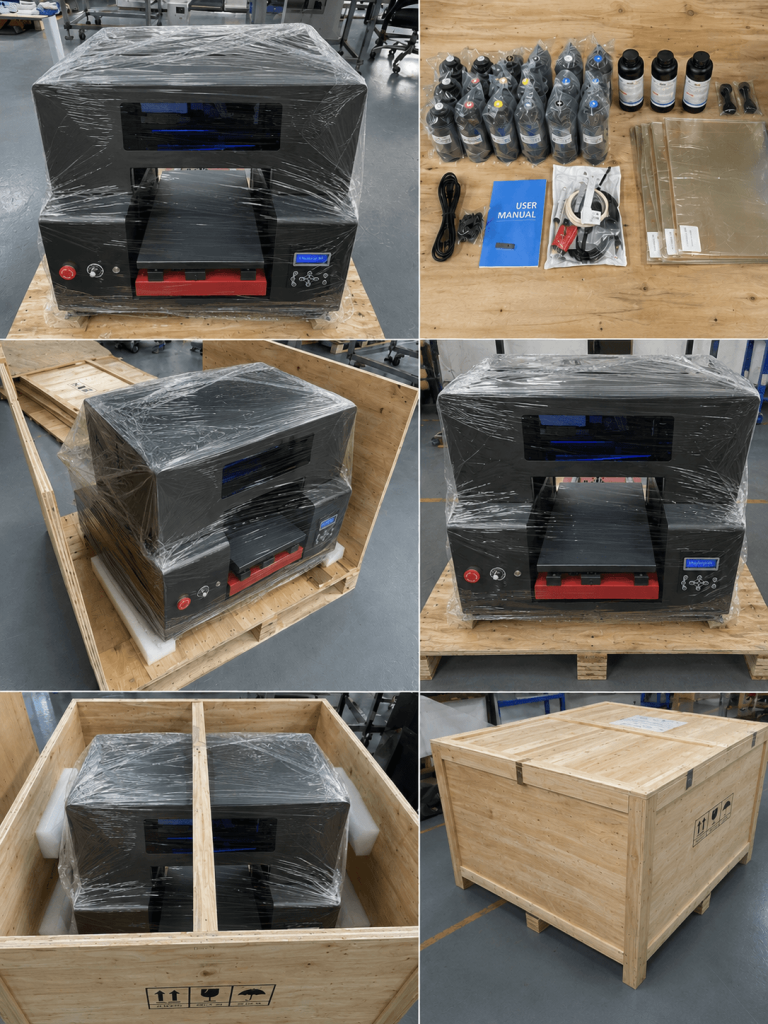
A3 uv dtf printer for Wooden Case Packing

9. Wooden Case Packing

The printer is secured for international transportation.

Packing details can be confirmed before shipment.

Why Work with a UV DTF Printer Manufacturer?

Choosing the right supplier is important because UV DTF equipment requires long-term support after the initial purchase.

A3 uv dtf printer for Wooden Case Packing

Configuration Recommendation

We can recommend a machine configuration according to:

  • Application
  • Production volume
  • Budget
  • Printhead preference
  • Business experience

Sample Printing Support

You can send us artwork for testing when sample testing is agreed before the order.

Factory Testing

Machine operation can be checked before packing.

Technical Training

Guidance is available for:

  • Printing
  • RIP software
  • Laminating
  • Maintenance
  • Troubleshooting

Spare Parts and Consumables

We can supply compatible consumables and maintenance parts for the machine configuration.

Export Packing

Machines can be packed for international shipment according to order requirements.

OEM and Distributor Cooperation

OEM or distributor cooperation can be discussed according to order quantity, market and project requirements.

Test Your Artwork Before You Order

If you are unsure whether an A3 UV DTF printer can produce the quality you need, send us your artwork.

Useful test files include:

  • Company logo
  • Small text
  • Gradient artwork
  • Full-color image
  • Fine line graphics
  • Varnish design

You can also tell us:

  • Transfer size
  • Product type
  • Material
  • Surface finish
  • Expected daily quantity

We can evaluate the project and recommend a suitable configuration.

A3 UV DTF Printer vs Larger UV DTF Printer

Choosing machine size should depend on production requirements.

Comparison

A3 UV DTF Printer

Larger UV DTF Printer

Machine Footprint

Smaller

Larger

Initial Investment

Lower

Higher

Production Positioning

Small to Medium

Medium to Higher

Suitable Orders

Custom / Short Run

Larger Production

Best For

Startups and Small Shops

Production Businesses

Space Requirement

Lower

Higher

Upgrade Path

Suitable Entry Point

Better for Higher Output

An A3 machine is generally a better fit when flexibility and compact size are more important than maximum production volume.

Frequently Asked Questions About A3 UV DTF Printers

An A3 UV DTF printer is a compact UV printing system that prints transferable graphics onto special film. The printed film is laminated and the design is then applied to a suitable hard surface. A3 UV DTF Printer used sheet A film, small uv dtf printer used roll A film.

A3 refers to the approximate printing format or machine class. Exact printable width should be confirmed for the specific printer model.

It can produce UV DTF transfers for suitable bottles, tumblers, acrylic products, glass, packaging, phone cases, promotional gifts and other hard surfaces. It can directly print items when you request.

Yes, it can print directly on bottles. Normally, UV DTF prints onto transfer film first. The prepared transfer is then applied to the bottle or other product surface.

The best option depends on budget, expected production volume and machine configuration. XP600 may suit lower-investment applications, while i1600/i3200 may be considered for higher production requirements.

It is a UV DTF printer using an Epson XP600 printhead configuration. It is often selected for entry-level or budget-focused applications.

It is a UV DTF printer equipped with an Epson i1600 printhead configuration and may be positioned for higher production requirements depending on the machine design.

Epson UV DTF Printer price depends on printhead model, number of printheads, laminating system, ink system, accessories, consumables and shipping destination.

Contact us for the current factory quotation.

Yes. Its compact size and flexible production method can make it suitable for small custom printing businesses handling short-run and personalized orders.

It can be suitable for beginners if they are willing to learn the correct workflow and perform regular maintenance.

UV DTF printing is not completely maintenance-free.

New operators should understand:

  • RIP software
  • Artwork setup
  • White ink
  • Varnish
  • A Film
  • B Film
  • Laminating
  • Nozzle checks
  • Cleaning
  • Transfer application

We can provide operating guidance to help new users understand the complete production process.

Yes. White ink is normally used as an underbase to support color visibility and opacity.

Our UV DTF configurations use varnish to create gloss and visual effects.It can help film easy tear off.

White ink pigments can settle over time. Circulation helps keep ink moving through the system and supports more consistent operation.

No UV printer is completely clog-free. Correct ink, circulation, environment, nozzle checks and routine maintenance are important for reducing problems.

A Film is the film onto which the UV DTF artwork is printed, A film have sheet and roll 2 type, A3 UV DTF Printer used A sheet film.

B Film is used during the laminating and transfer preparation process.

UV DTF production requires laminating. Whether the laminator is integrated into the printer or supplied separately depends on the machine configuration.

A typical configuration uses CMYK UV ink, white UV ink and varnish.

They can be applied to many suitable glass surfaces. Surface compatibility should be tested before batch production.

Yes, suitable tumbler surfaces are a common UV DTF application.

Yes. Smooth acrylic surfaces are commonly used for UV DTF customization.

Many smooth plastic surfaces may be suitable, but adhesion can vary according to material and coating. Testing is recommended.

Many smooth metal surfaces may be suitable. Surface finish and coating should be tested.

The supplied RIP software depends on the machine configuration. Confirm software compatibility and license details before ordering.(general rip software have  UltraPrint/RIIN/Maintop)

Cleaning frequency depends on machine use and nozzle condition. Daily nozzle checks are recommended, and cleaning should be performed when needed according to the machine procedure.

Typical consumables include CMYK ink, white ink, varnish, A Film, B Film and cleaning solution.

Yes, compatible spare parts and maintenance components can be supplied according to the machine configuration.

Sample testing can be arranged depending on the project. Send us your artwork, transfer size and intended application.

Export machines can be secured in suitable protective packaging or a wooden case for international transportation according to shipment requirements.

Consider your expected daily production, products, artwork detail, printhead preference, budget, available space and maintenance capability.

If you are unsure, send us your application requirements and we can recommend a suitable configuration.

Not Sure Which A3 UV DTF Printer Configuration You Need?

Choosing a UV DTF printer should not be based only on the lowest machine price.

Tell us:

We can recommend a suitable A3 UV DTF printer configuration and provide a factory quotation.

Scroll to Top

Get In Touch

Fill in the form below and our team will be happy to assist you

Contact Information

Whatsapp:+8613917392762 
Email:service@micolorprint.com

Opening Hours

Monday – Friday 9am-6pm 
Weekend – Closed

Address

501, Building B, No. 13, Maling 2nd Road, Nanlian Community, Longgang Street, Longgang District, Shenzhen, Guangdong, China