Pen Printer for Custom Logo and Full-Color Pen Printing

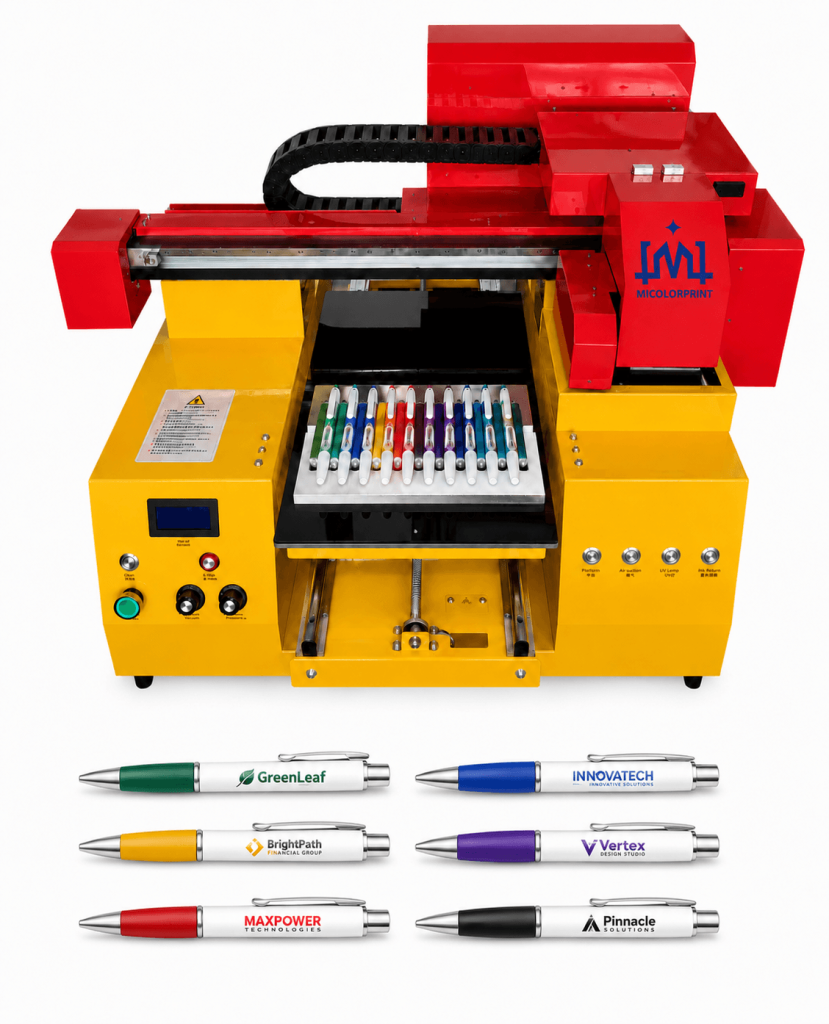
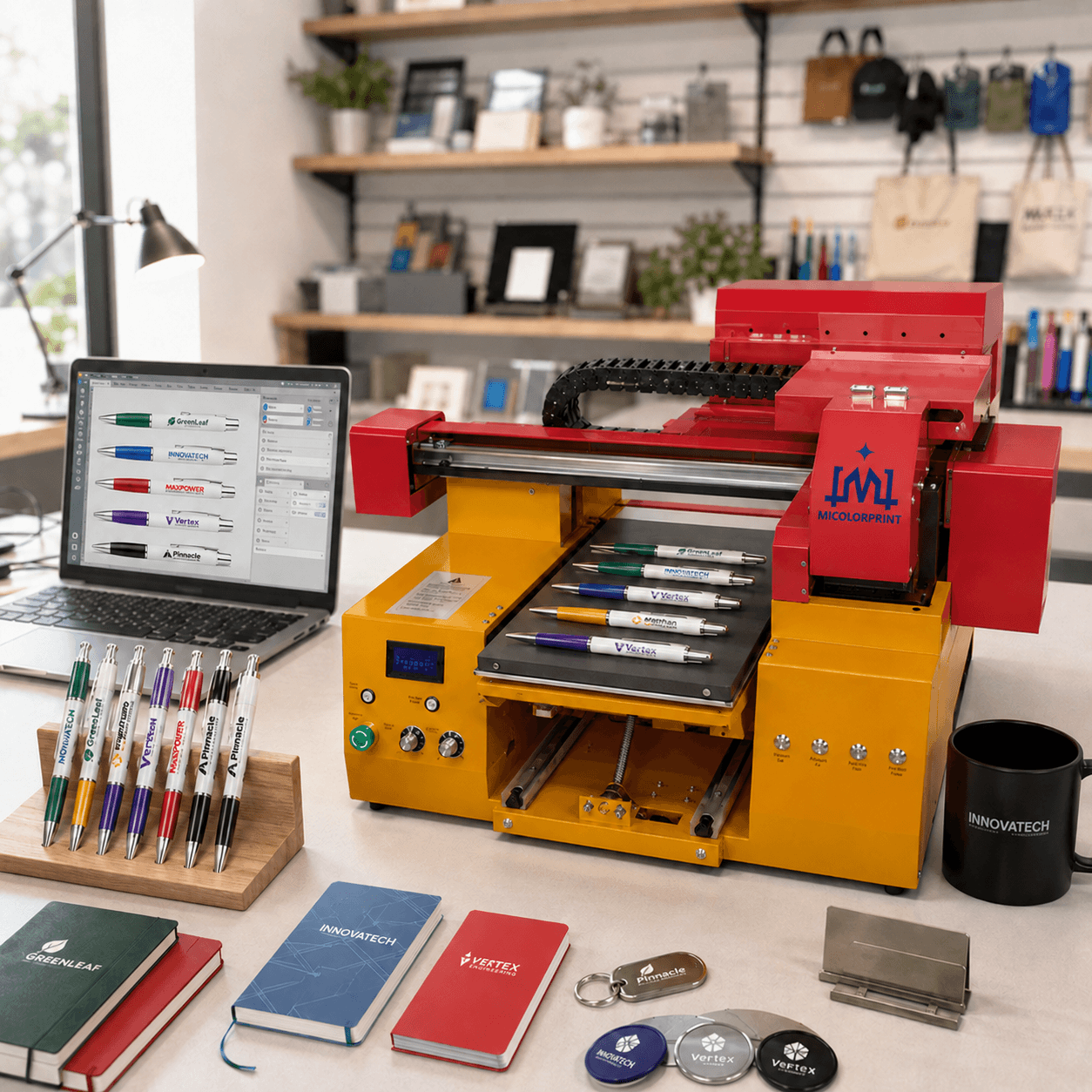
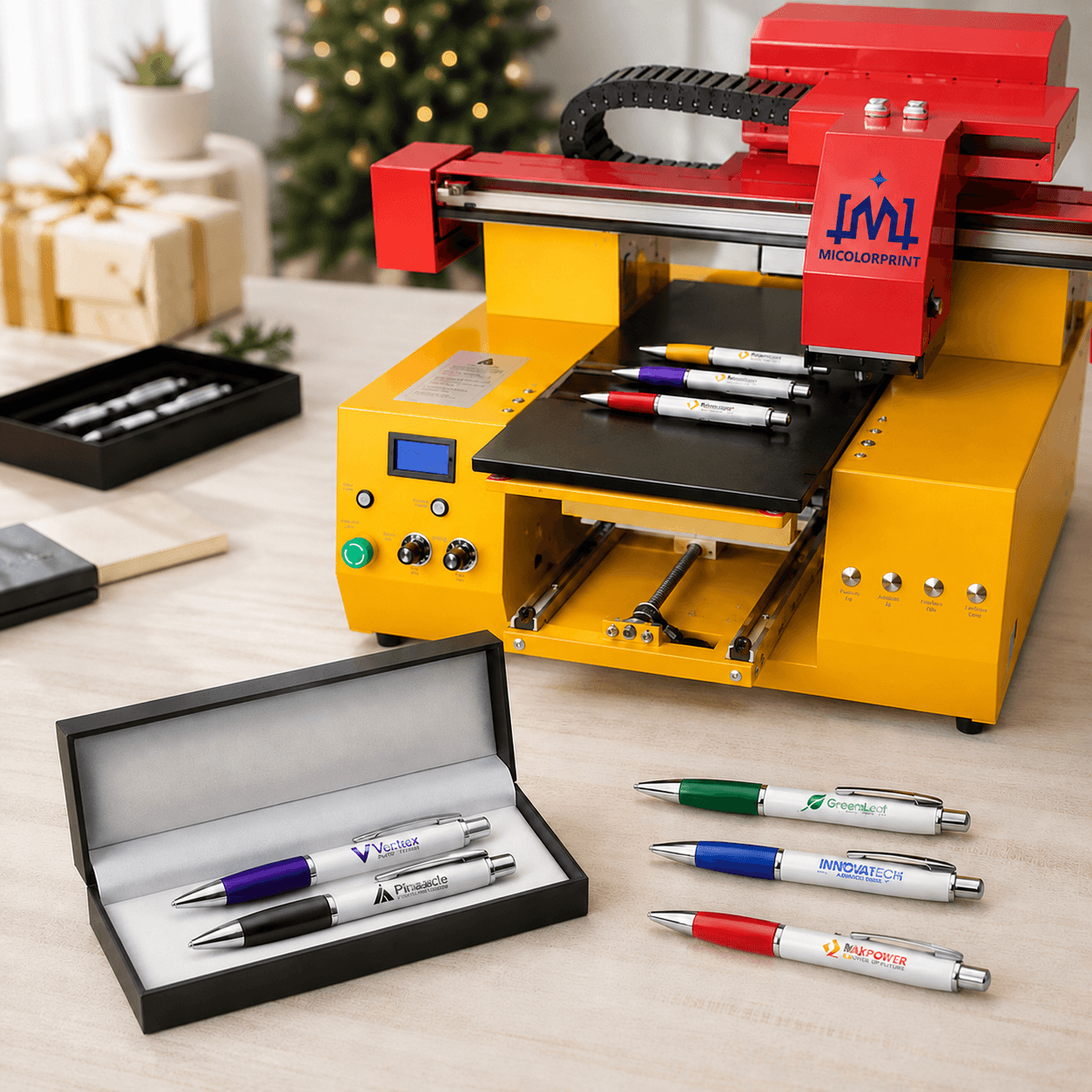
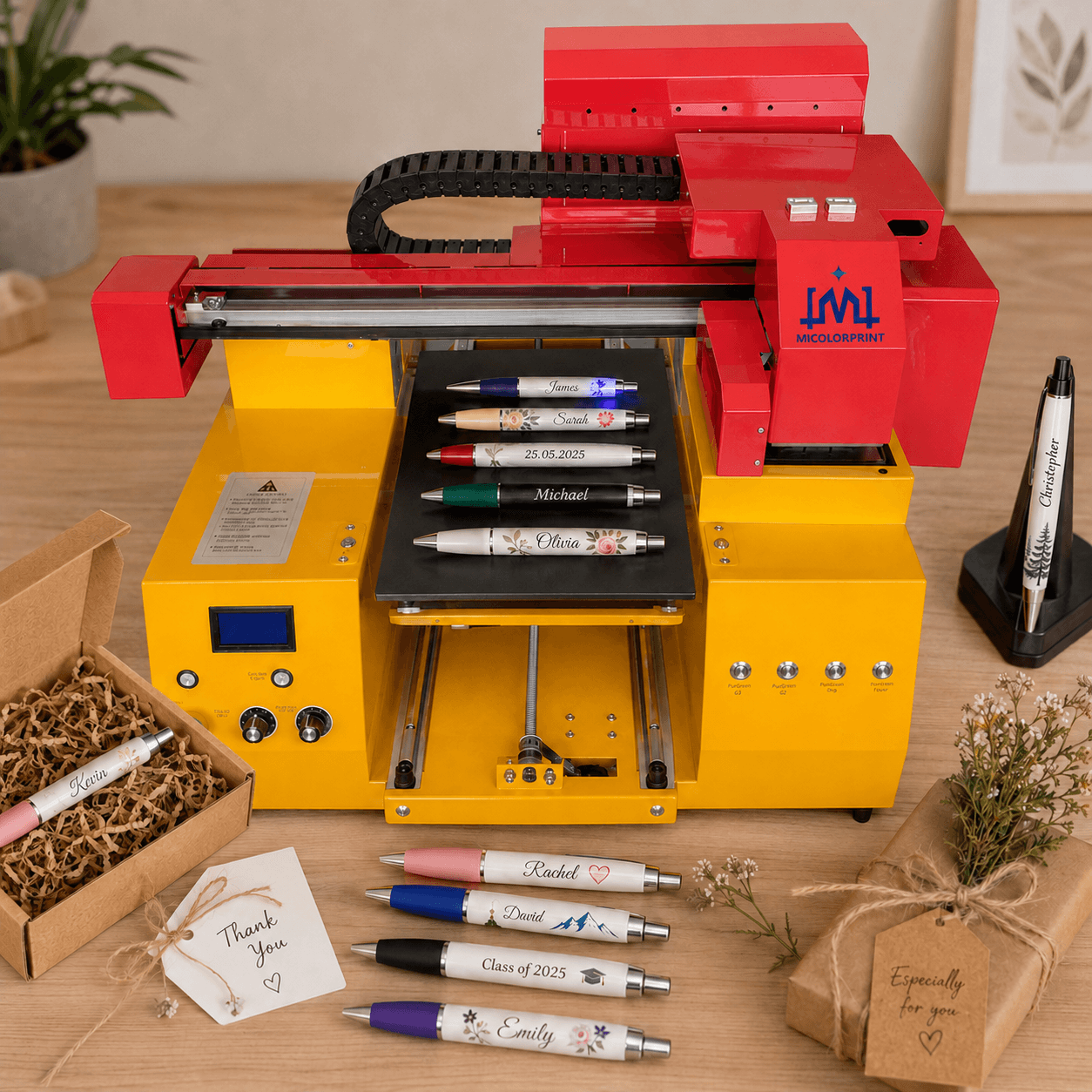
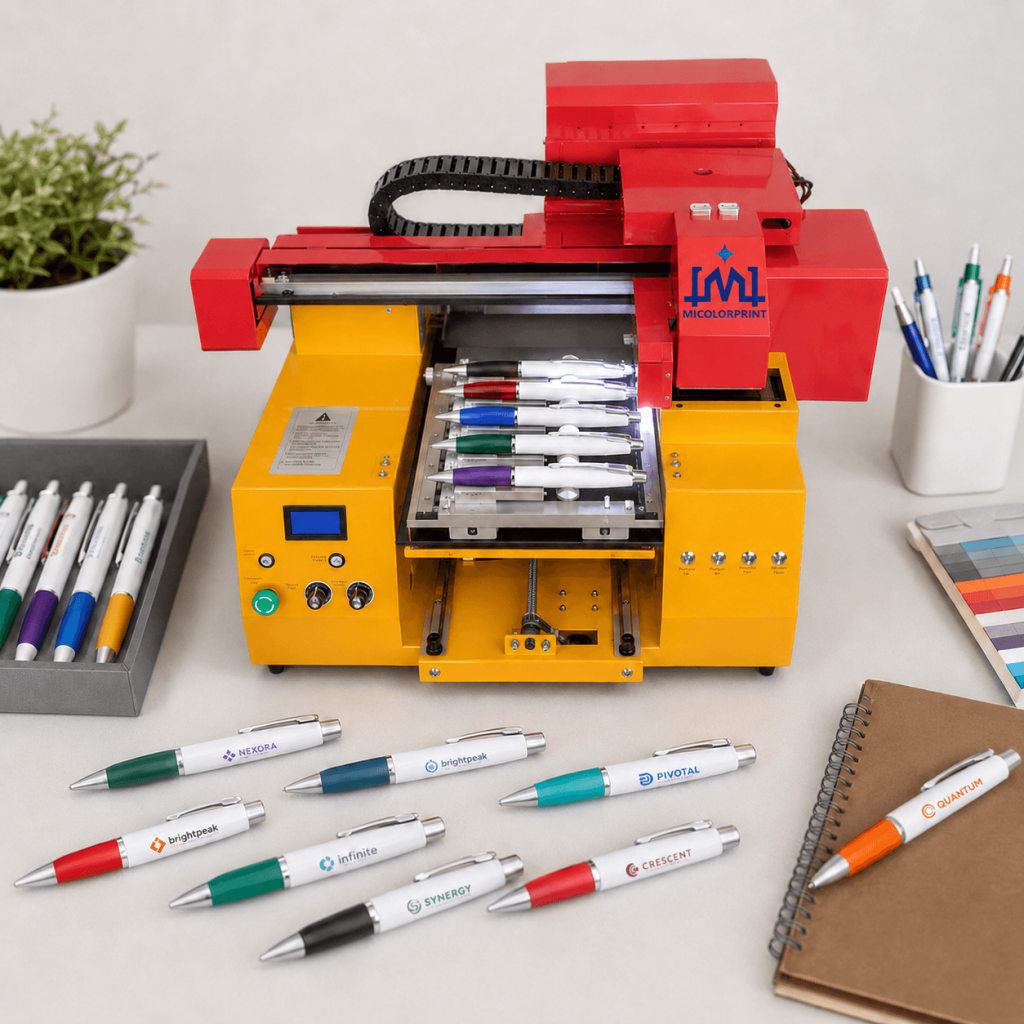
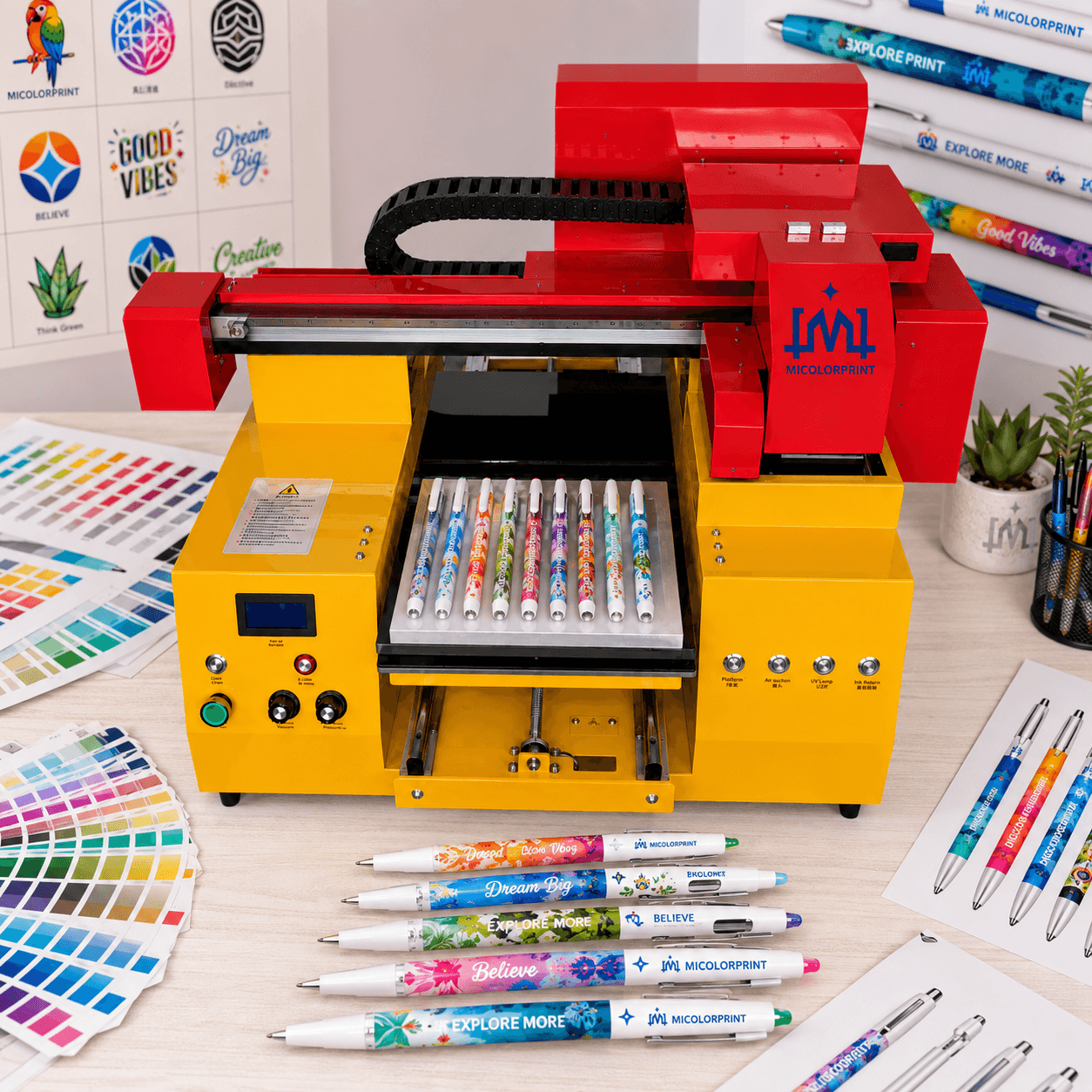
Print logos, names, text, serial numbers and full-color graphics directly on suitable plastic, metal, coated, bamboo and wooden pens.

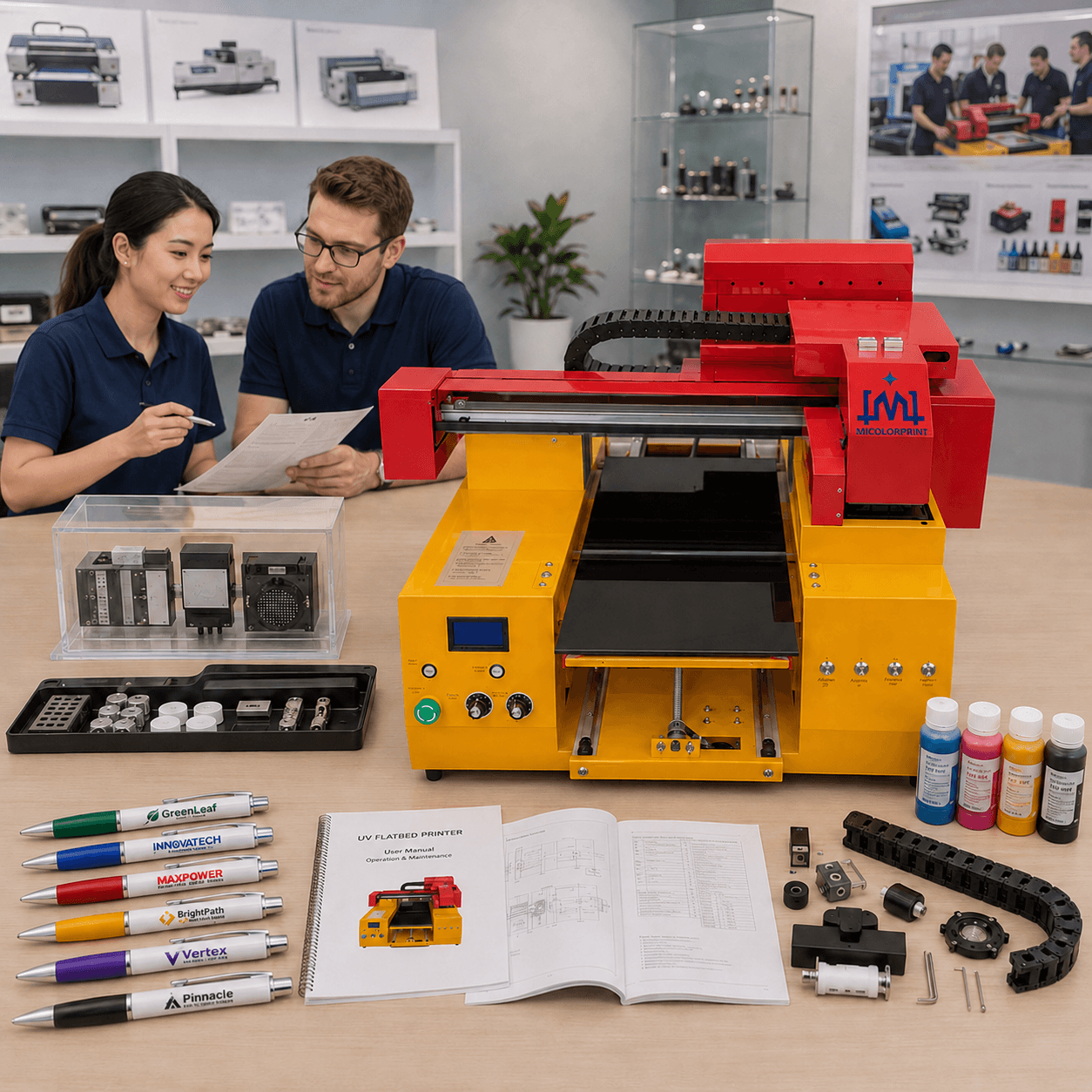
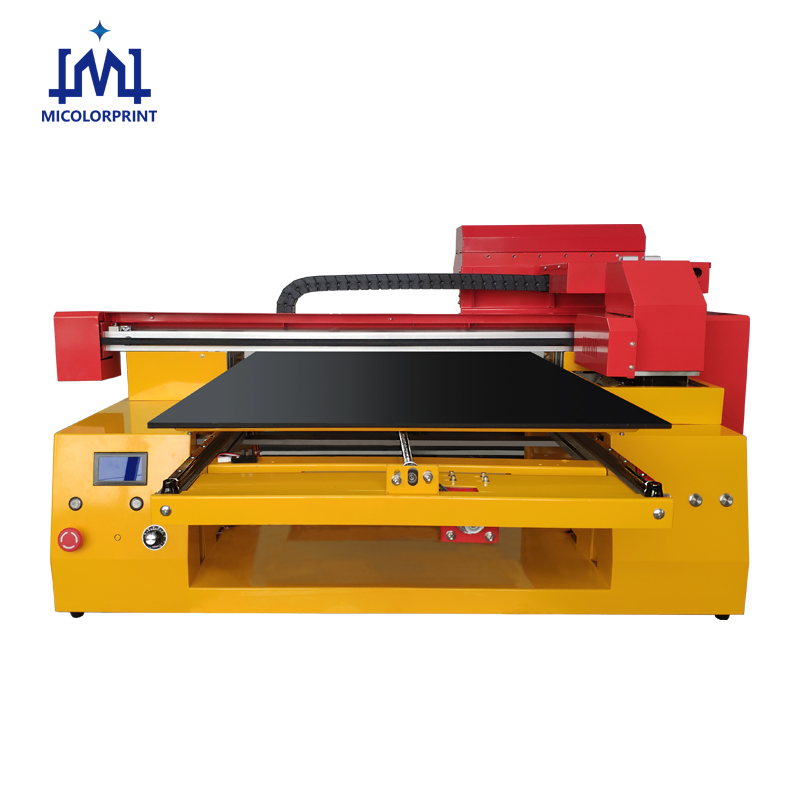
Our UV pen printer is designed for promotional product suppliers, pen manufacturers, printing shops, corporate gift companies and personalized product businesses that need a more flexible way to handle frequently changing artwork, small-to-medium batches and customized pen orders.

Unlike traditional plate-based methods, digital UV printing allows artwork to be changed directly from the computer. A customized multi-position pen fixture helps prevent round pens from rolling and supports more repeatable logo positioning during batch printing.

Send us your pen photo, material, dimensions, required logo position and expected output. We will evaluate the printable area, fixture requirement and suitable machine configuration.

A Complete Pen Printing Solution, Not Only a Printer

A pen printer alone does not guarantee reliable batch production.

A complete pen printing solution normally includes:

This is important because many pen printing problems are not caused by the machine alone.

Round pens may roll during loading. Different pen diameters may not fit the same fixture. Some plastics provide poor ink adhesion. Curved surfaces can reduce image clarity near the edge of the printable area.

For these reasons, we recommend evaluating the actual pen before confirming the machine.

Common Problems in Custom Pen Printing

Frequent Logo Changes Increase Setup Time

Promotional suppliers and printing shops often receive many small orders from different customers.

Each order may require a different:

  • Company logo
  • Customer name
  • Event date
  • Promotional message
  • Color combination
  • Serial number

With plate-based printing, every artwork change may require additional setup or a new printing plate.

Our Approach

Digital UV printing allows artwork to be changed directly through the RIP software.

This makes it easier to handle:

  • Multiple customer logos
  • Personalized names
  • Short promotional campaigns
  • Sample orders
  • Mixed artwork batches
  • Last-minute design changes

Round Pens Roll and Cause Positioning Errors

Pens are usually round, tapered or fitted with clips.

Without a suitable fixture, they may:

  • Roll during loading
  • Face different directions
  • Shift from the print position
  • Create inconsistent logo placement
  • Increase manual adjustment time
  • Raise print-head collision risk

Our Approach

A customized pen fixture helps hold every pen in a controlled and repeatable direction.

Fixture design can consider:

  • Pen length
  • Pen diameter
  • Pen taper
  • Clip position
  • Cap structure
  • Required print location
  • Number of pens per batch

One Fixture Cannot Fit Every Pen

Many customers print several pen models.

However, pens may differ in:

  • Diameter
  • Length
  • Body shape
  • Clip position
  • Cap design
  • Surface curvature
  • Printable area

A fixture that works well for one pen may not provide stable positioning for another.

Our Approach

We evaluate the actual pen before recommending a fixture.

Similar pen models may share one adjustable fixture, while significantly different models may require separate dedicated fixtures.

Ink Adhesion Is Different on Every Surface

A common concern is whether the printed logo will scratch off.

Even two pens that both look like “plastic pens” may use different materials or coatings.

Possible surfaces include:

  • ABS
  • PP
  • PE
  • PC
  • PVC
  • Painted plastic
  • Rubber-coated plastic
  • Anodized aluminum
  • Painted metal
  • Electroplated metal
  • Bamboo
  • Coated wood

Our Approach

We recommend testing the actual pen for:

  • Direct ink adhesion
  • Primer requirement
  • Flame or plasma pretreatment
  • White ink performance
  • Scratch resistance
  • Tape resistance
  • Alcohol-wipe resistance

We do not recommend assuming that every plastic or metal pen can be printed directly.

Curved Pen Bodies Limit the Printable Width

A flatbed UV pen printer normally prints the area facing the print head.

As the artwork extends further around the curved pen body, the distance between the surface and the print head increases.

This may cause:

  • Blurred edges
  • Misplaced ink dots
  • Distorted graphics
  • Poor small-text clarity
  • Increased print-head risk

Our Approach

We confirm the printable area according to:

  • Pen diameter
  • Surface curvature
  • Artwork width
  • Required quality
  • Printing distance
  • Fixture height

A test sample is the most reliable way to determine the acceptable print width.

Small Text and QR Codes May Be Difficult to Reproduce

Pens have a limited printing area.

Very small text, thin lines and QR codes can become unclear when the design is reduced too much or printed on a strongly curved surface.

Our Approach

Before production, we check:

  • Font size
  • Line thickness
  • Artwork resolution
  • QR code size
  • Color contrast
  • Printable width
  • Surface curvature

Every QR code should be scanned after printing before batch production.

Dark Pens Need a Suitable White-Ink Base

CMYK colors may appear weak or inaccurate when printed directly on black, dark blue, red or metallic pen surfaces.

Our Approach

White ink can be printed as a base layer to improve:

  • Color visibility
  • Logo contrast
  • Image brightness
  • Color consistency

White ink may also increase printing time and maintenance requirements, so the correct configuration should be selected according to the actual application.

Theoretical Speed Is Not Actual Production Output

Customers often ask how many pens can be printed per hour.

The answer depends on more than the print-head speed.

Actual output is affected by:

  • Pens per fixture
  • Logo size
  • Printing resolution
  • White ink layers
  • Varnish layers
  • Loading time
  • Unloading time
  • Inspection time
  • Operator experience
  • Frequency of artwork changes

Our Approach

We recommend calculating output based on a real test:

Pens per fixture + printing time + loading time + unloading time + inspection time

This gives a more realistic estimate than a theoretical machine speed.

Automatic Printing Is Not the Same as Automatic Feeding

Many buyers searching for an automatic pen printing machine expect automatic feeding, positioning, printing and unloading.

A standard UV pen printer normally provides:

  • Computer-controlled printing
  • Automatic platform movement
  • Automatic UV curing

However, pens are usually loaded and unloaded manually.

Our Approach

We clearly explain the automation level before purchase.

For high-volume standardized production, a separate automatic feeding system may need to be evaluated.

What Is a Pen Printer?

A pen printer is a machine used to print logos, names, text, graphics, codes or personalized designs onto the outer surface of pens.

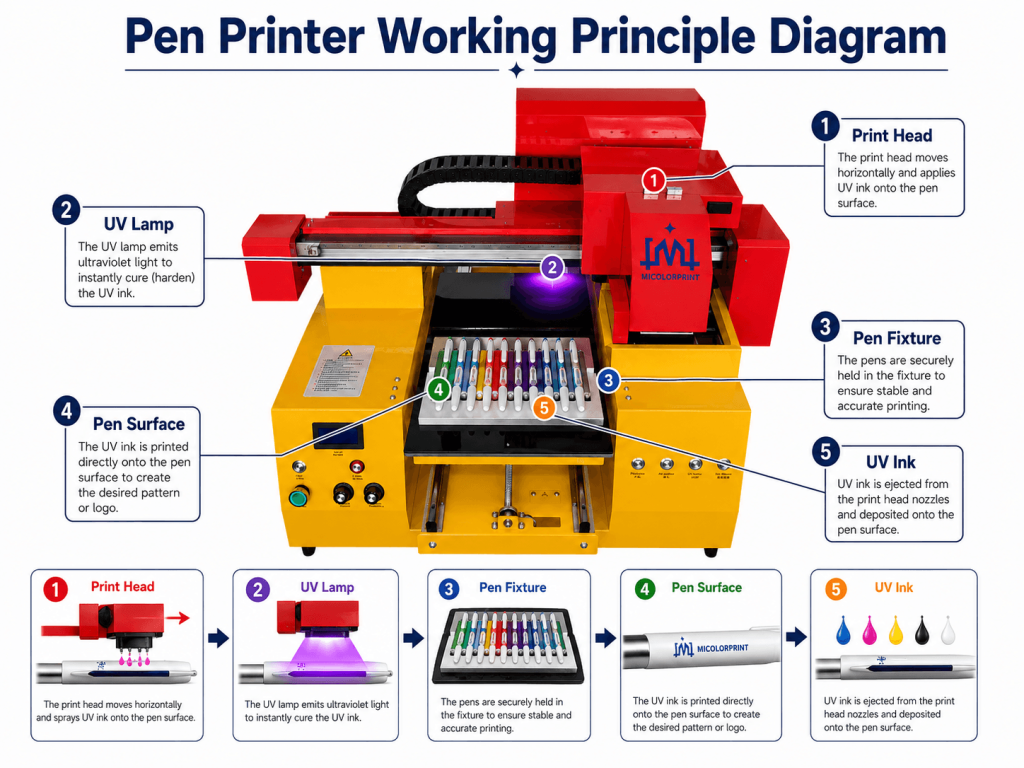
A UV pen printer uses digitally controlled inkjet printing and UV LED curing.

The operator prepares the artwork on a computer, places the pens into a suitable fixture and prints the design directly onto the pen surface.

UV pen printing is generally suitable for:

It is not always the best choice for:

Who Uses a Pen Printing Machine?

Promotional Product Suppliers

Handle different company logos for exhibitions, events and corporate promotions.

Main concerns:

  • Frequent artwork changes
  • Short lead times
  • Small mixed batches
  • Sample approval speed
  • Logo position consistency

Pen Manufacturers

Produce branded pens for distributors, corporate customers and private-label orders.

Main concerns:

  • Repeated positioning
  • Fixture durability
  • Batch output
  • Different pen models
  • Long working hours

Printing Shops

Expand into customized stationery and promotional products.

Main concerns:

  • Material compatibility
  • Operator training
  • Small order efficiency
  • Software operation
  • Maintenance requirements

Corporate Gift Companies

Produce branded pen sets and custom gifts.

Main concerns:

  • Different client logos
  • Short delivery periods
  • Small seasonal orders
  • Premium appearance
  • Reliable sample approval

Personalized Gift Businesses

Print names, dates and custom artwork.

Main concerns:

  • Every order is different
  • Low order quantities
  • No plate-making flexibility
  • Investment risk
  • Easy operation

Equipment Distributors

Resell machines and provide local support.

Main concerns:

  • Machine stability
  • OEM options
  • Spare parts
  • Technical documents
  • Long-term ink supply
  • Training support

Pen Printer Machine Models and Solutions

The most suitable machine depends on the pen type, artwork, batch quantity and expected output.

Compact Pen Printer

Suitable for:

  • Personalized gift businesses
  • Printing startups
  • Sample production
  • Small custom orders
  • Limited working space

Typical advantages:

  • Smaller footprint
  • Lower initial investment
  • Flexible artwork changes
  • Suitable for common pen fixtures

Multi-Pen UV Printer

Suitable for:

  • Promotional suppliers
  • Printing shops
  • Corporate gift companies
  • Medium-batch logo orders
  • Repeated pen models

Typical advantages:

  • Larger fixture capacity
  • Multiple pens per print cycle
  • CMYK and white-ink options
  • More flexible production planning

Customized Pen Printing Solution

Suitable for:

  • Pen factories
  • High-volume suppliers
  • Multiple fixture requirements
  • Specialized pen structures
  • Distributor projects

A customized solution may include:

  • Dedicated fixture design
  • Larger platform size
  • Specific print-head configuration
  • White ink and varnish
  • Pretreatment recommendations
  • Spare-parts package
  • Remote training

Send us your pen type and daily output requirement for a suitable recommendation.

Pen Printing Samples

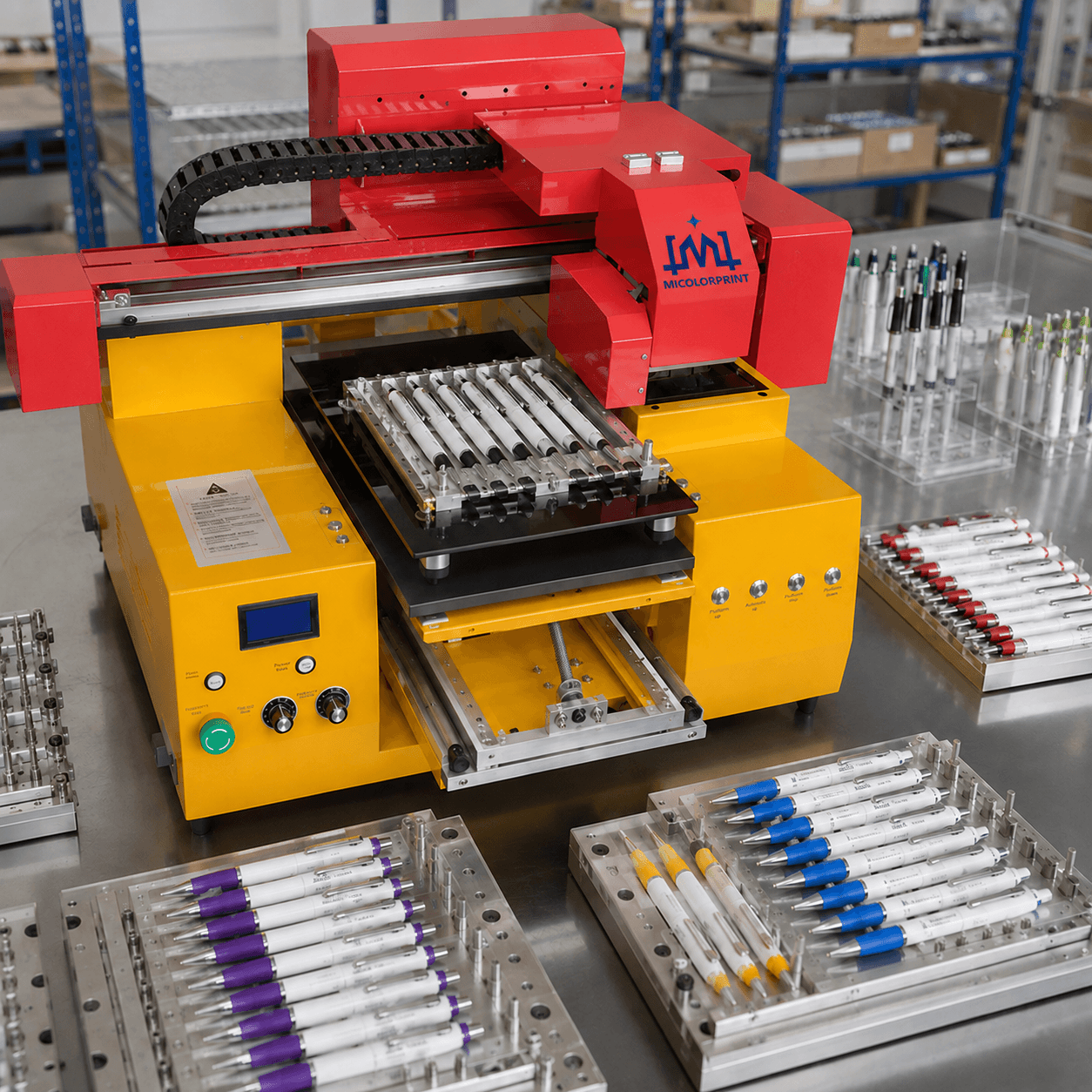
Actual samples help buyers evaluate image clarity, positioning, white ink and adhesion.

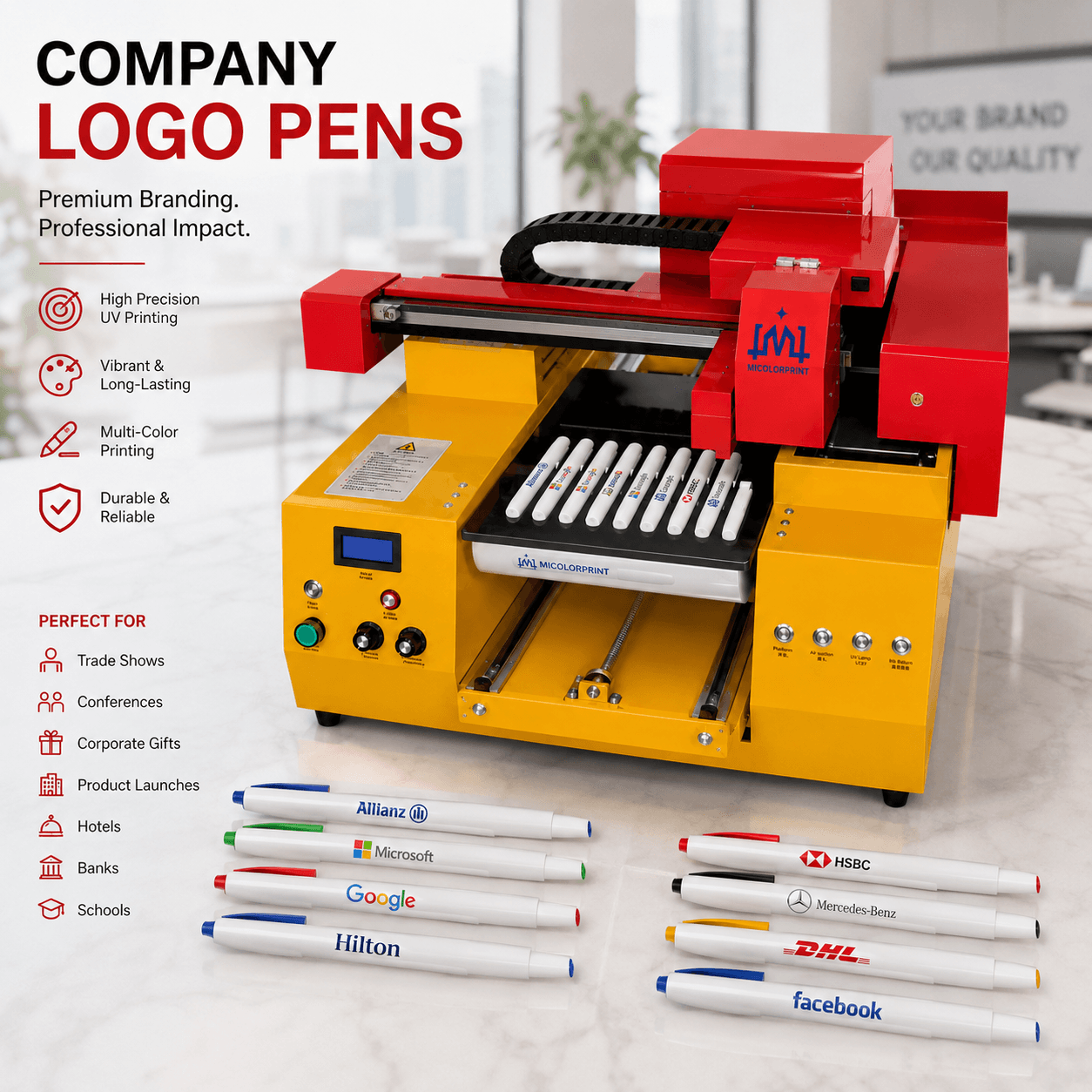
Company Logo Pens

Suitable for:

  • Corporate promotions
  • Trade shows
  • Conferences
  • Product launches
  • Hotels
  • Banks
  • Schools

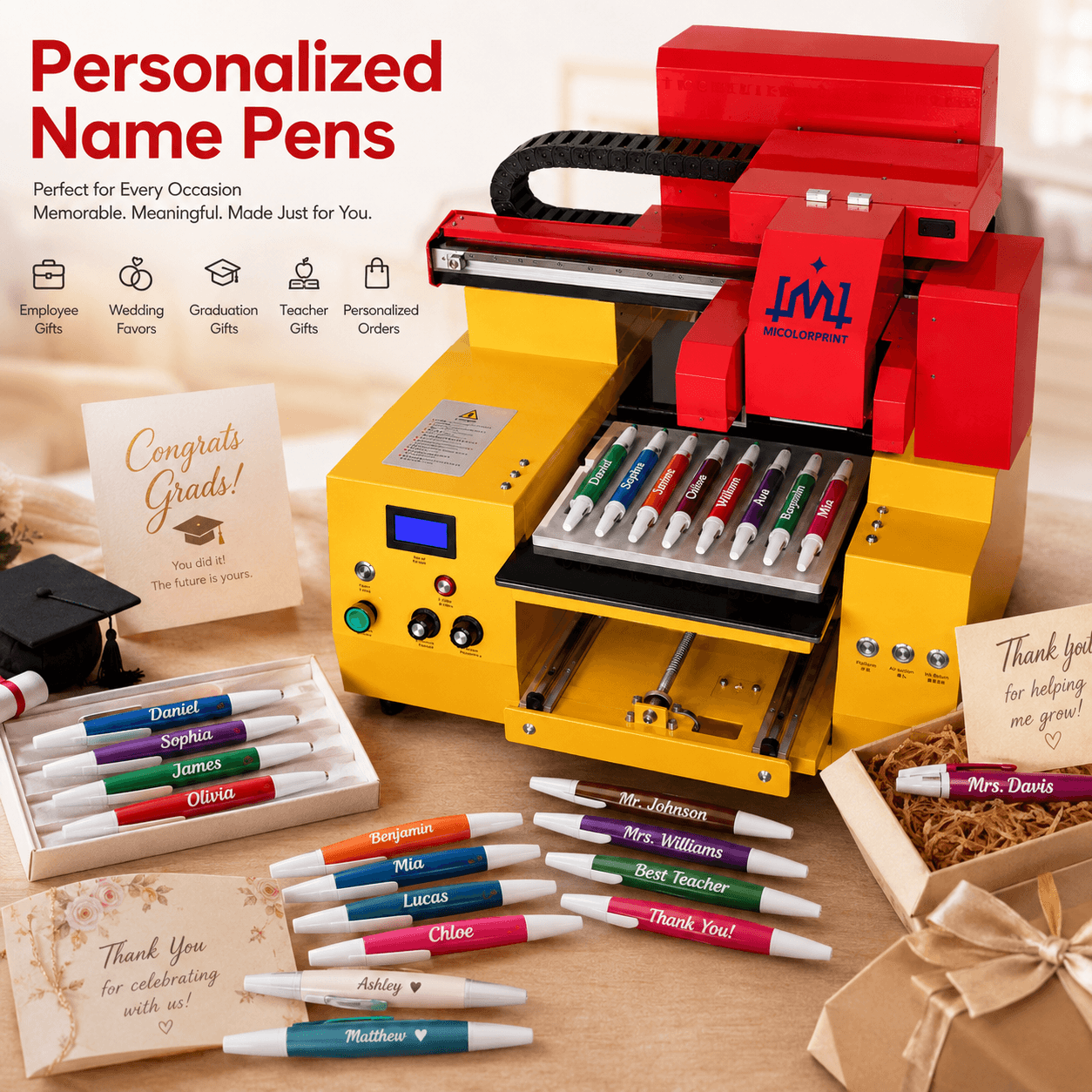
Personalized Name Pens

Suitable for:

  • Employee gifts
  • Wedding favors
  • Graduation gifts
  • Teacher gifts
  • Personalized retail orders

Lorem ipsum dolor sit amet, consectetur adipiscing elit. Ut elit tellus, luctus nec ullamcorper mattis, pulvinar dapibus leo.

Full-Color Graphic Pens

Suitable for designs with:

  • Multiple colors
  • Brand symbols
  • Gradients
  • Simple illustrations
  • Small graphic elements

Small Text Pens

Suitable for:

  • Website addresses
  • Phone numbers
  • Company names
  • Event dates
  • Promotional messages

Serial Number Pens

Suitable for:

  • Employee numbering
  • Membership codes
  • Limited-edition products
  • Internal identification

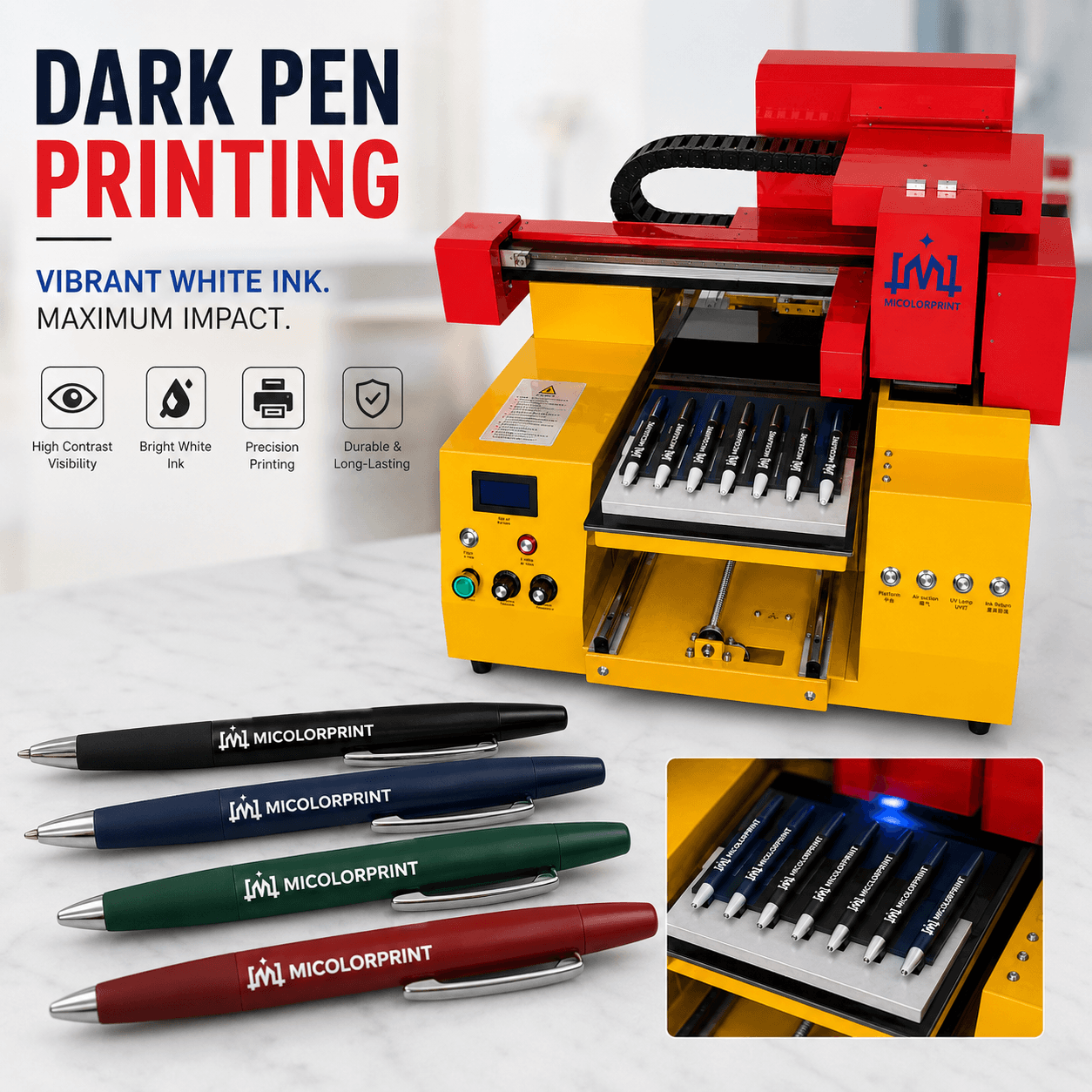
Dark Pen Printing

White ink can improve image visibility on dark-colored surfaces.

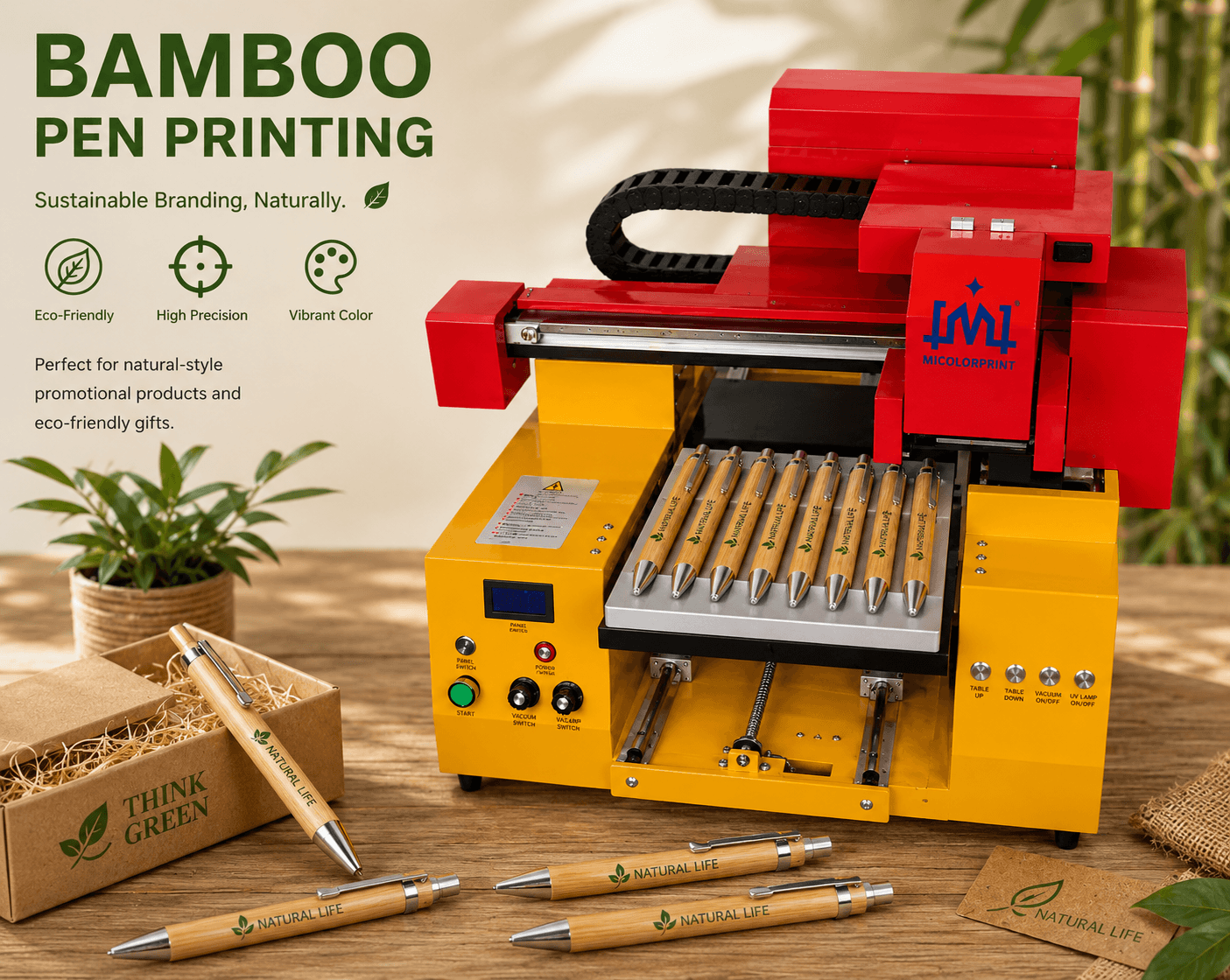
Bamboo Pen Printing

Suitable for eco-friendly gifts and natural-style promotional products.

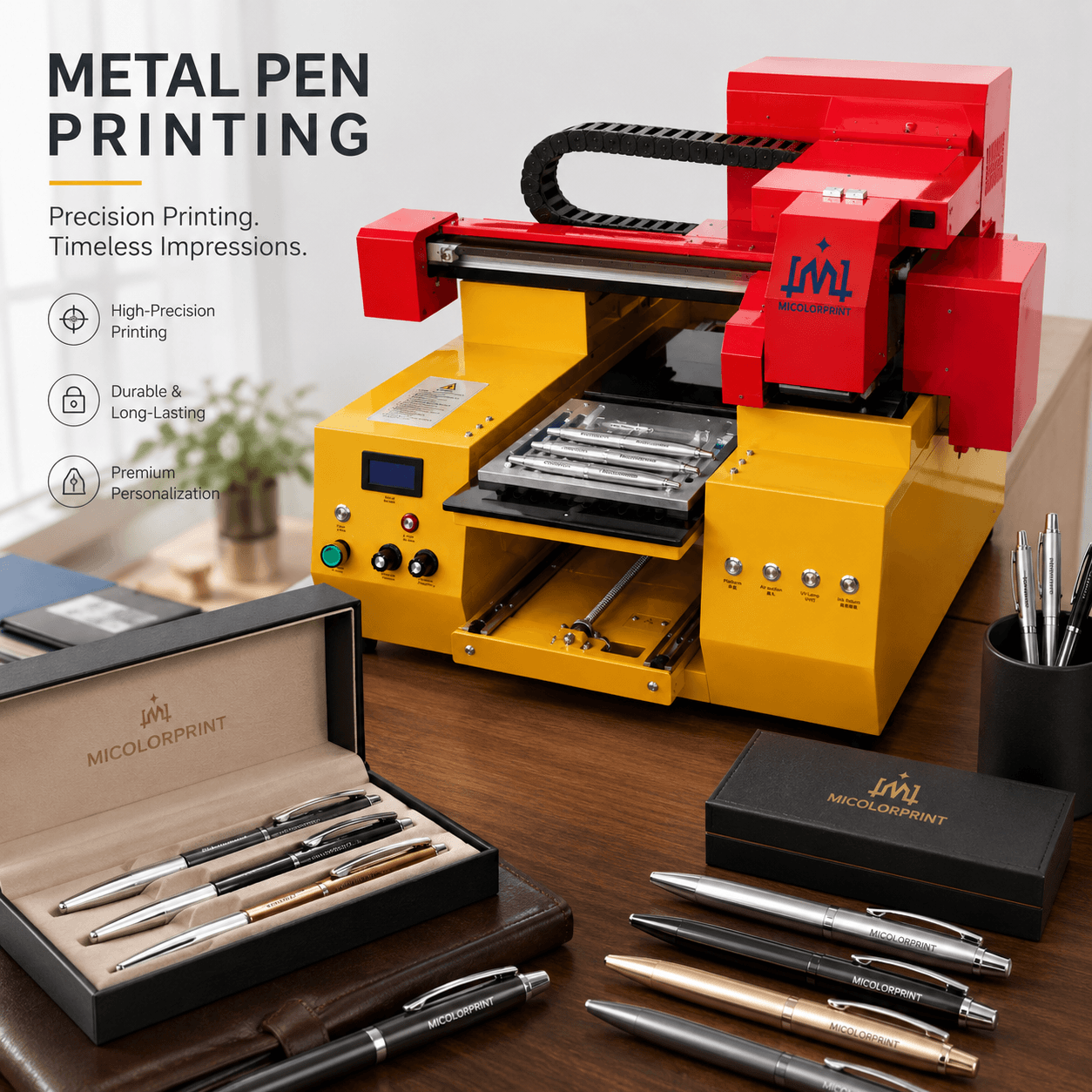
Metal Pen Printing

Suitable for premium gift sets and business stationery.

Send your pen photos or physical samples for printing evaluation.

What Types of Pens Can Be Printed?

The following products may be suitable, depending on material and surface treatment.

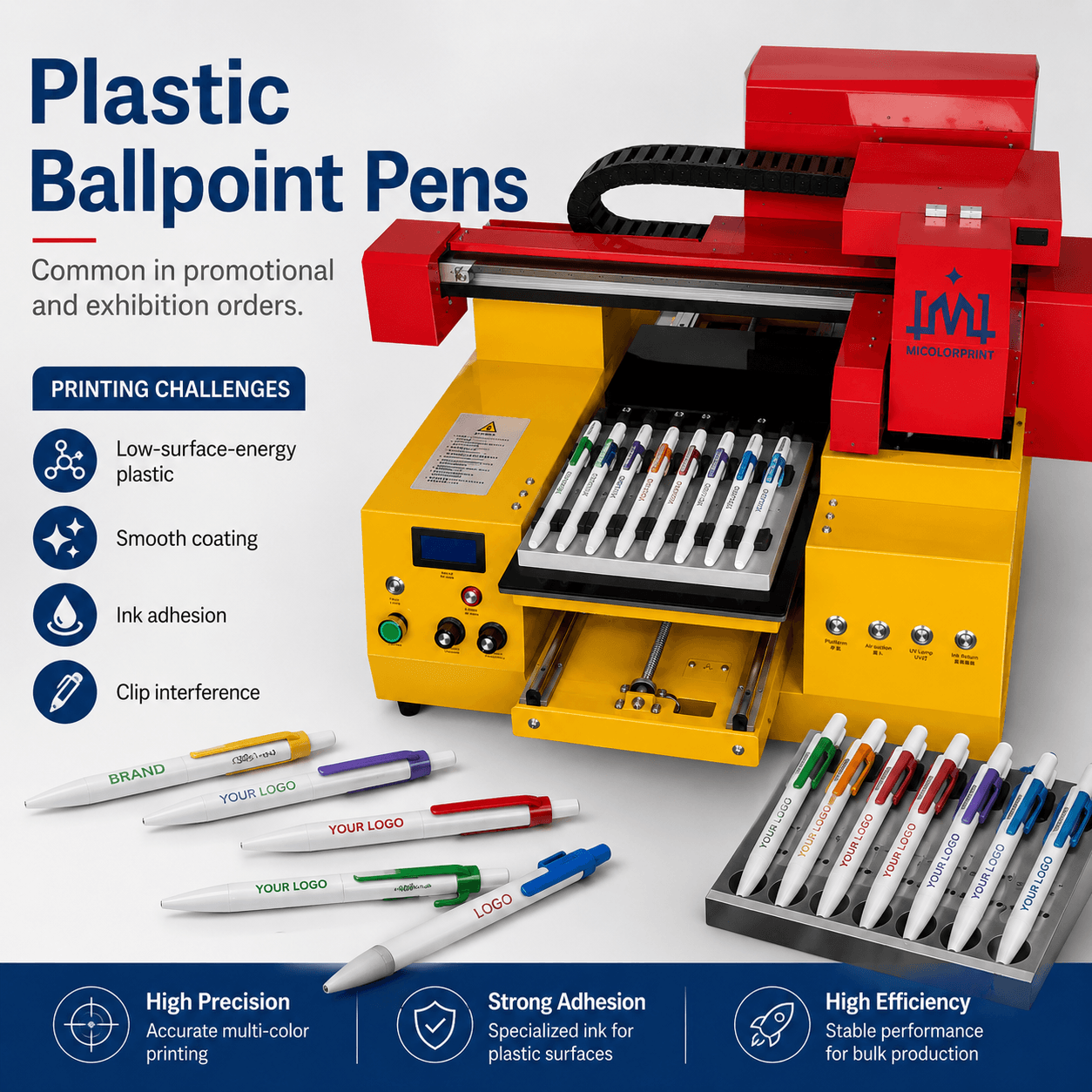
Plastic Ballpoint Pens

Common in promotional and exhibition orders.

Possible challenges:

  • Low-surface-energy plastic
  • Smooth coating
  • Ink adhesion
  • Clip interference

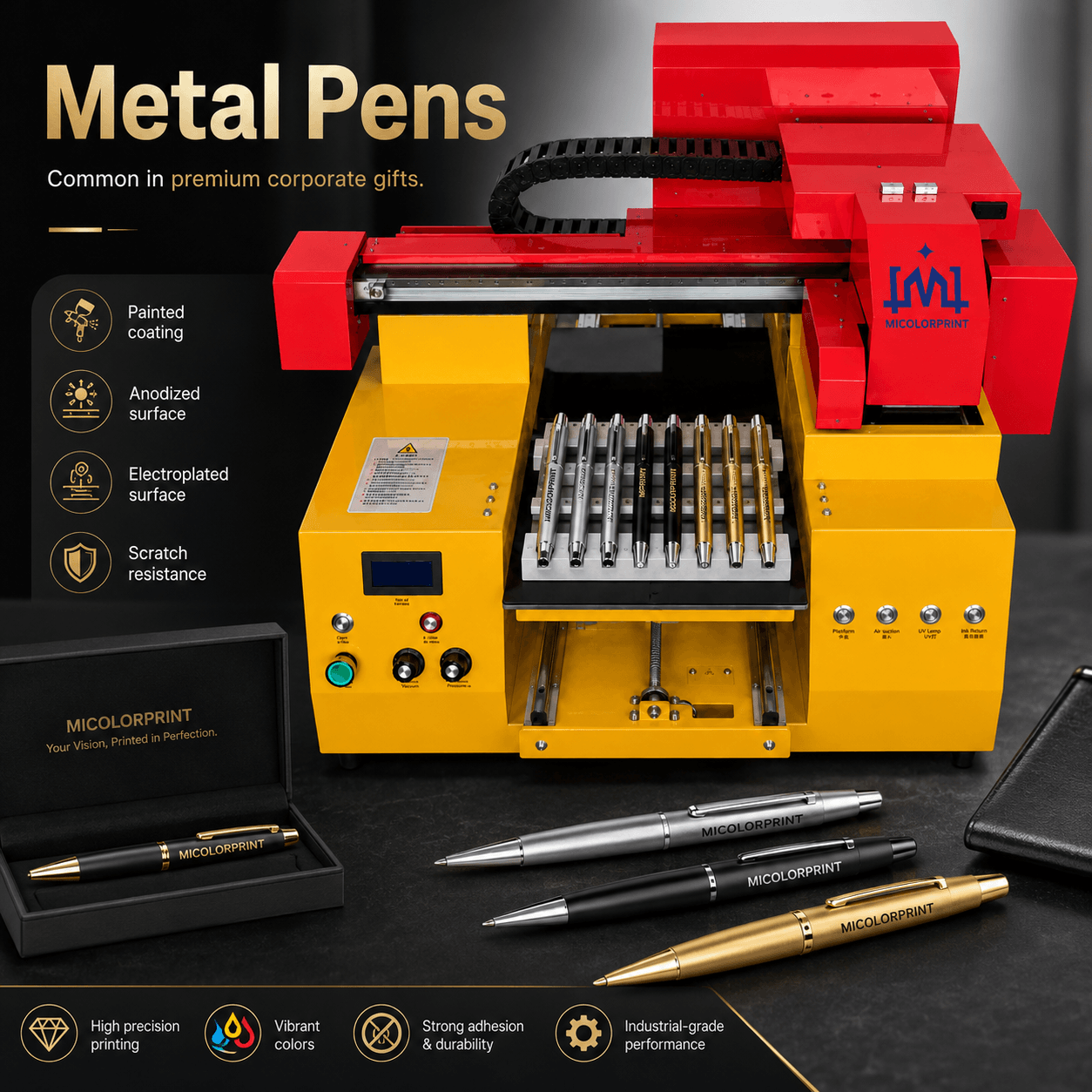
Metal Pens

Common in premium corporate gifts.

Possible challenges:

  • Painted coating
  • Anodized surface
  • Electroplated surface
  • Scratch resistance

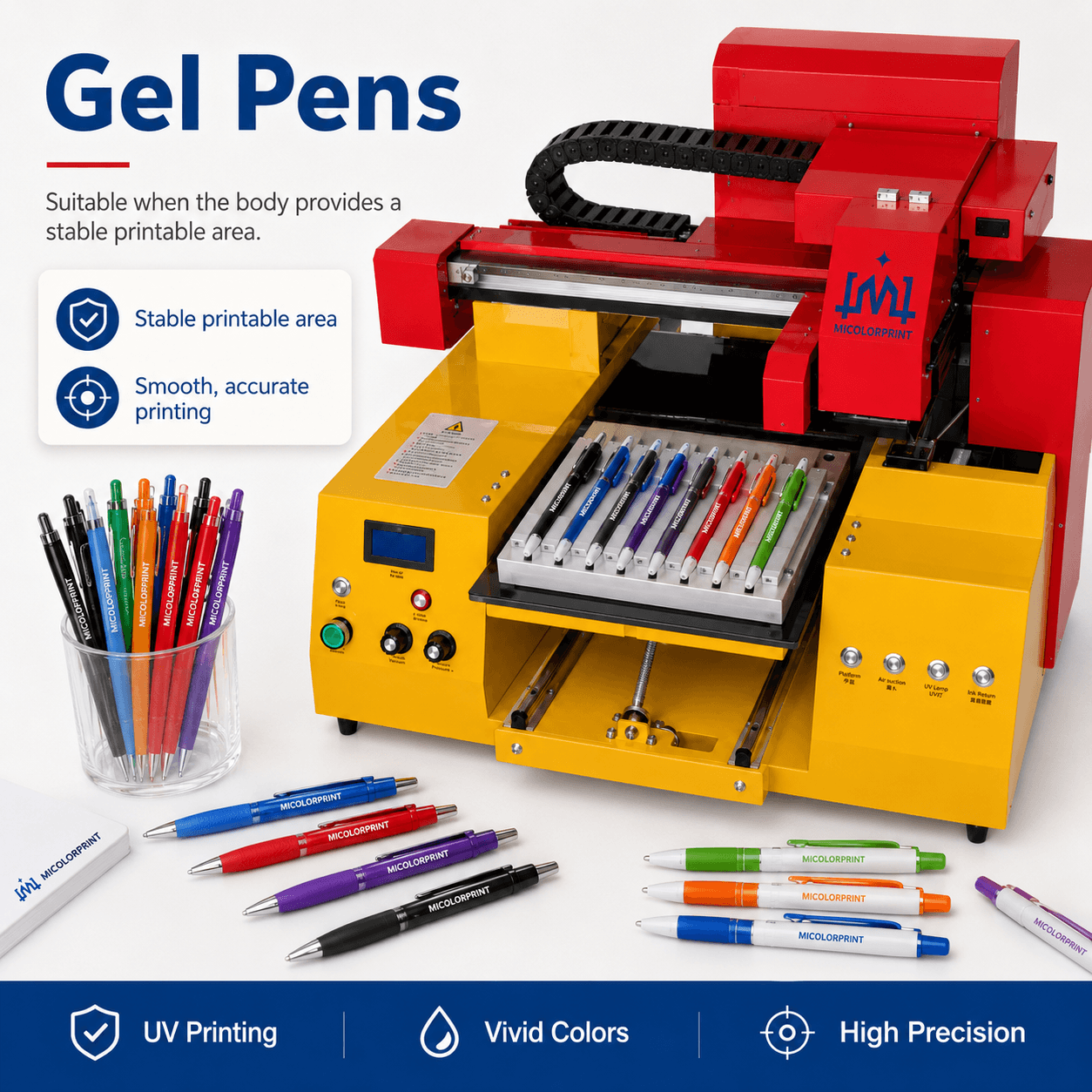
Gel Pens

Suitable when the body provides a stable printable area.

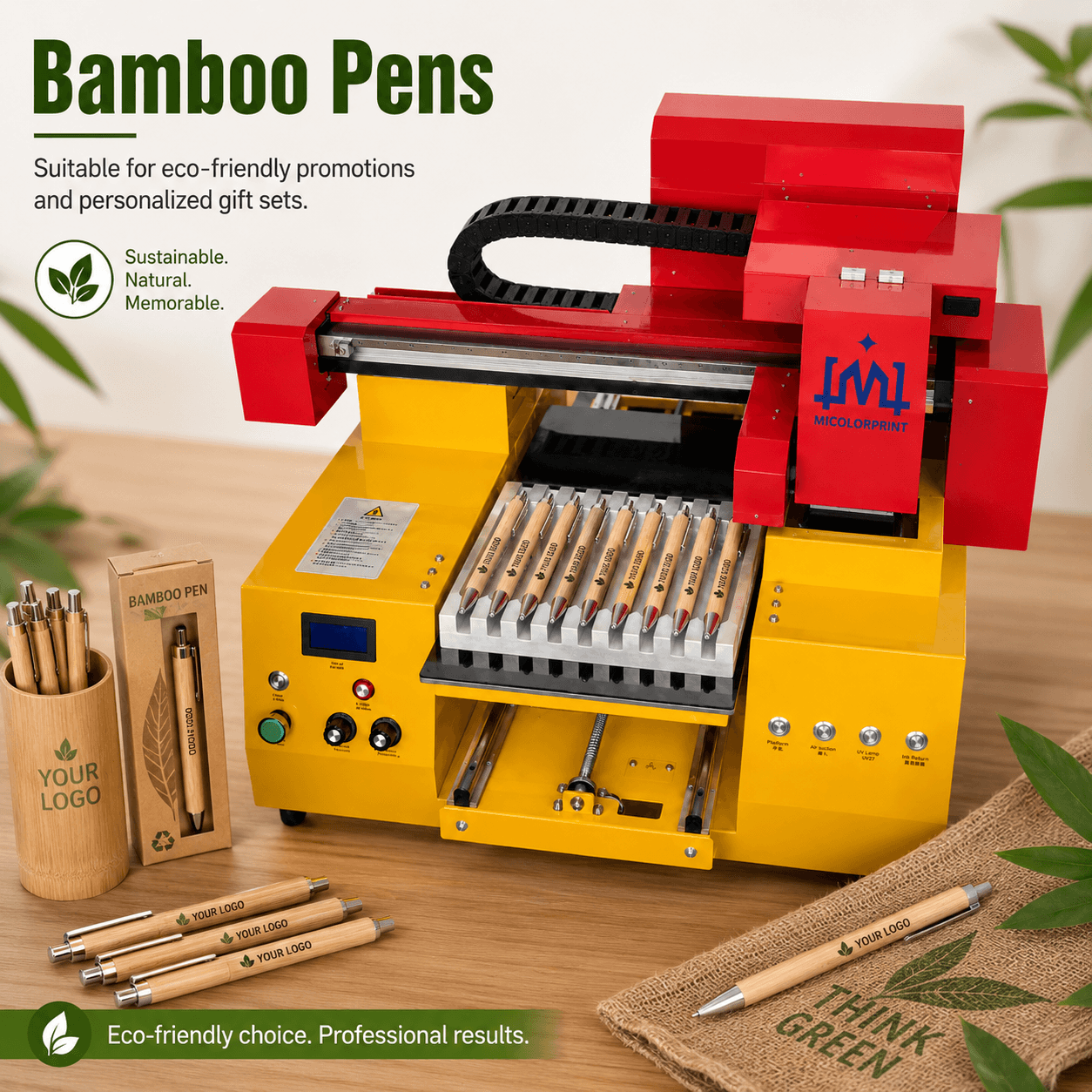
Bamboo Pens

Suitable for eco-friendly promotions and personalized gift sets.

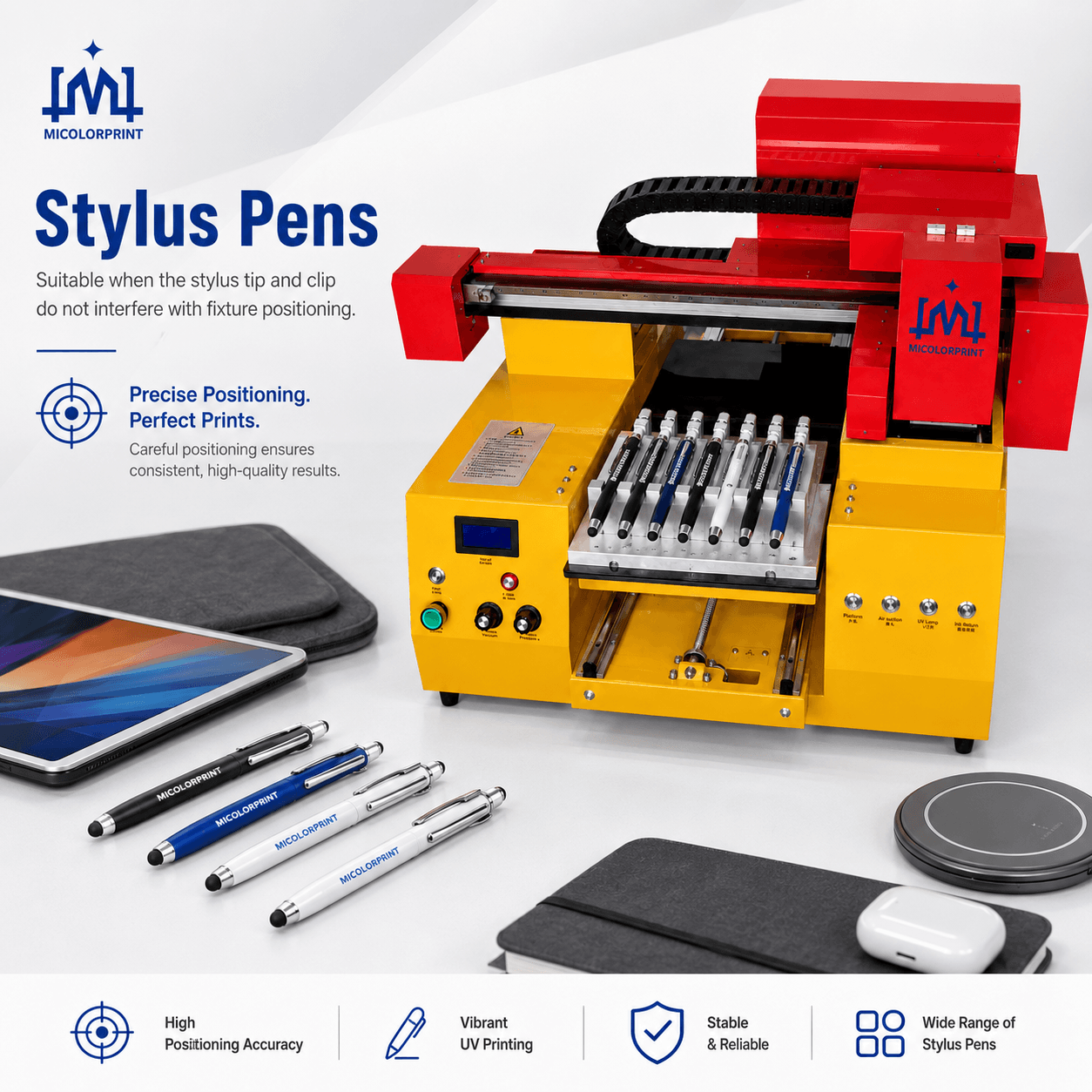
Stylus Pens

Suitable when the stylus tip and clip do not interfere with fixture positioning.

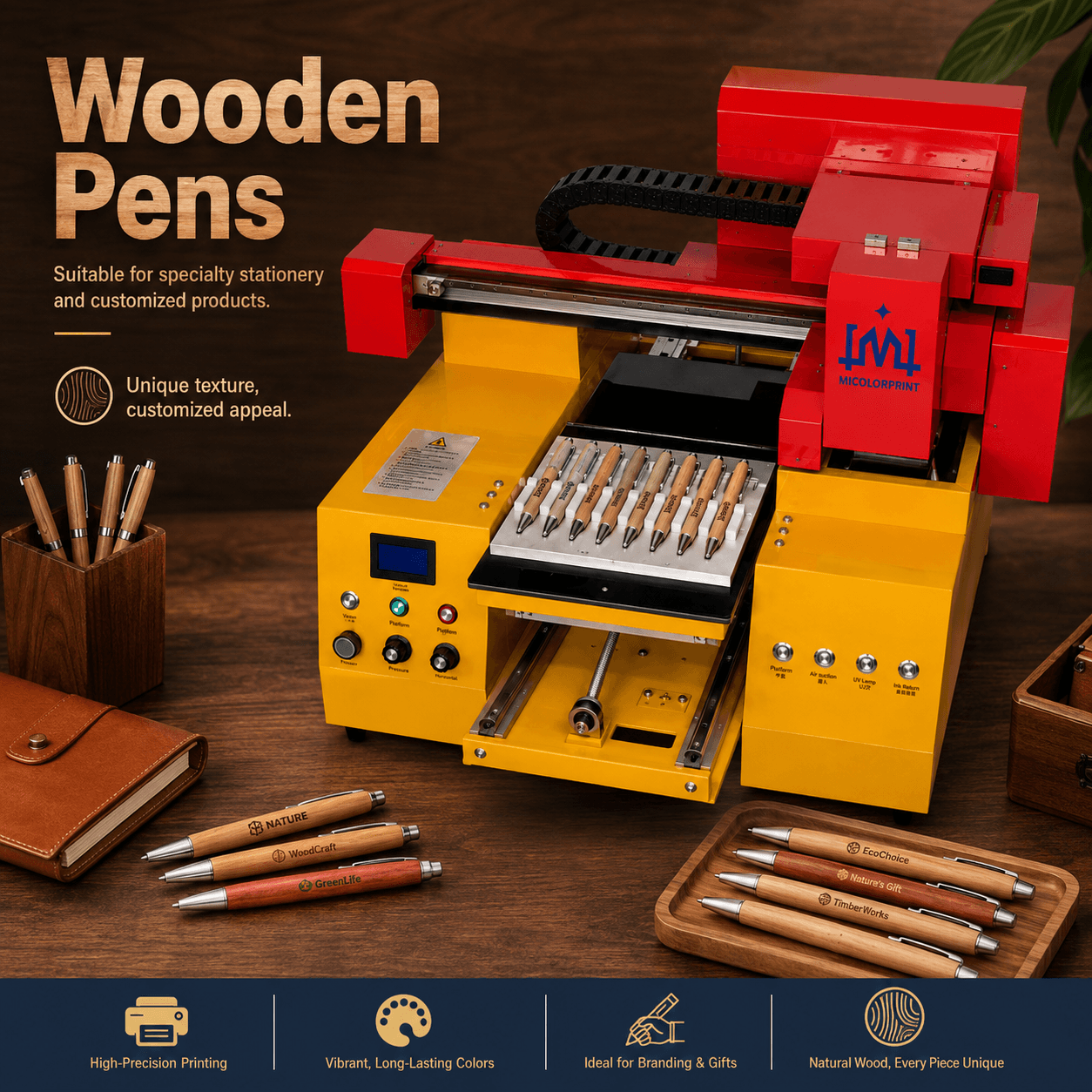
Wooden Pens

Suitable for specialty stationery and customized products.

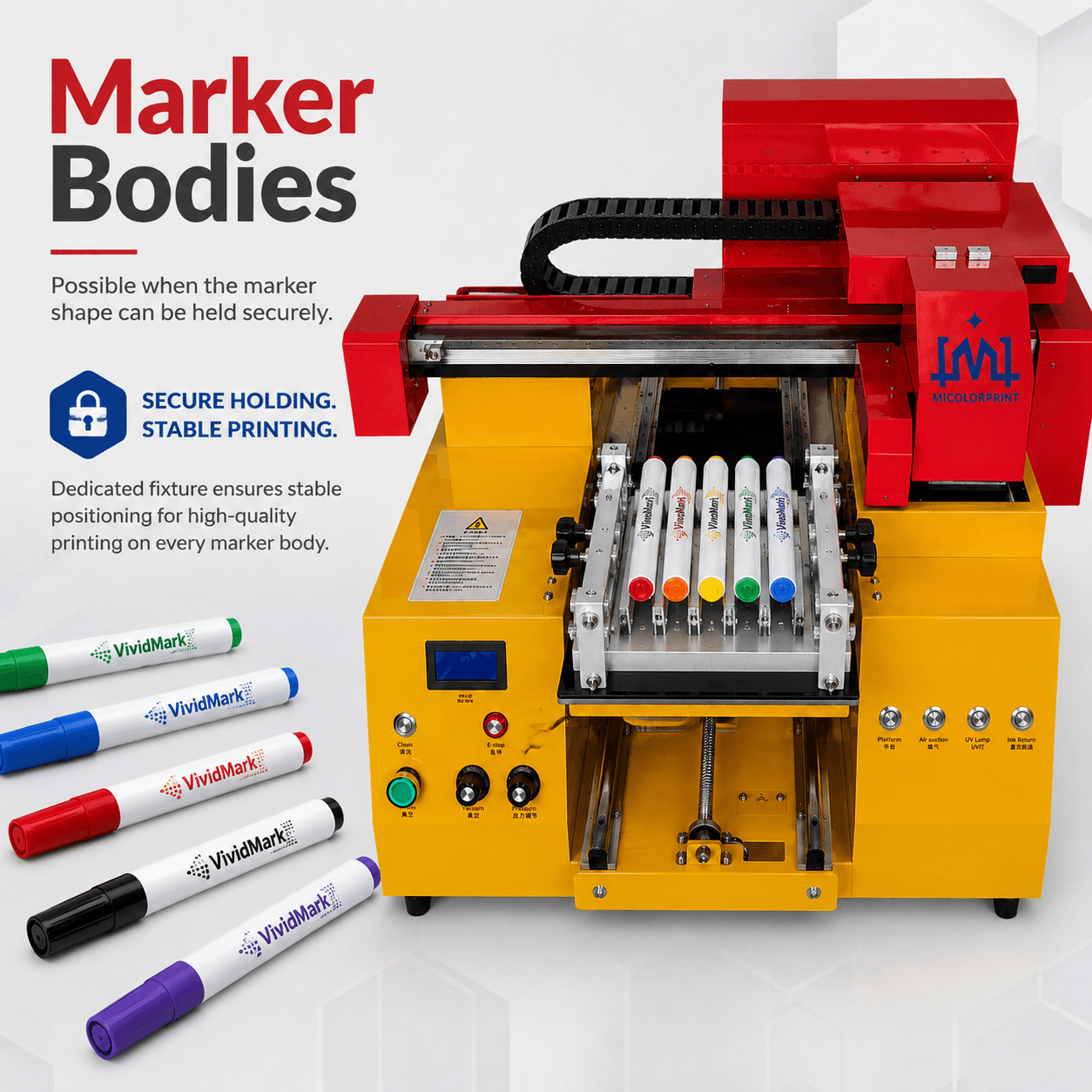
Marker Bodies

Possible when the marker shape can be held securely.

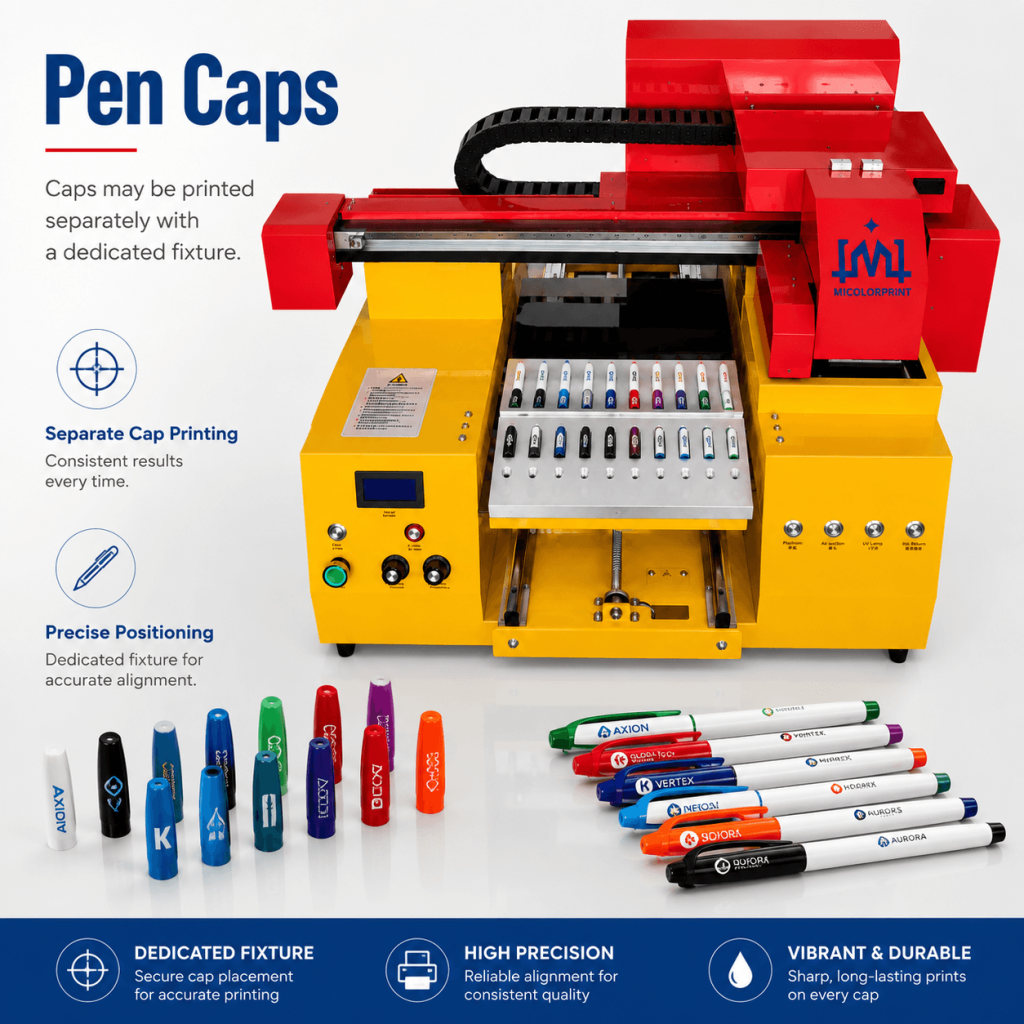
Pen Caps

Pen caps may be printed separately with a dedicated fixture.

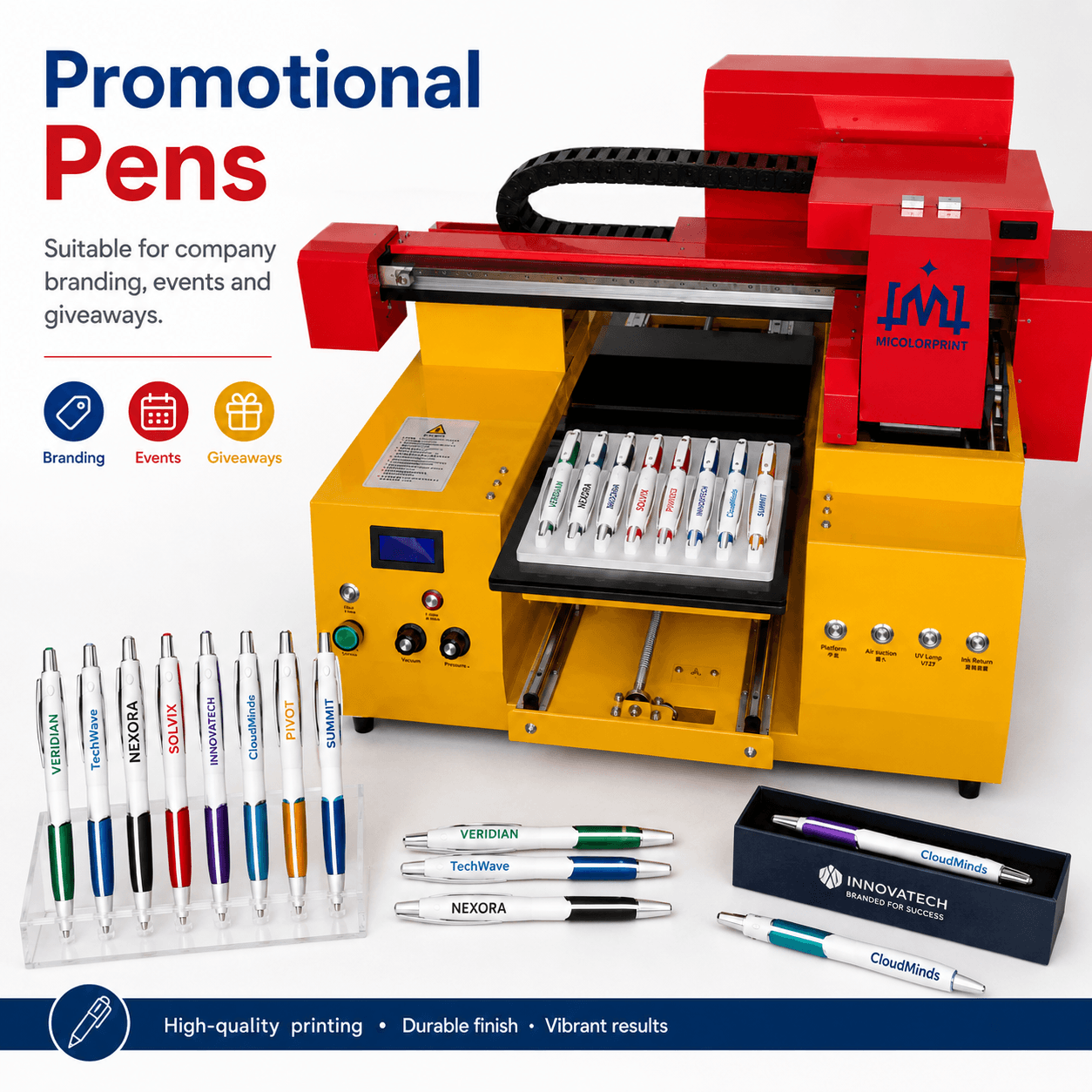
Promotional Pens

Suitable for company branding, events and giveaways.

Important Material Note

Actual printability depends on:

  • Material
  • Surface coating
  • Surface energy
  • Curvature
  • Required adhesion
  • Pretreatment

A sample test is recommended before confirming production.

What Can Be Printed on Pens?

The final artwork should be adjusted according to the available printable area.

Customized Pen Fixtures

A suitable fixture is essential for reliable pen printing.

What Does a Pen Fixture Do?

It helps:

  • Prevent rolling
  • Maintain pen direction
  • Improve repeated logo positioning
  • Organize multiple pens
  • Reduce manual alignment
  • Control printing height
  • Lower print-head collision risk

What Information Is Needed?

Please provide:

  • Pen photo
  • Total length
  • Maximum diameter
  • Minimum diameter
  • Clip position
  • Cap structure
  • Print location
  • Logo size
  • Required batch quantity

Can One Fixture Fit Different Pens?

Pens with similar dimensions may share an adjustable fixture.

However, dedicated fixtures are usually more reliable for repeated production.

How Many Pens Can Be Loaded?

Fixture capacity depends on:

  • Platform size
  • Pen dimensions
  • Spacing
  • Print direction
  • Artwork size
  • Loading method

How Does Pen Printing Work?

Step 1: Evaluate the Pen

Check the material, coating, shape, color and printable area.

Step 2: Prepare the Fixture

Select or design a fixture according to the pen dimensions.

Step 3: Clean or Pretreat the Surface

Remove dust and oil. Apply primer or another treatment when required.

Step 4: Load the Pens

Place every pen in the same direction and confirm that the clips do not interfere.

Step 5: Prepare the Artwork

Use RIP software to set:

  • Position
  • Size
  • Color
  • White ink
  • Repeated layout
  • Printing resolution

Step 6: Print and Cure

The print head deposits UV ink and the UV LED system cures it during printing.

Step 7: Inspect the Result

Check:

  • Position
  • Color
  • Small-text clarity
  • White-ink coverage
  • Adhesion
  • Batch consistency

UV Pen Printing vs Pad Printing vs Screen Printing

Comparison

UV Digital Printing

Pad Printing

Screen Printing

Traditional plate making

Not normally required

Required

Required

Full-color artwork

Suitable

Limited

Limited

Personalized names

Suitable

Difficult

Difficult

Frequent artwork changes

Flexible

Requires plate changes

Requires screen changes

Small batches

Suitable

Less flexible

Less flexible

Large repeated single-color orders

Moderate

Suitable

Suitable

Curved surface printing

Limited by print area

Strong

Depends on shape

Digital workflow

Yes

No

No

Automatic feeding

Optional project

Common in industrial lines

Possible

Typical use

Custom and full-color orders

Large simple-logo orders

Standardized logo orders

Choose UV Printing When

Choose Pad Printing When

Choose Screen Printing When

Pen Printing Applications

Corporate Promotional Pens

Print company logos for:

  • Trade shows
  • Conferences
  • Product launches
  • Marketing campaigns
  • Dealer meetings

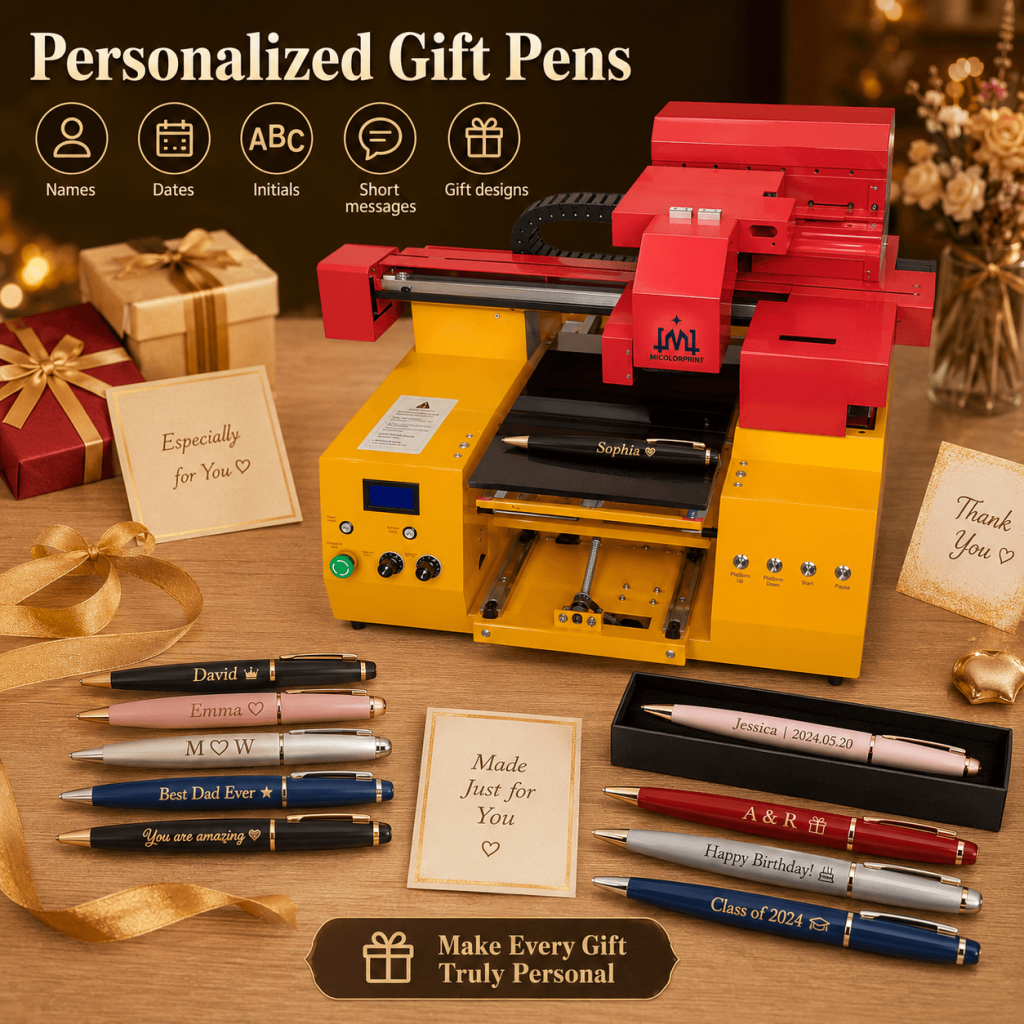
Personalized Gift Pens

Print:

  • Names
  • Dates
  • Initials
  • Short messages
  • Gift designs

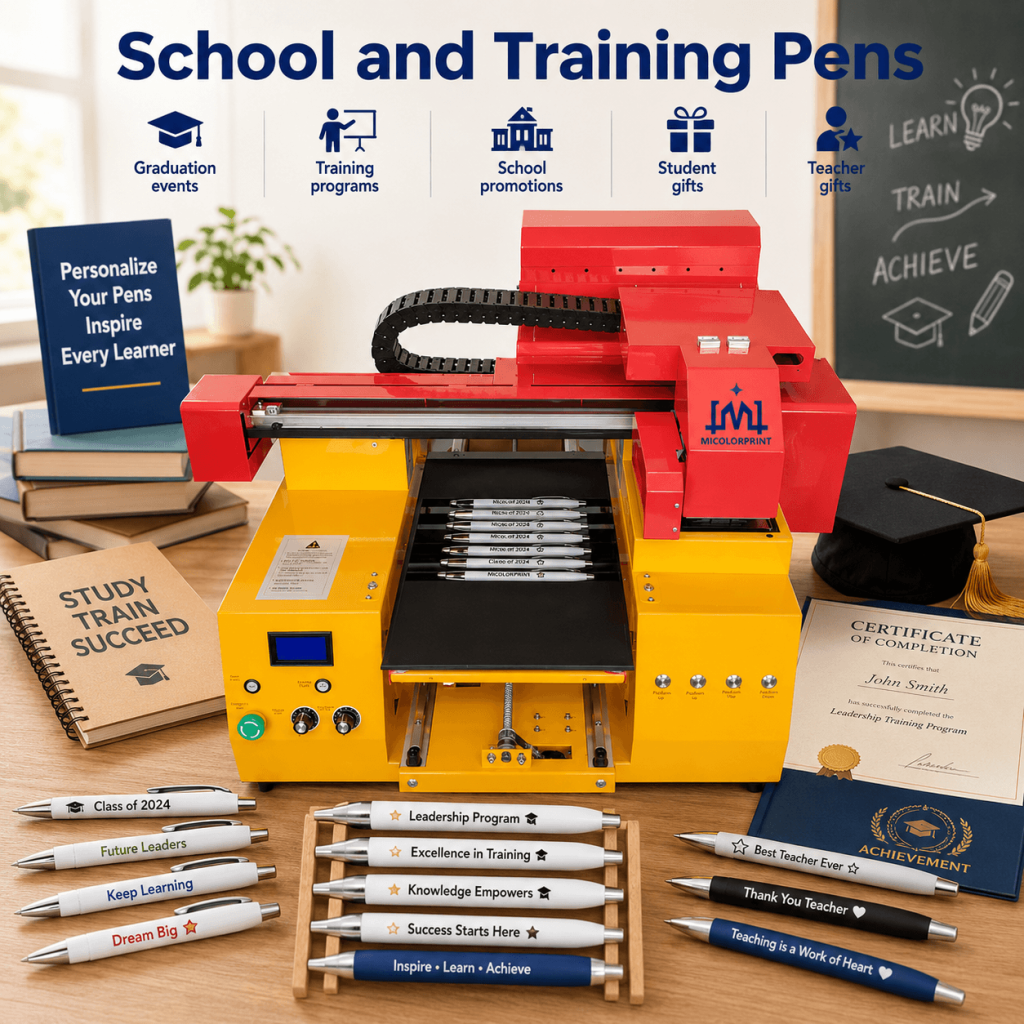
School and Training Pens

Suitable for:

  • Graduation events
  • Training programs
  • School promotions
  • Student gifts
  • Teacher gifts

Hotel and Hospitality Pens

Print hotel logos, contact information and promotional messages.

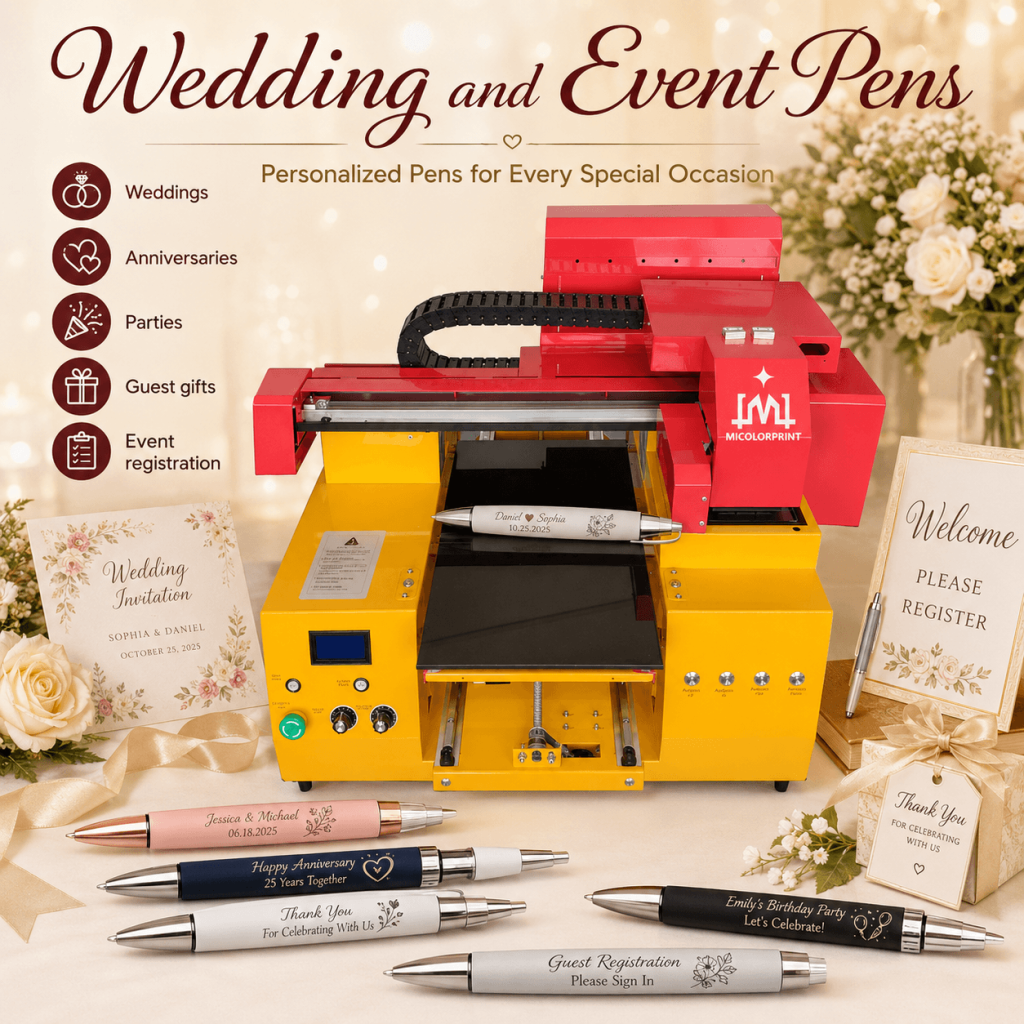
Wedding and Event Pens

Create personalized pens for:

  • Weddings
  • Anniversaries
  • Parties
  • Guest gifts
  • Event registration

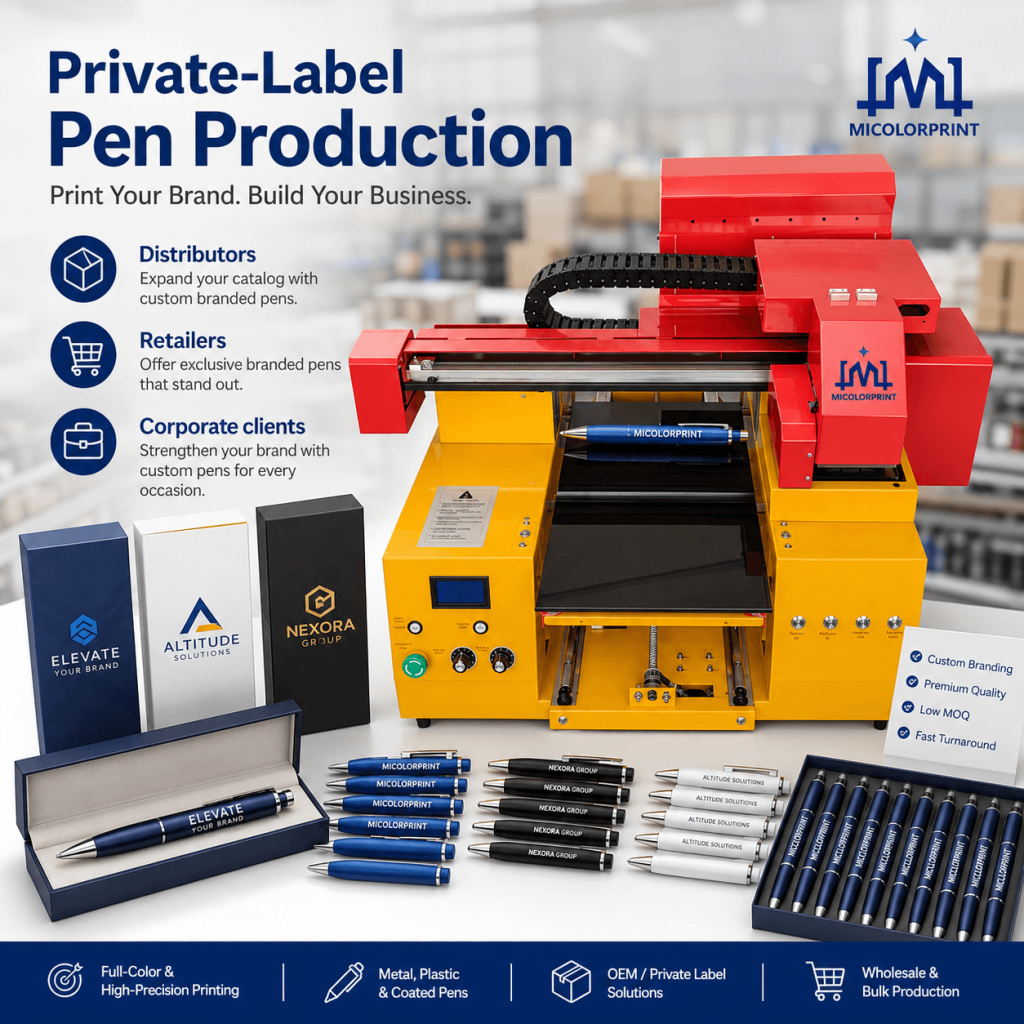
Private-Label Pen Production

Print branding for distributors, retailers and corporate clients.

What Affects Printing Quality?

1. Fixture Stability

A loose or unsuitable fixture may cause:

  • Position shift
  • Uneven height
  • Logo misalignment
  • Print-head risk

2. Surface Curvature

Strong curvature reduces the usable print width.

3. Artwork Quality

Low-resolution files, thin lines and small text may reduce clarity.

4. Printing Distance

An excessive distance between the print head and pen surface can cause blurred edges.

5. White Ink Settings

Too little white ink may reduce color visibility. Too much may increase printing time, ink cost and surface thickness.

6. Surface Adhesion

Material, coating and pretreatment strongly affect durability.

Surface Pretreatment and Ink Adhesion

Pretreatment is not always required.

Some coated pens may provide acceptable adhesion directly, while low-surface-energy plastics may require additional treatment.

Possible methods include:

  • Surface cleaning
  • Primer application
  • Flame treatment
  • Plasma treatment
  • Corona treatment
  • Light sanding

The correct method depends on the actual pen material.

Recommended Adhesion Tests

  • Fingernail scratch test
  • Tape test
  • Alcohol-wipe test
  • Repeated handling test
  • Pretreated versus untreated comparison

Acceptance standards should be agreed before mass production.

Key Pen Printer Components

1. Print-Head System

Controls image detail, ink output and printing speed.

2. UV LED Curing

Cures the ink during printing.

3. White Ink System

Improves image visibility on dark pens.

4. White Ink Circulation

Helps reduce white pigment settling during operation.

5. Adjustable Platform

Allows the fixture height to be matched to the machine.

6. Customized Fixture

Supports repeated pen positioning.

7. RIP Software

Controls artwork, color, white ink and repeated layouts.

8. Stable Machine Frame

Supports more consistent printing movement.

Pen Printer Specifications

Exact specifications depend on the selected model.

Item

                                            Specification

Model

MC-A3 Pen Printer

MC-A2 Pen Printer

MC-A1 Pen Printer

Printing technology

                                          UV inkjet printing

Printing area

33cm*45cm 

65cm*60cm 

60cm*90cm 

Print head

                                    XP600/F1080/I1600/I3200 Head

Ink colors

                  CMYK / CMYK + White / CMYK + White + Varnish

Ink type

                                                UV-curable ink

Print resolution

Max Resolution 720X1440dpi/12pass 720*720dpi/8pass (XP600/F1080 head)

Maximum media height

                                                    0-18cm

Pen fixture

                                        Standard or customized

Fixture capacity

                                          Depends on pen size

UV curing

                                                    UV LED

RIP software

                                        RIIN/Maintop/UltraPrint

File formats

                        TIFF(RGB&CMYK),BMP,PDF,EPS,JPEG,AI,PSD 

Power supply

                                                110V or 220V

Machine dimensions

103cm*93cm*80cm 

140cm*103cm*80cm  

140cm*133cm*80cm 

Packing dimensions

113cm*103cm*87cm 

150cm*113cm*91cm 

150cm*143cm*91cm 

Optional accessories

                        Fixtures, spare parts, pretreatment tools

Training

                              Remote operation guidance

Warranty

                                              1-3 Years

How Is Pen Printing Output Calculated?

Actual production output depends on the complete workflow.

Main Factors

  • Pens per fixture
  • Logo dimensions
  • Print mode
  • White ink
  • Varnish
  • Loading time
  • Unloading time
  • Inspection time
  • Artwork changes
  • Operator experience

Recommended Calculation

Actual hourly output = qualified pens per batch × completed batches per hour

A real test should record:

  • Fixture capacity
  • Printing time
  • Loading time
  • Unloading time
  • Inspection time
  • Rejection rate

This gives a more realistic output estimate.

Is This a Fully Automatic Pen Printing Machine?

The machine can automatically complete the digital printing movement and UV curing after setup.

However, standard flatbed UV pen printers normally require manual:

  • Pen loading
  • Pen unloading
  • Surface cleaning
  • Fixture adjustment
  • Quality inspection

For fully automatic feeding and unloading, a separate customized production line is required.

What Affects Pen Printer Price?

1. Machine Size

Larger platforms and heavier machine structures normally cost more.

2. Print-Head Configuration

Different print heads have different speeds, costs and maintenance requirements.

3. Ink Configuration

CMYK, white ink and varnish configurations have different costs.

4. Fixture Design

Dedicated fixtures may vary according to:

  • Pen complexity
  • Number of positions
  • Material
  • Adjustability
  • Number of pen models

5. Pretreatment Equipment

Some projects may require primer, flame or plasma equipment.

6. Spare Parts

Customers may choose additional maintenance and replacement parts.

7. Shipping

Shipping depends on machine size, destination, transport method and trade terms.

Estimate the Cost per Printed Pen

The cost per pen may include:

  • CMYK ink
  • White ink
  • Varnish
  • Primer
  • Cleaning fluid
  • Labor
  • Waste
  • Fixture allocation
  • Machine depreciation
  • Maintenance parts

A fixed cost cannot be calculated accurately without knowing the actual logo size, ink layers, material and production volume.

Test Your Pens Before Ordering

Step 1: Send Pen Details

Provide photos, dimensions and artwork.

Step 2: Evaluate the Material

Check surface type, coating and pretreatment risk.

Step 3: Confirm the Print Area

Determine a suitable logo size and position.

Step 4: Prepare the Fixture

Select or design a suitable holding solution.

Step 5: Print the Samples

Test color, position, white ink and clarity.

Step 6: Test Adhesion

Use an agreed durability method.

Step 7: Recommend the Machine

Confirm the machine, fixture and ink configuration.

UV Pen Printer Application Case

Application Case 1: Promotional Gift Supplier
Customer Problem: The customer receives many small logo orders from different companies. Traditional plate-making increases setup time, while outsourcing delays sample approval.
Printing Solution: The customer uses digital artwork and a multi-position fixture to process different logos more flexibly.
Application Case 2: Personalized Gift Business
Customer Problem: Every order contains different names, dates or messages. Plate-based printing is not practical for such small variable orders.
Printing Solution: The artwork is changed digitally while compatible pens use the same fixture.
Application Case 3: Pen Manufacturer
Customer Problem: The factory produces several pen models for different brands. Logo positions, pen diameters and clips vary.
Printing Solution: Dedicated fixtures are prepared for repeated pen models, while printing templates are saved for future production.

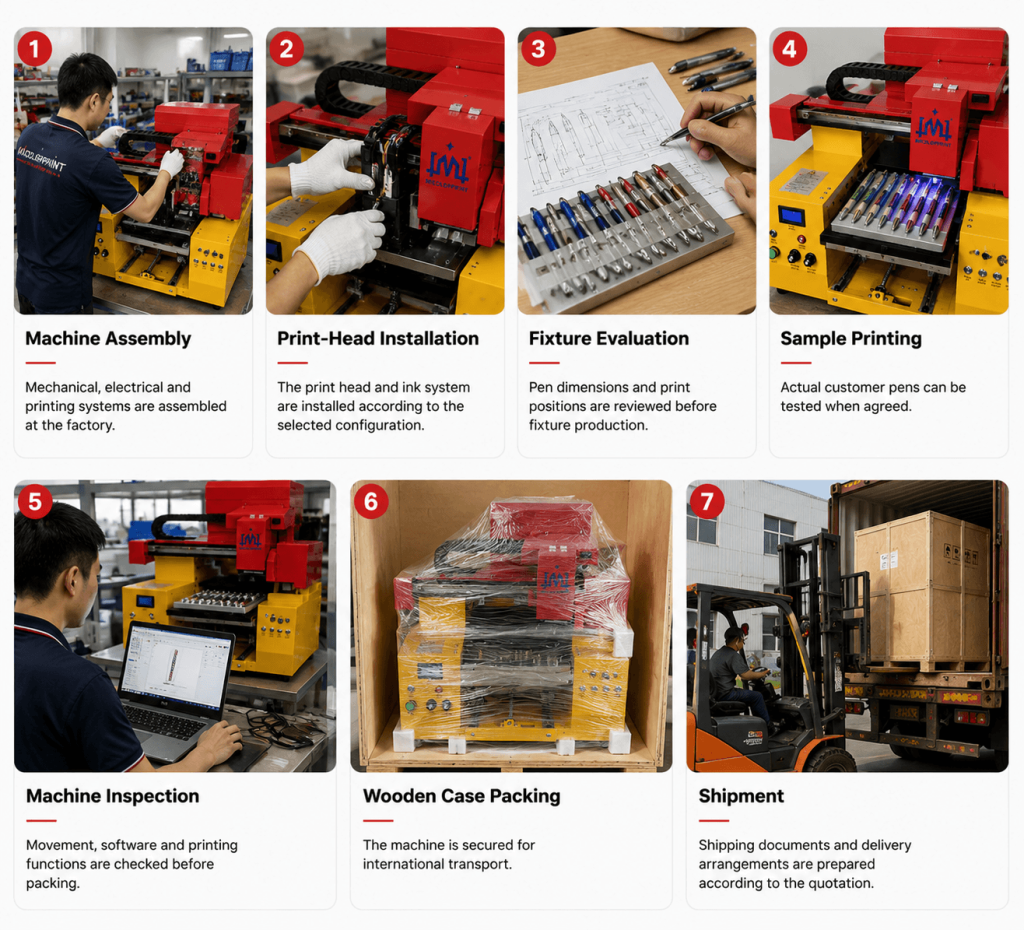
Manufacturing and Testing

Machine Assembly

Mechanical, electrical and printing systems are assembled at the factory.

Print-Head Installation

The print head and ink system are installed according to the selected configuration.

Fixture Evaluation

Pen dimensions and print positions are reviewed before fixture production.

Sample Printing

Actual customer pens can be tested when agreed.

Machine Inspection

Movement, software and printing functions are checked before packing.

Wooden Case Packing

The machine is secured for international transport.

Shipment

Shipping documents and delivery arrangements are prepared according to the quotation.

Support Before and After Delivery

Before Order

  • Pen application evaluation
  • Sample testing
  • Fixture recommendation
  • Machine selection
  • Shipping estimate

Before Shipment

  • Machine testing
  • Customer sample printing
  • Operation video
  • Software preparation
  • Packing inspection

After Delivery

  • Remote installation
  • RIP software setup
  • Operation training
  • Maintenance instruction
  • Troubleshooting
  • Spare-parts support

Why Choose Micolorprint?

Application-Based Machine Recommendation

We evaluate the actual pen, artwork and expected output before recommending a configuration.

Custom Fixture Support

Fixtures can be designed according to pen dimensions and print location.

Sample Testing

Testing helps confirm printable area, image quality and adhesion before purchase.

Factory Inspection

Machine functions are tested before shipment.

Remote Technical Guidance

Online support can be provided for installation, printing and maintenance.

International Packing

Machines can be packed in wooden cases for export shipment.

Pen Printer FAQ

A pen printer is a machine used to print logos, names, text and graphics on the outer surface of pens. Pen Printer | UV Pen Printing Machine for Custom Ball Pens

Yes, but it normally prints only the area facing the print head. A suitable fixture is required.

A standard flatbed UV pen printer normally cannot print the complete circumference in one operation.

It may print on many plastics, but some materials require pretreatment.

Suitable painted, coated or treated metal pens may be printed after testing.

Yes, when the surface and fixture are suitable.

Yes. White ink may be used as a base layer.

Yes, when the design and printable area are suitable.

Yes. Digital artwork can be changed for personalized orders in short time.

Yes, but clarity depends on font size, artwork quality and surface curvature.

Simple QR codes may be printed, but each code should be tested for scanning.

No traditional plate is normally required.

It prevents pens from rolling and helps maintain repeated logo positioning.

Usually not. Different shapes may require separate fixtures.

The number depends on platform size, pen dimensions and fixture layout.

The printing process is automatic after setup, but loading and unloading are usually manual.

Automatic feeding is not standard and requires a customized system.

Speed depends on fixture capacity, logo size, head type/quantity, print mode, white ink and handling time.

It depends on the material and surface coating.

Durability depends on the pen material, pretreatment, ink and use conditions.

CMYK is suitable for light pens. CMYK plus white is suitable for dark pens.

Not always. It is mainly used for selected gloss or decorative effects.

Artwork, fixture stability, curvature, head type, print distance and print mode all affect quality.

Fixture design, pen consistency and loading method affect positioning.

Pen Printer | UV Pen Printing Machine for Custom Ball PensPen Printer | UV Pen Printing Machine for Custom Ball Pens

Machine size, print head type/quantity, ink configuration, fixture, accessories and shipping affect price.

Tell Us What Pens You Want to Print

Send us your pen information and production requirements.

We will evaluate:

After receiving your information, we will review the pen type, printable area, fixture requirement, adhesion risk and production target before recommending a suitable pen printing solution.

Scroll to Top

Get In Touch

Fill in the form below and our team will be happy to assist you

Contact Information

Whatsapp:+8613917392762 
Email:service@micolorprint.com

Opening Hours

Monday – Friday 9am-6pm 
Weekend – Closed

Address

501, Building B, No. 13, Maling 2nd Road, Nanlian Community, Longgang Street, Longgang District, Shenzhen, Guangdong, China