Lollipop Printer for Custom Photos, Logos and Personalized Candy

Produce personalized lollipops with customer photos, company logos, names, dates and colorful designs using food-grade edible ink.

Micolorprint lollipop printers are designed for candy shops, confectionery manufacturers, bakeries, event suppliers and personalized gift businesses that want to bring custom candy printing in-house.

Instead of depending entirely on slow hand decoration or repeated outsourcing, you can prepare digital artwork, position pre-made lollipops in a matched tray and print different designs according to each order.

Not sure whether your lollipops can be printed?

Send us the product diameter, thickness, surface photo, required design and expected daily output. We will help evaluate the surface and recommend a suitable machine and tray configuration.

Lollipop Printer for Custom Photos, Logos and Personalized Candy

Direct Factory Support for Your Lollipop Printing Project

What Is a Lollipop Printer?

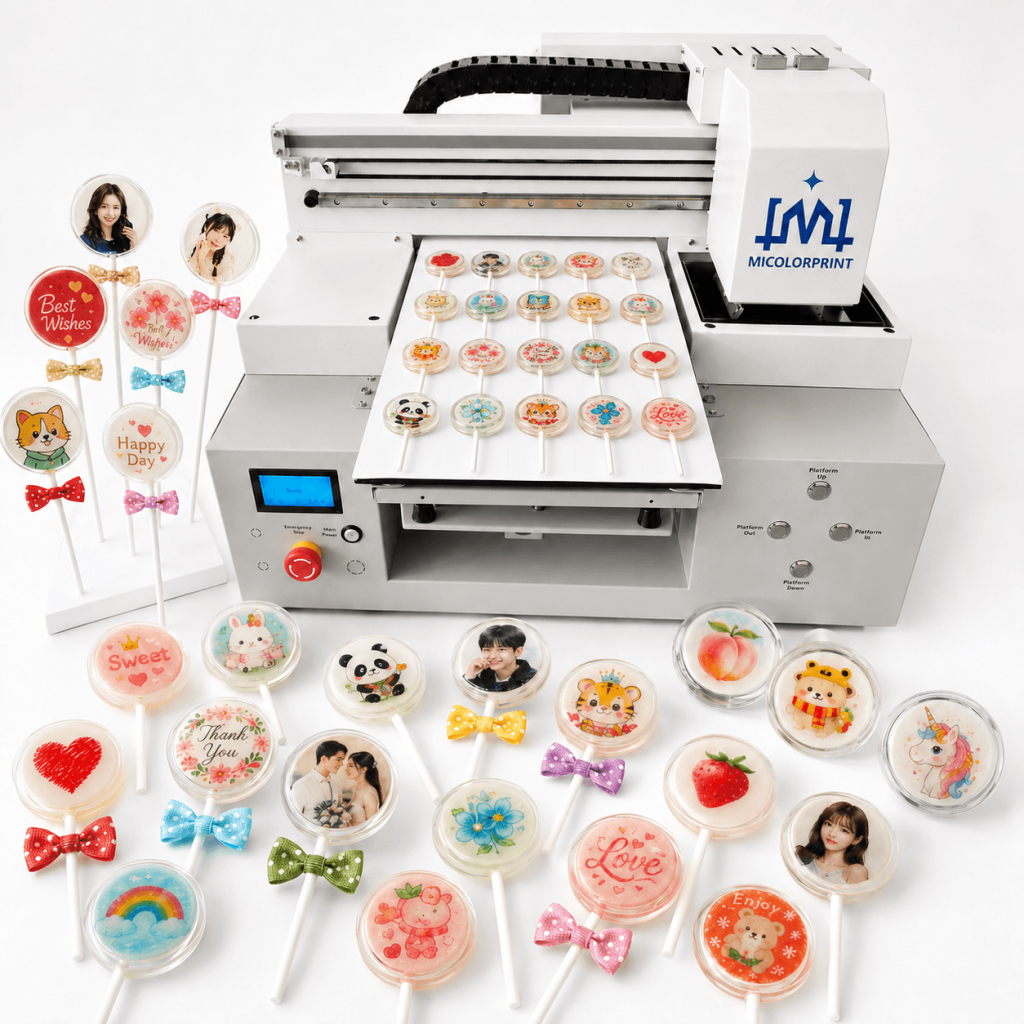
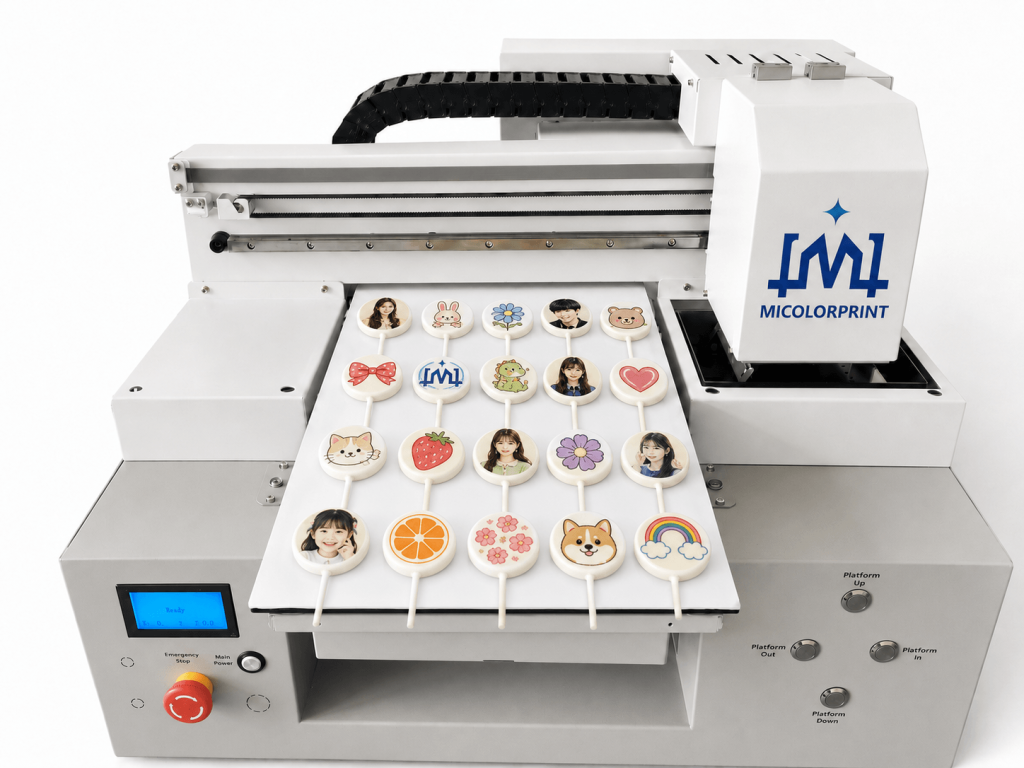
A lollipop printer is a direct-to-food inkjet machine used to apply edible photos, logos, names, text and colorful patterns to the surface of pre-made lollipops.

It does not manufacture, form, cook or wrap the candy. The lollipops must be prepared in advance and placed inside a positioning tray before printing.

The positioning tray keeps each lollipop in a fixed location(if you print smaller quantity lollipop no need tray) and helps maintain a consistent distance between the product surface and the printhead. This is especially important because loose placement, uneven thickness and curved surfaces can cause image misalignment or inconsistent clarity.

For better printing results, the lollipop surface should normally be:

Final image quality depends on:

What the Lollipop Printer Can Do

What the Lollipop Printer Does Not Do

Reduce the Main Problems in Personalized Lollipop Production

Personalized lollipop orders can be profitable, but they also create production problems that ordinary candy businesses may not face.

1 Problem: Hand Decoration Takes Too Much Time

Detailed logos, photos and customer names are difficult to reproduce manually. Production speed depends heavily on experienced decorators, and quality may vary between operators.

Lollipop Printing Solution

A digital lollipop printer allows the operator to work from prepared image files instead of painting each product by hand.

2 Problem: Small Personalized Orders Are Difficult to Produce

Wedding names, birthday photos and corporate logos may change from order to order. Traditional molds or plates are often unsuitable for low-volume customized production.

Lollipop Printing Solution

Digital artwork can be changed without producing a new mold for every design.

3 Problem: Outsourcing Slows Sample Approval

External printing suppliers may require minimum quantities, longer lead times and additional charges for design changes.

Lollipop Printing Solution

In-house printing allows businesses to prepare samples, revise layouts and respond to urgent orders more flexibly.

4 Problem: Lollipops Move During Printing

A lollipop may rotate or shift when it is placed loosely on the printing platform. This can cause logos to print off-center or outside the intended area.

Lollipop Printing Solution

A matched positioning tray helps keep products stable and improves repeated alignment.

5 Problem: Product Thickness Is Not Consistent

Handmade lollipops may have different heights. If the printhead distance changes significantly across the tray, some products may appear clear while others appear blurred.

Lollipop Printing Solution

Products should be sorted by thickness, and the tray height should be checked before printing.

6 Problem: Ordinary Lollipops Have Limited Differentiation

Standard candy products often compete mainly on price.

Lollipop Printing Solution

Adding customer photos, business logos, names and event themes can create products for wedding, birthday, holiday and corporate gift markets.

Lollipop Printers for Different Production Needs

The correct printer depends on the lollipop size, tray arrangement, number of products per batch and expected daily output.

A small dessert studio may need flexible short-run printing, while a confectionery factory may require a larger tray and more repeated production.

Before recommending a model, we normally consider:

  • Lollipop diameter
  • Product thickness
  • Surface shape
  • Products per batch
  • Daily output target
  • Number of designs per order
  • Required image quality
  • Workshop space
  • Operator experience
  • Future production growth

A3 Lollipop Printer

For Startups and Small Personalized Orders

The compact model is intended for businesses that need lower-volume production, frequent design changes and a smaller installation area.

Suitable for:

  • Home-based dessert businesses
  • Small candy shops
  • Wedding favor startups
  • Online personalized candy sellers
  • Sample production
  • Small birthday and holiday orders

Typical benefits:

  • Compact machine size
  • Flexible short-run production
  • Easier entry for new businesses
  • Suitable for frequently changing artwork
  • Custom trays available
  • Appropriate for product testing

Configuration:

  • Model: MC-A3 Lollipop Printer
  • Printing area: 33 cm × 45 cm 
  • Maximum product height: 0- 17 cm 
  • Printhead: XP600 Head/F1080 Head
  • Ink configuration: Edible food ink
  • Typical tray capacity: 20-30 pcs of lollipops per tray
  • Recommended output range: 300-400 pcs of lollipop product per day

A2 Lollipop Printer

For Candy Shops and Event Suppliers

The standard model provides a larger printing area and supports more products per tray. It is suitable for regular commercial orders without requiring a large-format factory machine.

Suitable for:

  • Candy shops
  • Bakeries
  • Dessert studios
  • Wedding suppliers
  • Event companies
  • Corporate gift suppliers

Typical benefits:

  • Larger tray capacity
  • Suitable for regular commercial orders
  • Supports mixed personalized designs
  • More efficient for seasonal production
  • Custom tray layouts available
  • Balanced size and output

Configuration:

  • Model: MC-A2 Lollipop Printer
  • Printing area: 65cm*60cm 
  • Maximum product height: 0-18cm 
  • Printhead: XP600 Head/F1080 Head
  • Ink configuration: Edible food ink
  • Typical tray capacity: 40-60 pcs of lollipops per tray 
  • Recommended output range: 500-600 pcs of lollipop product per day

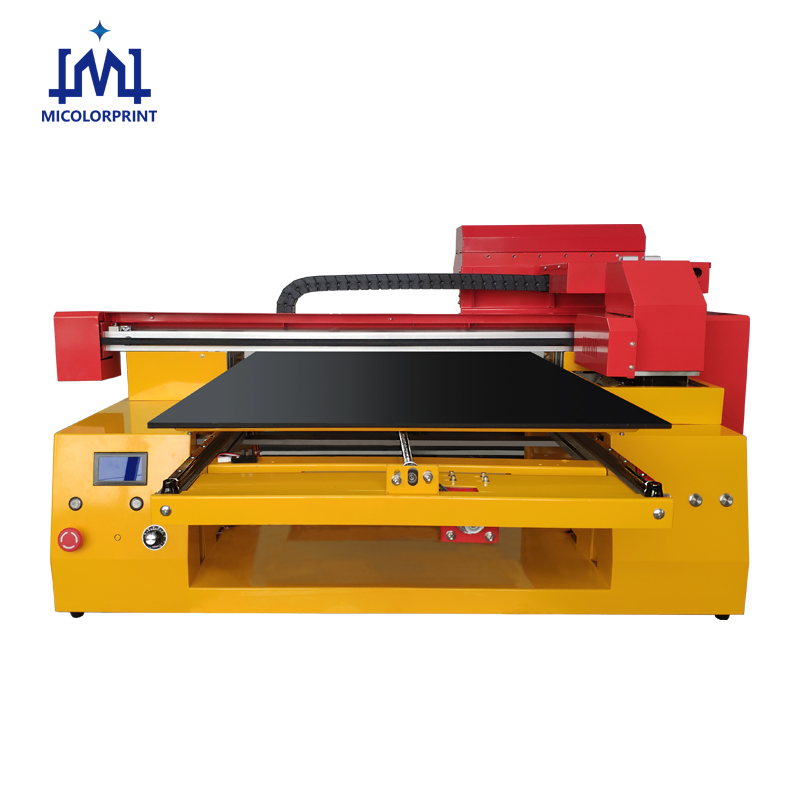
A1 Lollipop Printer

For Factories and Higher Batch Capacity

The large-format model is suitable for businesses that need larger trays, repeated logo production or higher daily output.

Suitable for:

  • Lollipop manufacturers
  • Candy gift box factories
  • Promotional product suppliers
  • Contract food customization companies
  • Seasonal gift factories
  • Larger branded orders

Typical benefits:

  • Larger usable printing area
  • Higher potential tray capacity
  • Suitable for repeated commercial production
  • Supports multiple tray layouts
  • Better suited to factory workflows
  • Custom production solutions available

Configuration:

  • Model: MC-A1 Lollipop Printer
  • Printing area: 60cm*90cm 
  • Maximum product height: 0-18cm 
  • Printhead: XP600 Head/F1080 Head
  • Ink configuration: Edible food ink
  • Typical tray capacity: 80-120 pcs of lollipops per tray 
  • Recommended output range: 800-1000 pcs of lollipop product per day

Which Lollipop Printer Is Suitable for Your Business?

Customers are often concerned about buying a machine that is too small for future production or paying for capacity they do not need.

The comparison below provides a general selection guide.

Comparison Item

A3 Model

A2 Model

A1 Model

Printing Area

33cm*43cm

65cm*60cm

60cm*90cm

Maximum Product Height

0-17cm

                                                    0-18cm

Typical Tray Capacity

20-30 pcs of lollipops per tray

40-60 pcs of lollipops per tray

80-120 pcs of lollipops per tray

Printhead

                                                                  XP600 Head/F1080 Head

Ink Configuration

                                                                            Edible food ink

Recommended User

Startup

Candy Shop

Factory

Production Level

Low Volume

Medium Volume

Higher Volume

Mixed-Design Orders

                                                                   Supported

Custom Tray

                                                                   Available

Remote Training

                                                                    Available

Tray capacity should not be judged only by machine size. It also depends on the lollipop diameter, stick direction, required spacing and printable area.

To recommend a machine, please provide:

  1. Lollipop diameter and thickness
  2. Estimated products per day
  3. Number of designs per order
  4. Target printing quality
  5. Destination country

What Can You Print on Lollipops?

Digital edible printing allows candy businesses to serve different markets without producing a new mold for every order. Printing large quantities of same-sized lollipops using compatible fixtures is the best approach, as this helps increase printing efficiency.

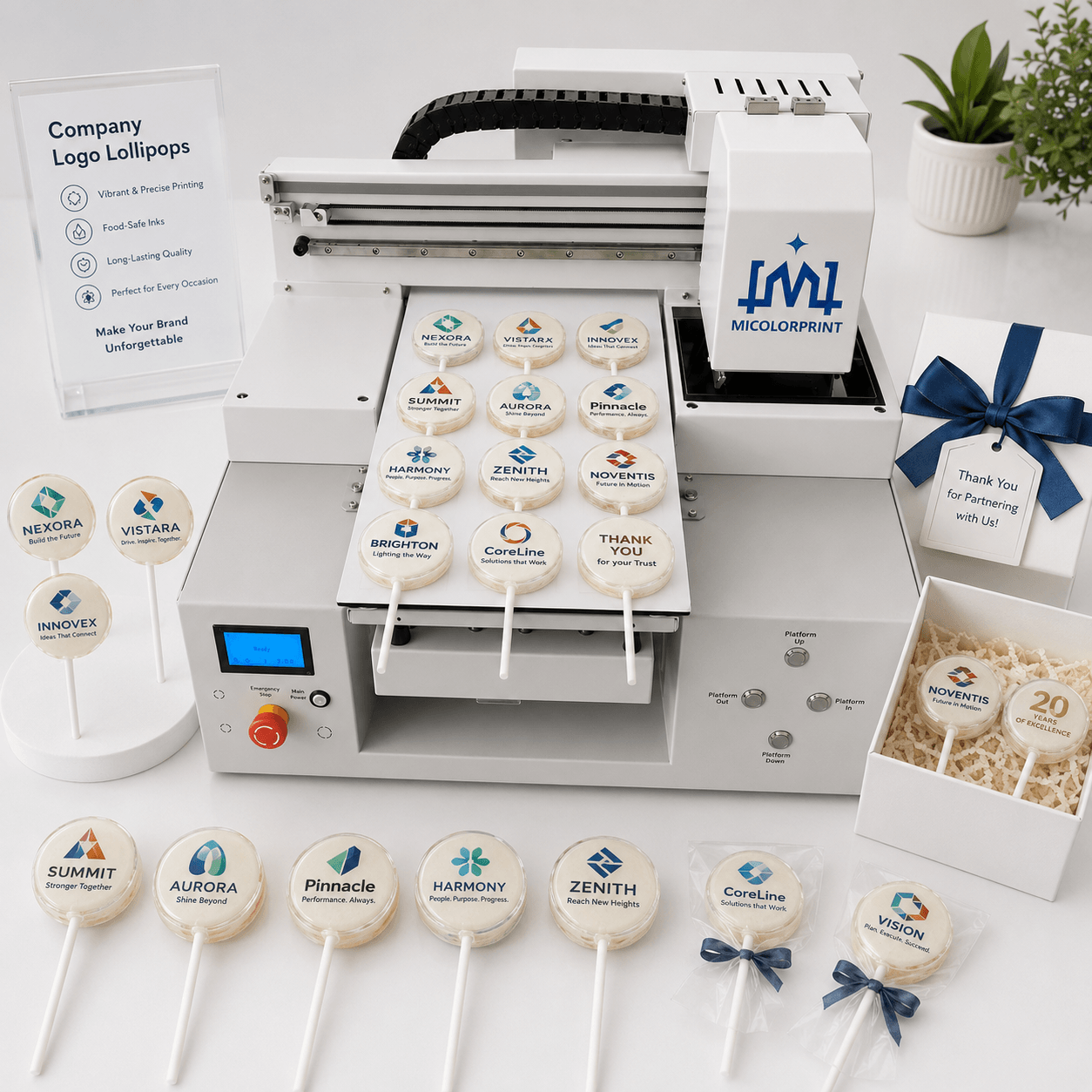
Company Logo Lollipops

Print company logos, brand names and short promotional messages for:

  • Exhibitions
  • Product launches
  • Company anniversaries
  • Dealer meetings
  • Business events
  • Branded gift boxes

Corporate customers often care about small-text clarity, logo position and color consistency. High-quality artwork and accurate tray positioning are important before batch production.

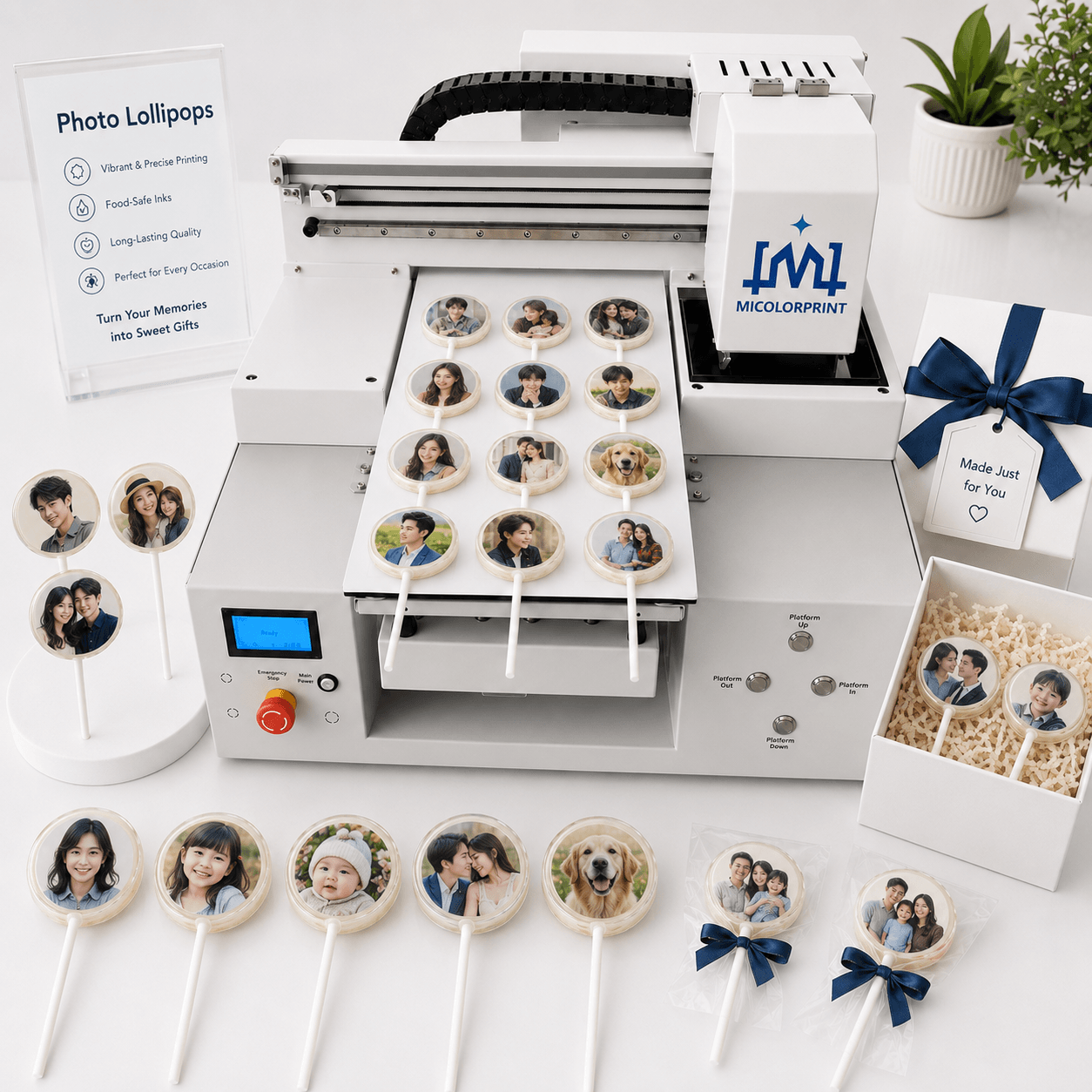
Photo Lollipops

Print customer photos and simple portrait images for:

  • Birthday gifts
  • Family celebrations
  • Personalized keepsakes
  • Photo gift boxes
  • Private events
  • Online custom orders

The printable area on a lollipop is relatively small. Clear, high-contrast images generally produce better results than very complex photographs with many small details.

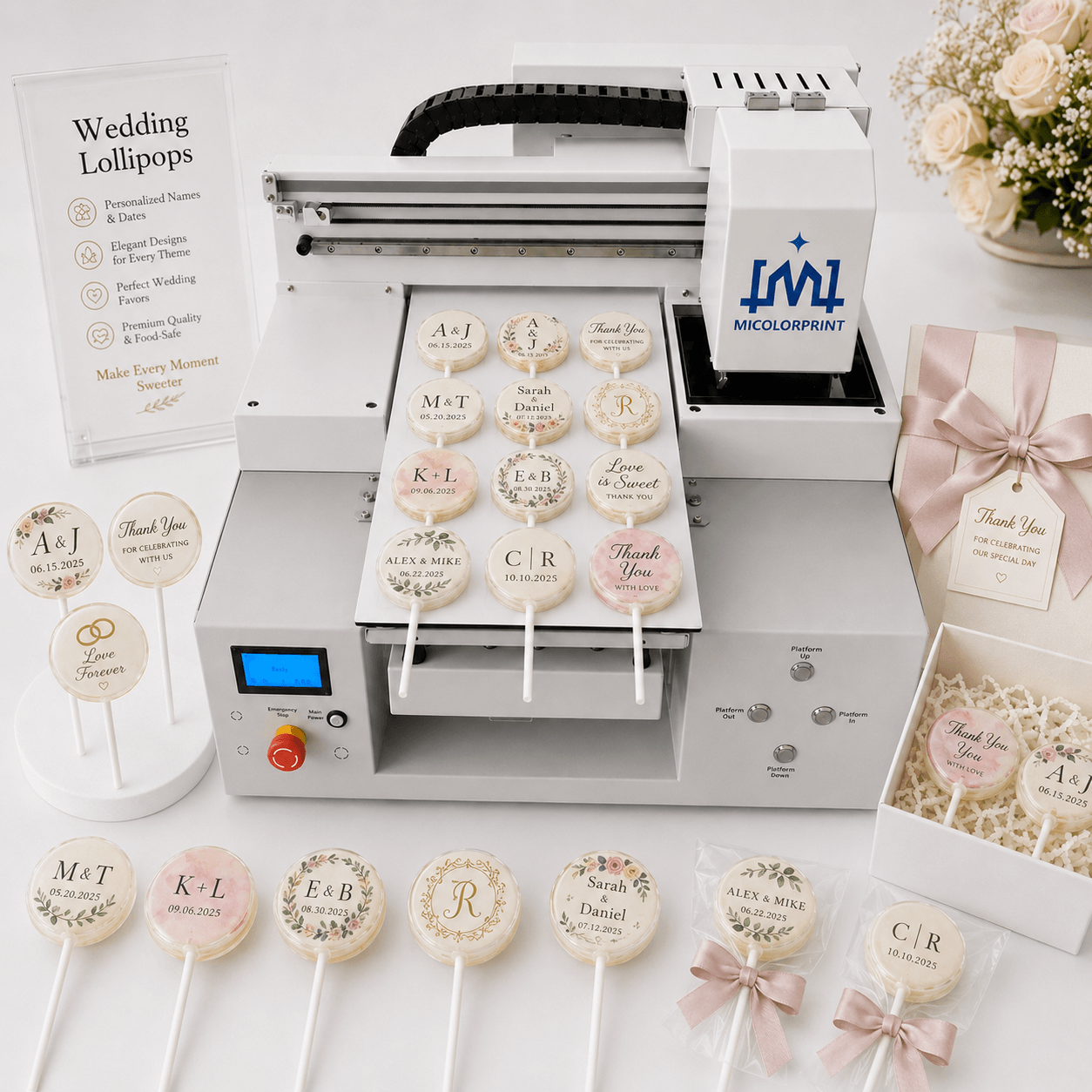
Wedding Lollipops

Print:

  • Couple names
  • Wedding dates
  • Initials
  • Floral designs
  • Wedding logos
  • Thank-you messages

Wedding suppliers can change names, dates and themes digitally for each order without producing new printing plates.

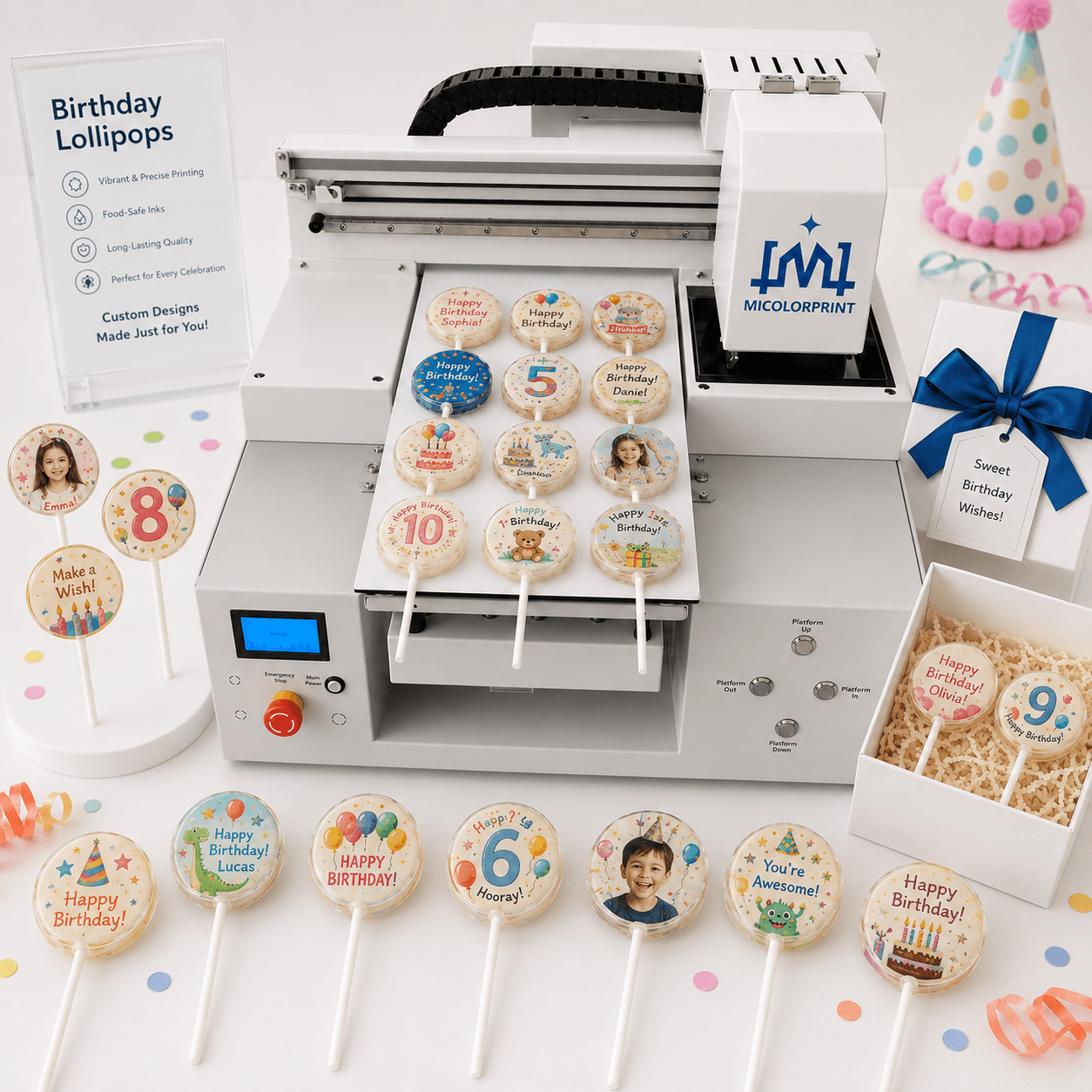
Birthday Lollipops

Create custom birthday products with:

  • Customer names
  • Ages
  • Photos
  • Cartoon patterns
  • Party themes
  • Short messages

This is suitable for small orders where every event requires different artwork.

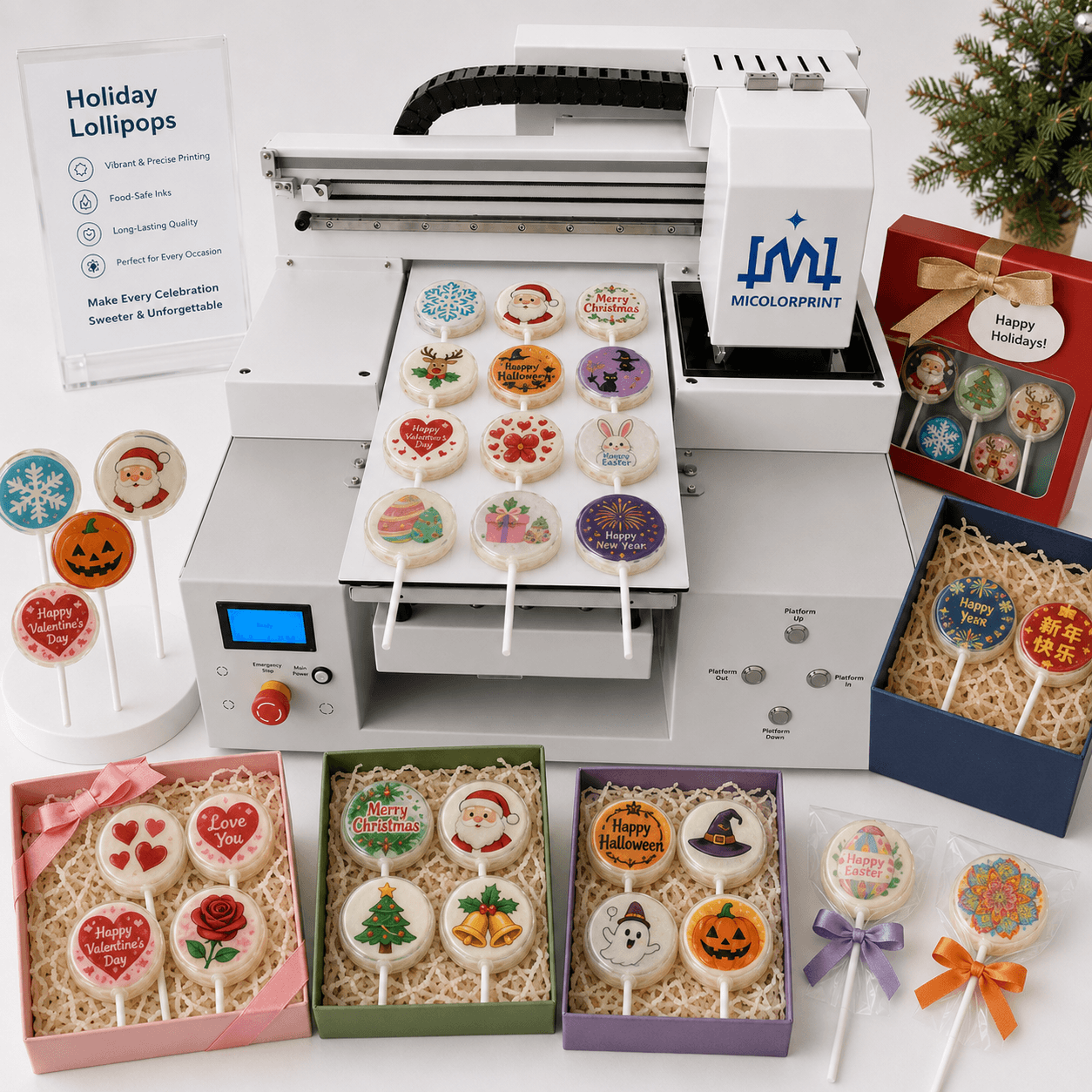
Holiday Lollipops

Produce seasonal collections for:

  • Christmas
  • Halloween
  • Valentine’s Day
  • Easter
  • New Year
  • Local festivals

Digital artwork can be updated for different holiday campaigns and retail seasons.

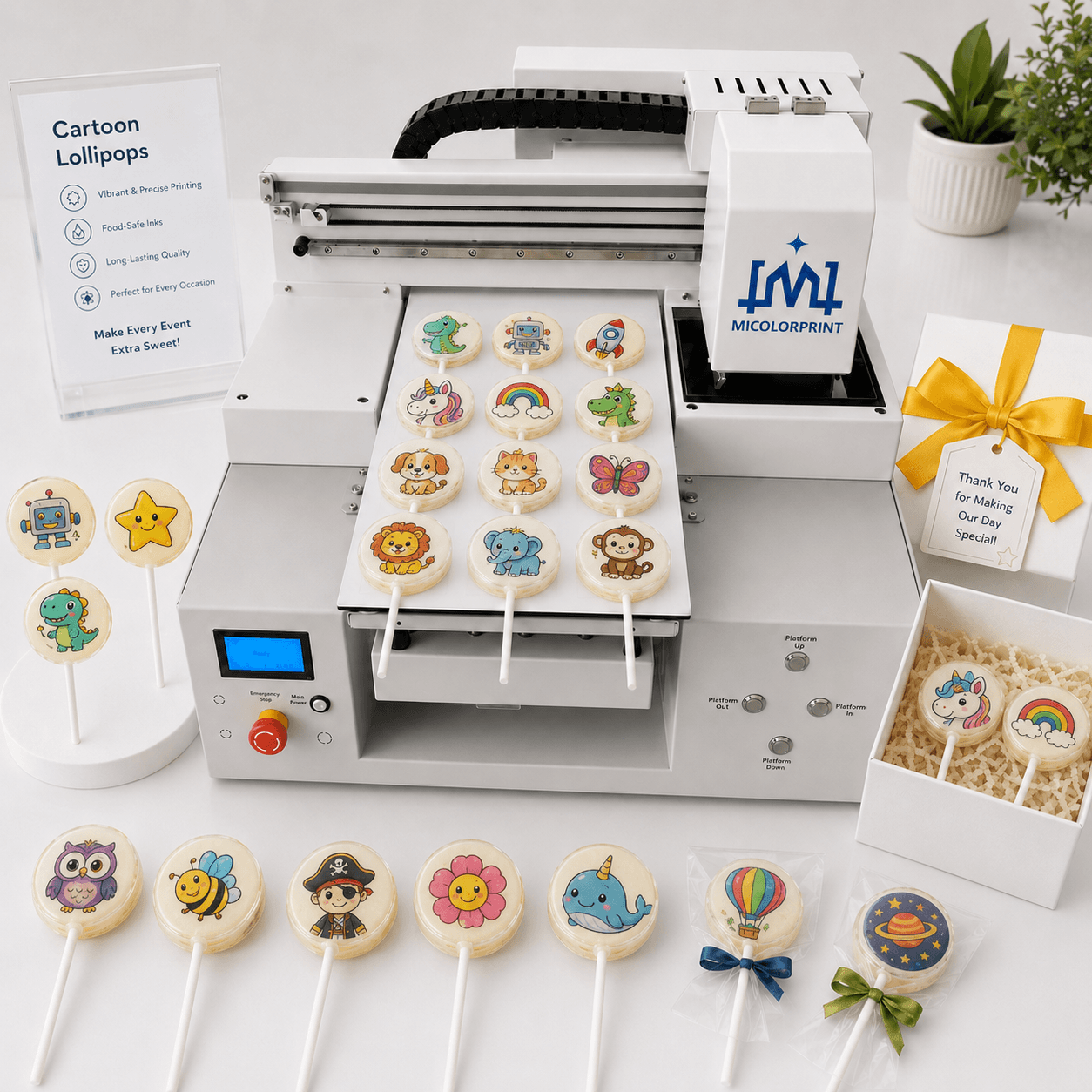
Cartoon Lollipops

Print colorful patterns for:

  • Children’s parties
  • School events
  • Theme celebrations
  • Dessert tables
  • Gift sets
  • Customized retail products

Commercial users should make sure that they have permission to use licensed cartoon artwork.

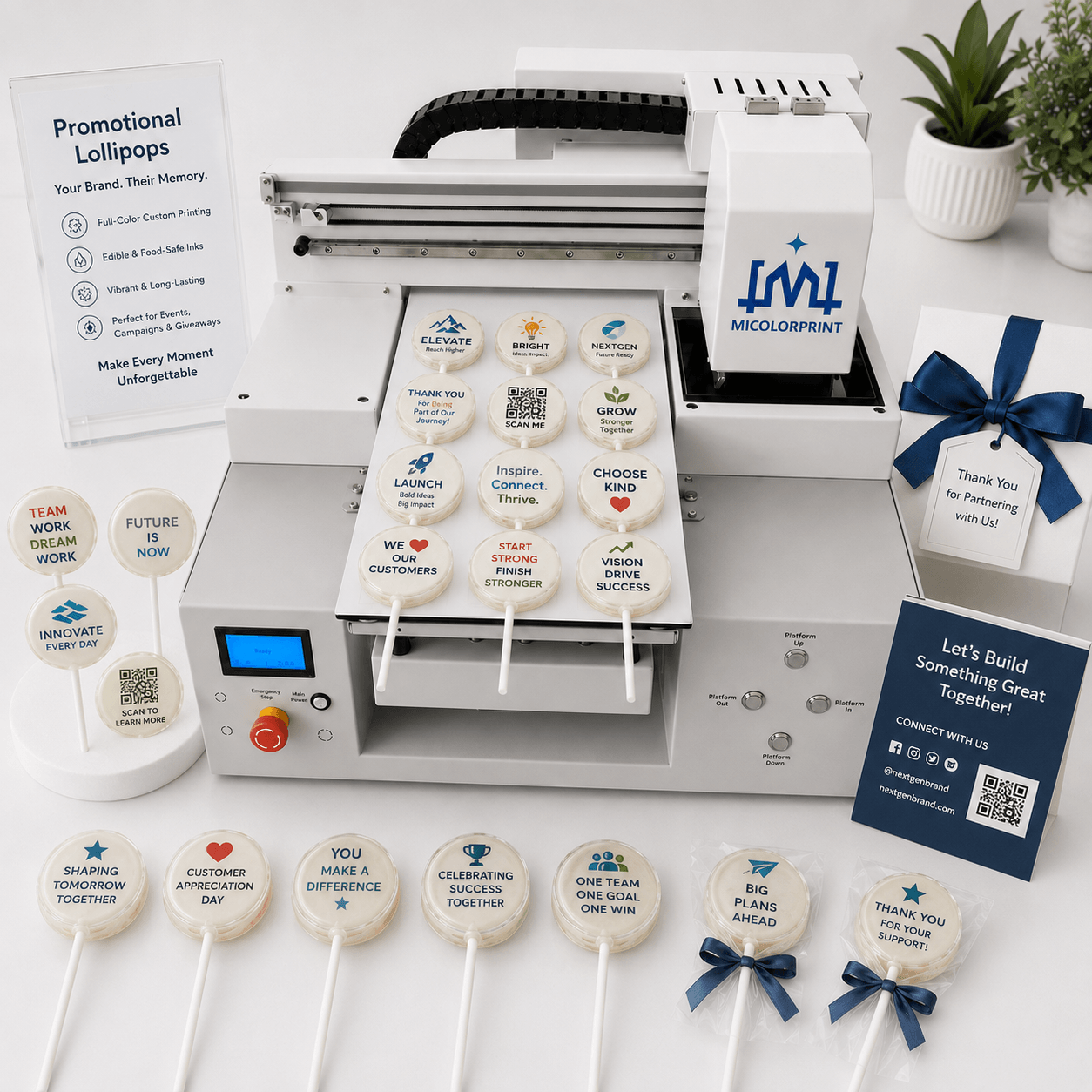
Promotional Lollipops

Print:

  • Campaign slogans
  • Product names
  • Brand messages
  • Event themes
  • Simple QR-style graphics
  • Promotional text

Very small QR codes or dense information may not scan reliably on a small or curved candy surface. Testing is recommended before accepting commercial orders.

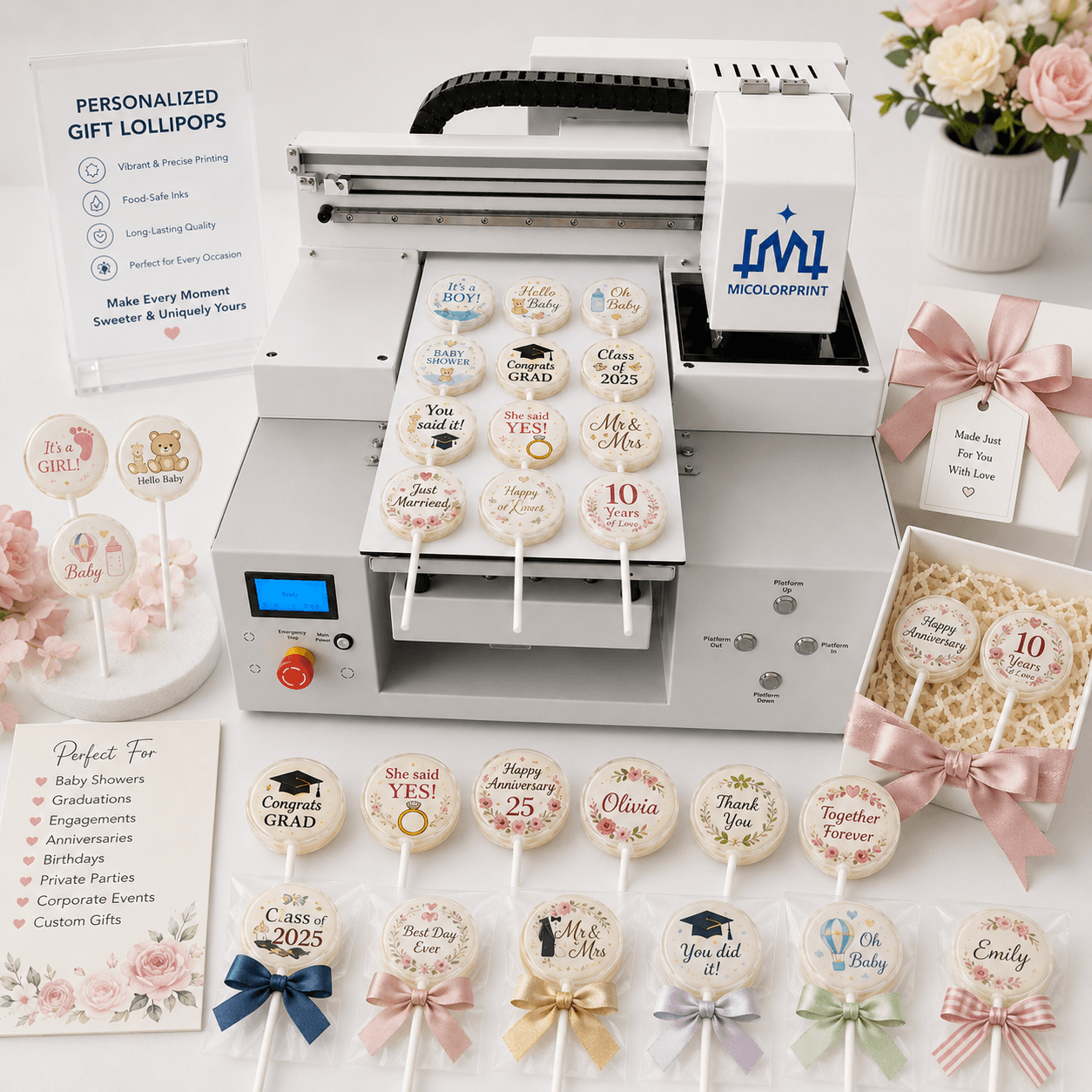
Personalized Gift Lollipops

Create custom candy for:

  • Baby showers
  • Graduation parties
  • Engagement celebrations
  • Anniversaries
  • Private parties
  • Personalized food gift boxes

What Type of Lollipops Can Be Printed?

One of the biggest concerns before purchasing is whether the customer’s existing lollipops are suitable for direct printing.

The answer depends more on the product surface than on the machine name alone.

More Suitable for Direct Printing

Lollipops generally produce better results when they have:

  • A flat or nearly flat printing area
  • A smooth surface
  • A clean and fully dried surface
  • Similar thickness across the batch
  • A light-colored printing background
  • Stable placement inside a tray
  • Enough printable area for the design

A stable and level surface helps maintain the correct distance between the printhead and the product.

Transparent Lollipops Require Testing

Transparent candy does not provide a solid background behind the image.

Possible problems include:

  • Low image contrast
  • Pale colors
  • Reduced photo clarity
  • Background interference

Simple, high-contrast designs may perform better than detailed photographs, but actual samples should be tested.

Dark-Colored Lollipops Require Testing

Dark red, brown, black or strongly colored lollipops can reduce the visibility of darker edible ink colors.

The result depends on:

  • Candy color
  • Artwork color
  • Ink configuration
  • Surface coating
  • Available background contrast

Do not assume that a design shown on a white lollipop will look the same on a dark product.

Curved Surfaces May Reduce Clarity

A slightly curved surface may still be printable, but strong curvature creates different printhead distances across the image.

Possible results include:

  • Clear center but blurred edges
  • Distorted design
  • Uneven ink placement
  • Reduced printable area

A physical sample test is recommended.

Glossy and Low-Absorption Surfaces Require Testing

Some glossy candy surfaces do not absorb edible ink easily.

Possible problems include:

  • Slow drying
  • Color spreading
  • Easy smudging
  • Ink transfer to packaging

The customer should confirm the required drying time before packaging.

Handmade Lollipops May Have Height Differences

Handmade products often vary in:

  • Diameter
  • Thickness
  • Shape
  • Surface level
  • Stick position

Products may need to be sorted before printing. A custom tray can improve positioning, but it cannot completely eliminate large differences between individual products.

Usually Not Recommended

Direct printing is generally not recommended for:

  • Wet or sticky surfaces
  • Strongly curved products
  • Melting or unstable candy
  • Products with large height differences
  • Lollipops that cannot be fixed securely
  • Surfaces contaminated with oil or loose powder
  • Products requiring non-edible ink

Send These Details for Evaluation

  • Front and side photos
  • Diameter
  • Thickness
  • Product color
  • Surface texture
  • Candy coating information
  • Required design
  • Expected daily output

How Does Lollipop Printing Work?

Step 1: Prepare the Lollipops

Use pre-made lollipops with a suitable printing surface.

Before loading:

  • Confirm that the surface is dry
  • Remove loose powder
  • Check for oil or moisture
  • Sort products by thickness
  • Remove damaged or strongly uneven products

Wet or sticky surfaces may cause image bleeding or slow drying.

Step 2: Place the Lollipops in the Tray/Wireframe

Place the products inside a positioning tray/Wireframe designed for the selected size and shape.

The tray/Wireframe helps:

  • Reduce product movement
  • Keep the printing area aligned
  • Maintain consistent spacing
  • Improve repeated loading
  • Support batch production

If the lollipops vary significantly in size, one tray may not position every product accurately.For high-volume, repetitive print orders, using a fixture is appropriate; for small-batch production, wireframe positioning is recommended.

Step 3: Import the Artwork

Upload the customer’s:

  • Logo
  • Photo
  • Name
  • Date
  • Message
  • Event design

Use a clear, high-resolution file. Low-quality images cannot be corrected only by increasing printer resolution.

Step 4: Set the Print Position and Height

Before production:

  • Match the design to the printable area
  • Confirm the image size
  • Arrange repeated or mixed designs
  • Check tray/wireframe alignment
  • Adjust product height
  • Confirm printhead clearance

A test print should be completed before batch production.

Step 5: Start Edible Ink Printing

The printer applies edible ink directly to the lollipop surface.

After printing:

  • Check image position
  • Inspect nozzle condition
  • Confirm color visibility
  • Allow sufficient drying time
  • Avoid touching the image immediately
  • Test packaging compatibility

Key Features Designed Around Real Printing Problems

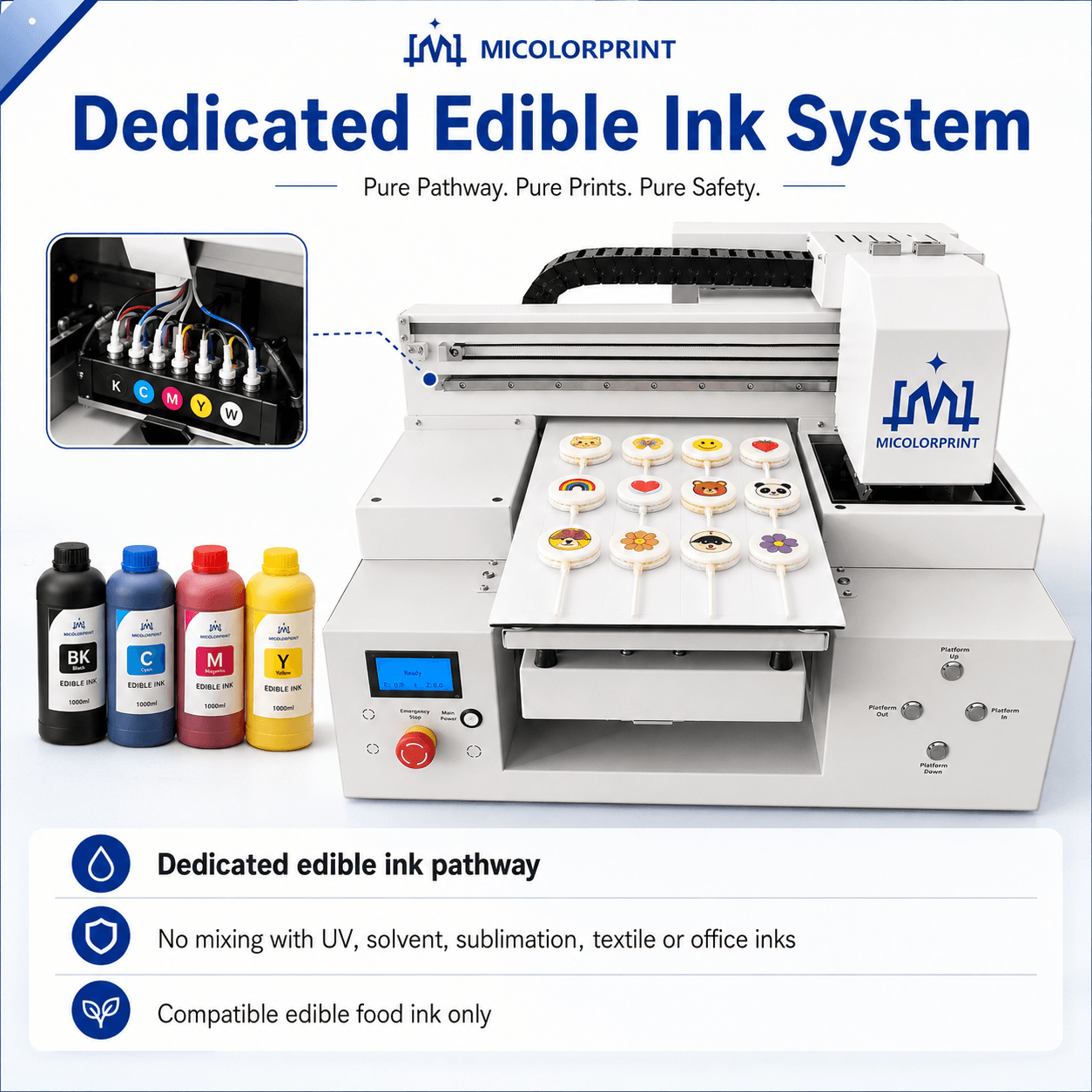
Dedicated Edible Ink System

Customers are often concerned that a converted printer may contain residues from ordinary or industrial ink.

The machine should use a dedicated edible ink system that has not been mixed with:

  • UV ink
  • Solvent ink
  • Sublimation ink
  • Textile ink
  • Office printer ink

Only use edible ink intended for a compatible food-printing system.

The customer is responsible for confirming that the ink documentation and ingredients meet the requirements of the target market.

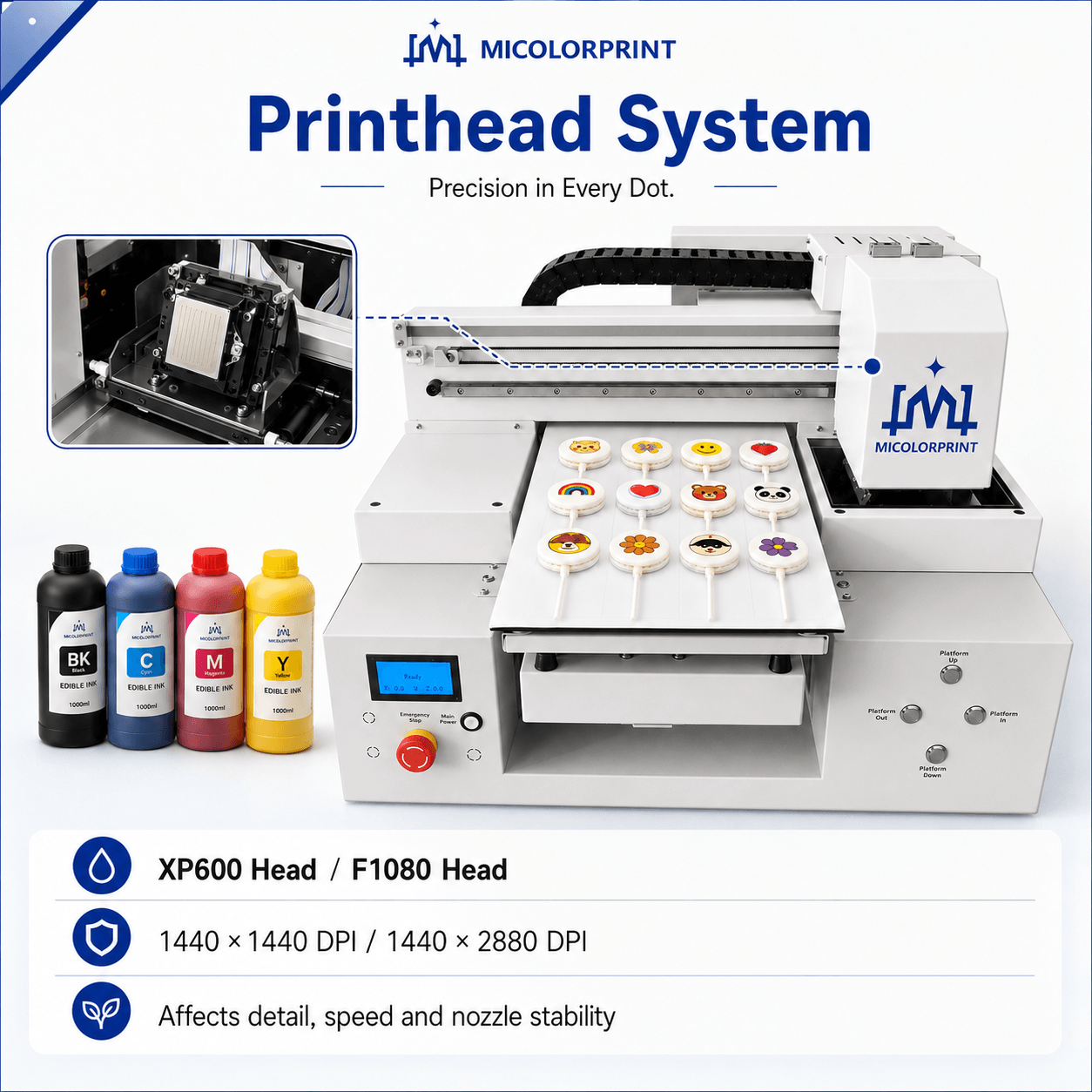
Printhead System

The printhead affects:

  • Image detail
  • Printing speed
  • Nozzle stability
  • Maintenance frequency
  • Replacement cost

Printhead model: XP600 Head/F1080 Head

Printing resolution: 1440*1440 DPI/1440*2880 DPI

Ink configuration: Edible food ink

A high resolution does not remove the need for a flat surface, accurate positioning and good artwork.

Stable Printing Platform

A level platform helps maintain a consistent printhead distance.

Uneven distance may cause:

  • Blurred printing
  • Visible banding
  • Image distortion
  • Printhead contact risk
  • Different results across one tray

The platform should be installed on a stable and level base.

Custom Positioning Tray

A matched tray is particularly important for lollipops because the stick can cause the product to rotate or become unbalanced.

The tray can be designed according to:

  • Lollipop diameter
  • Product shape
  • Thickness
  • Stick diameter
  • Stick direction
  • Products per batch
  • Required spacing

Different product sizes may require separate trays.

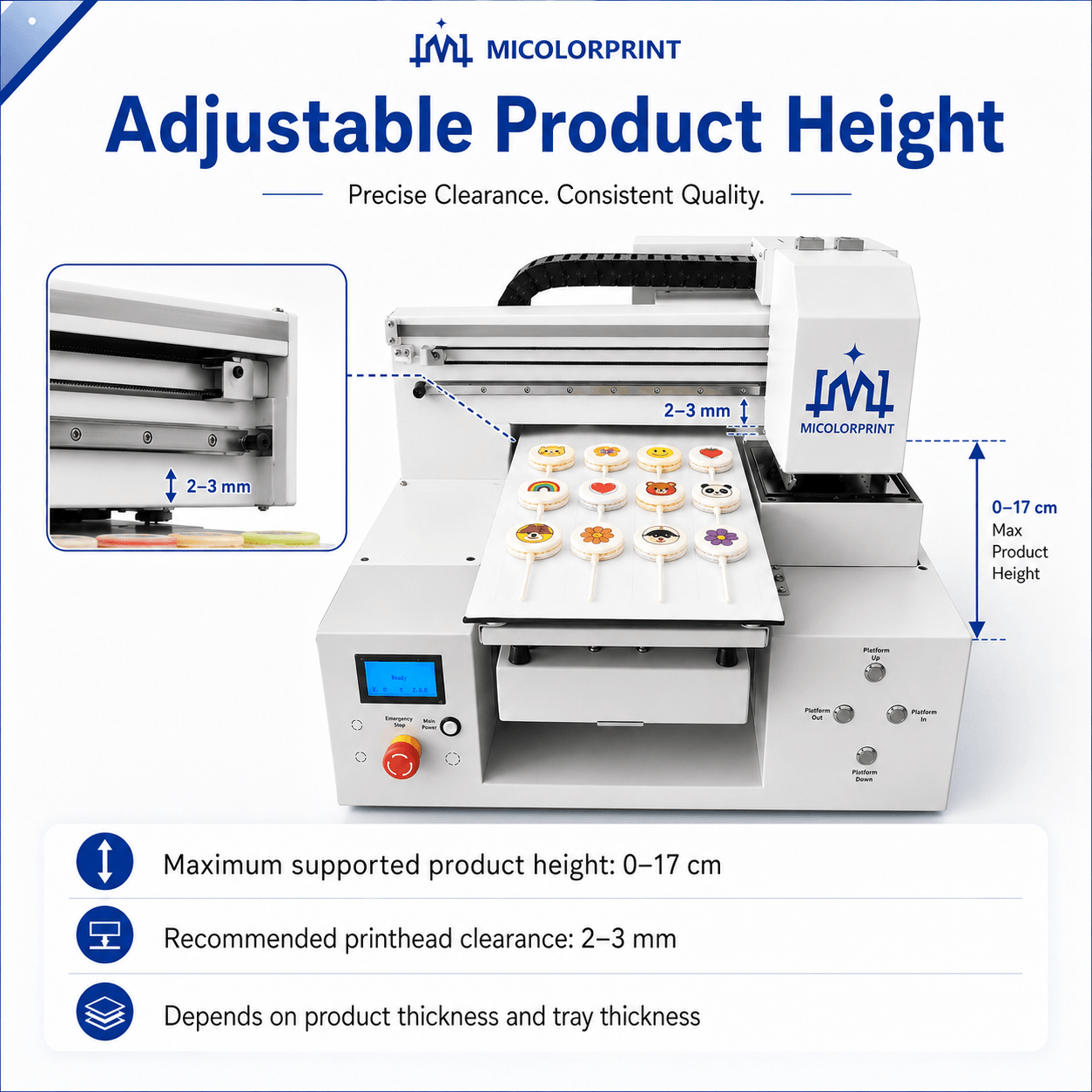
Adjustable Product Height

Maximum supported product height: 0-17cm

The actual usable height depends on:

  • Product thickness
  • Tray thickness
  • Machine structure
  • Required printhead clearance(2-3mm)

Products that are too high or uneven may increase the risk of printhead contact.

Software Positioning Control

The software allows the operator to:

  • Import images
  • Resize designs
  • Position artwork
  • Repeat logos
  • Arrange mixed designs
  • Manage tray layouts
  • Adjust print settings

Software: Hanson/Better Printer

Operating system: Windows7-11

Customers using Mac computers should confirm whether a compatible Windows computer is required.

Stable Machine Frame

A stable frame helps reduce vibration during detailed printing.

The machine should be installed in:

  • A clean workspace
  • A level location
  • A suitable temperature range
  • Controlled humidity where possible
  • An area protected from sugar dust and direct sunlight

Maintenance and Cleaning System

Customers sometimes expect edible printers to require no maintenance. In practice, regular care is necessary.

Routine maintenance may include:

  • Daily nozzle checks
  • Light printhead cleaning
  • Capping-station inspection
  • Wiper cleaning
  • Ink-line inspection
  • Platform cleaning
  • Tray cleaning
  • Correct shutdown procedures

Regular light maintenance is usually better than waiting until severe nozzle blockage occurs.

Printing Capacity, Labor and Operating Cost

Customers frequently ask for a fixed hourly output. However, actual production capacity depends on the complete workflow, not only the printhead speed.

Lorem ipsum dolor sit amet, consectetur adipiscing elit. Ut elit tellus, luctus nec ullamcorper mattis, pulvinar dapibus leo.

What Affects Products per Tray?

What Affects Printing Time?

Estimated Daily Capacity

A simple estimate is:

Daily Capacity

= Products per Tray × Completed Batches per Hour × Effective Working Hours

For example:

30 lollipops per tray × 5 completed batches per hour × 8 effective hours
= 1,200 lollipops per day

This is only an example, not a machine guarantee.

Actual output must include:

  • Product loading
  • Design setup
  • Printing
  • Drying
  • Inspection
  • Unloading
  • Maintenance

Main Consumables

  • Food-grade edible ink
  • Compatible cleaning solution
  • Maintenance liquid
  • Cleaning swabs or wipes
  • Replacement trays
  • Ink-contact components
  • Printhead maintenance parts

What Affects Cost per Lollipop?

  • Image coverage
  • Ink density
  • Design size
  • Cleaning frequency
  • Product rejection rate
  • Labor time
  • Tray capacity
  • Machine utilization

The most reliable cost estimate comes from testing the customer’s real design on the actual product.

Lollipop Printer Technical Specifications

Parameter

                                                                         Specification

Model

MC-A3 Lollipop Printer

MC-A2 Lollipop Printer

MC-A1 Lollipop Printer

Printing Technology

                                                            Direct edible inkjet printing

Printing Area

33cm*43cm

65cm*60cm

60cm*90cm

Maximum Product Height

0-17cm

0-18cm

0-18cm

Printhead

                                                               XP600 Head/F1080 Head

Ink Type

                                                                   Food-grade edible ink

Ink Colors

                                                                     CMYK+W(option)

Printing Resolution

                                                            1440*1440 DPI/1440*2880 DPI

Printing Speed

                                                              A4 photo/90s(1 head xp600)

Supported File Formats

                                                          TIFF, PDF, JPEG, EPS, AI, and PSD 

Printing Software

                                                             Hanson/Better Printer

Operating System

                                                                   Windows 7-11

Machine Dimensions

76cm*65cm*98cm

140cm*103cm*80cm 

140cm*133cm*80cm 

Packing Dimensions

88cm*80cm*102cm

150cm*113cm*91cm 

150cm*143cm*91cm 

Net/Gross Weight

78kg/98kg

140kg/160kg

150kg/180kg

Voltage

                                                             AC 110V or 220V ±10%, 50/60 Hz 

Working Environment

                                      Optimal temperature: 15 ℃ -35 ℃, relative humidity 20% -80% 

Custom Tray

                                                                              Available

Warranty

                                                                             1-3 Years

Technical Support

                                                                 Remote guidance available

Actual configuration may vary according to model, printing area, printhead and tray requirements. Please confirm the final quotation and packing list before ordering.

Who Uses a Lollipop Printing Machine?

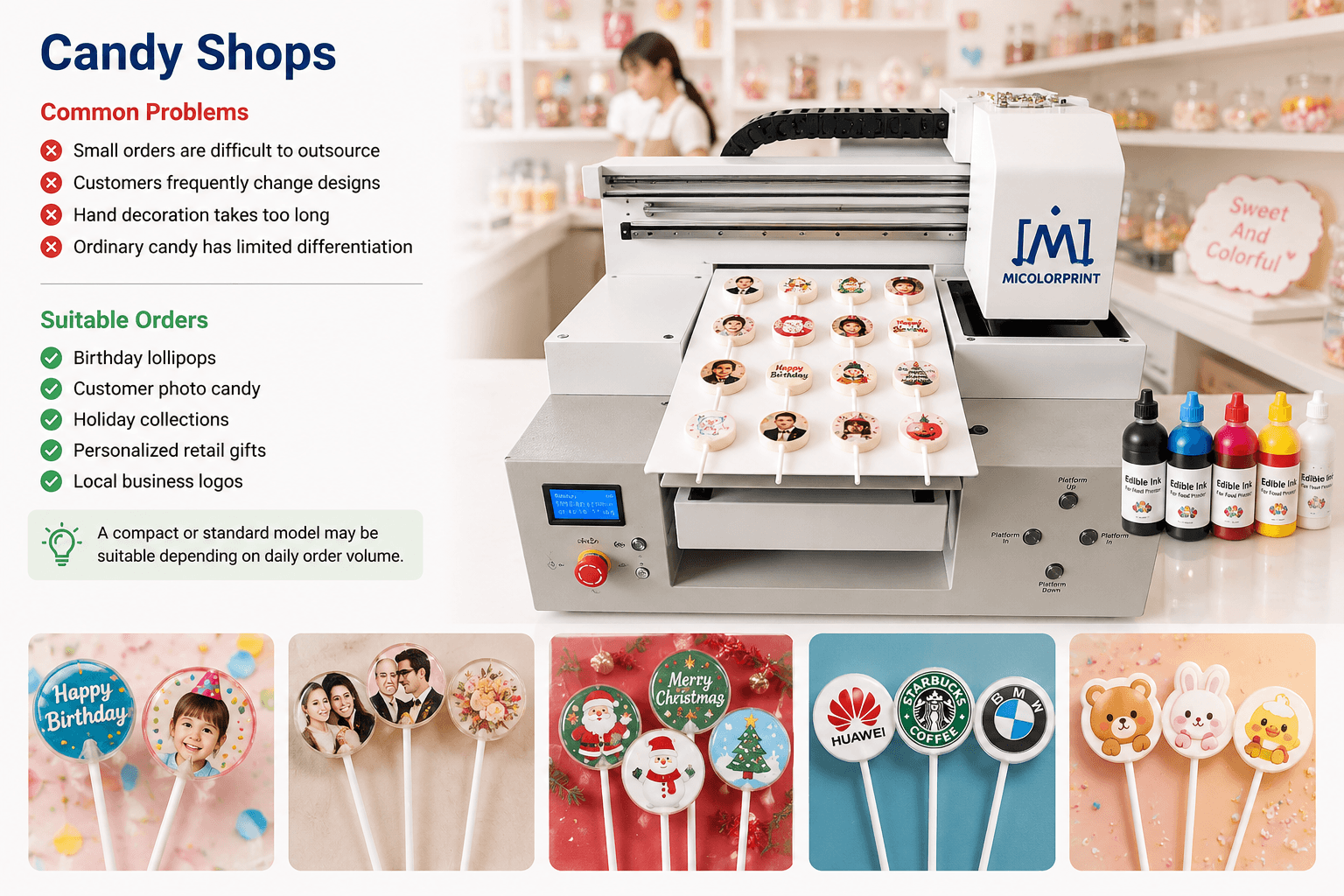
Candy Shops

Common Problems

  • Small orders are difficult to outsource
  • Customers frequently change designs
  • Hand decoration takes too long
  • Ordinary candy has limited differentiation

Suitable Orders

  • Birthday lollipops
  • Customer photo candy
  • Holiday collections
  • Personalized retail gifts
  • Local business logos

A compact or standard model may be suitable depending on daily order volume.

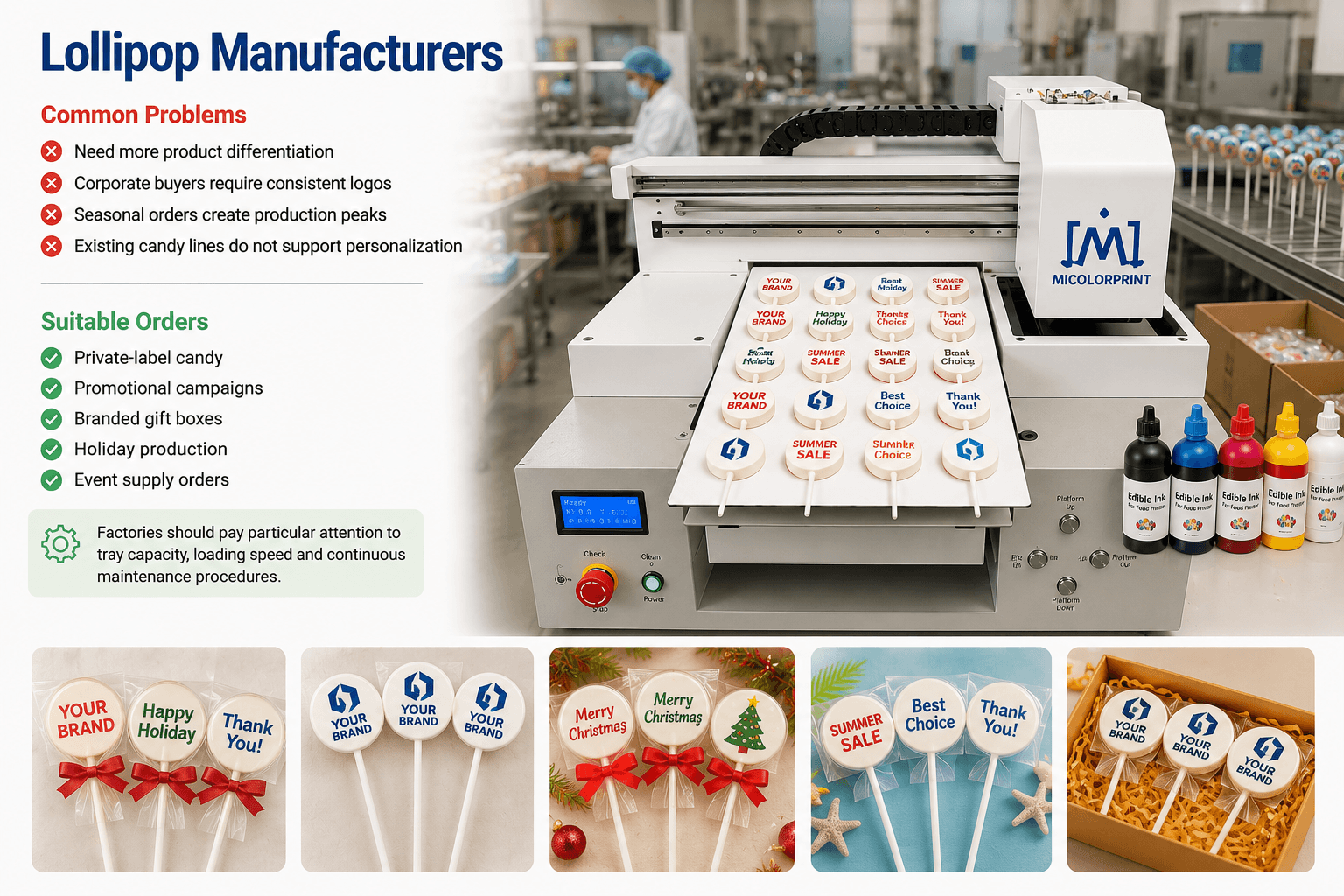
Lollipop Manufacturers

Common Problems

  • Need more product differentiation
  • Corporate buyers require consistent logos
  • Seasonal orders create production peaks
  • Existing candy lines do not support personalization

Suitable Orders

  • Private-label candy
  • Promotional campaigns
  • Branded gift boxes
  • Holiday production
  • Event supply orders

Factories should pay particular attention to tray capacity, loading speed and continuous maintenance procedures.

Bakeries and Dessert Studios

Common Problems

  • Too much dependence on skilled decorators
  • Many small customized orders
  • Frequent changes in names, dates and photos
  • Limited workshop space

Suitable Orders

  • Birthday dessert sets
  • Wedding dessert tables
  • Cake decorations
  • Candy gift boxes
  • Seasonal products

Bakeries producing several personalized dessert products can also explore our cookie printer solutions.

Wedding and Event Suppliers

Common Problems

  • Every order has different names and dates
  • Delivery deadlines are strict
  • Outsourcing slows revisions
  • Wedding seasons create concentrated demand

Suitable Orders

  • Wedding favors
  • Engagement parties
  • Guest gifts
  • Baby showers
  • Birthday events
  • Dessert tables

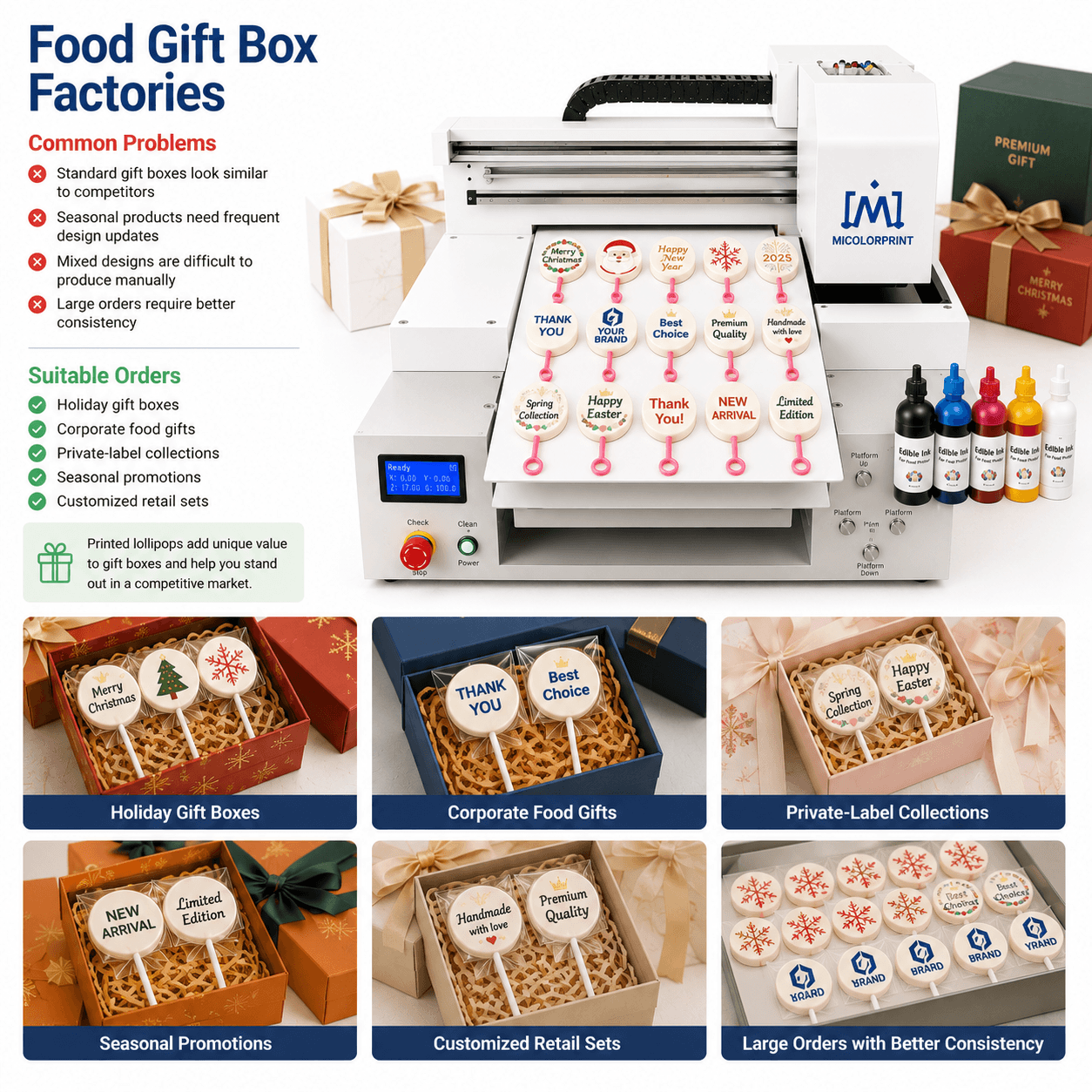
Food Gift Box Factories

Common Problems

  • Standard gift boxes look similar to competitors
  • Seasonal products need frequent design updates
  • Mixed designs are difficult to produce manually
  • Large orders require better consistency

Suitable Orders

  • Holiday gift boxes
  • Corporate food gifts
  • Private-label collections
  • Seasonal promotions
  • Customized retail sets

Gift box manufacturers can combine printed lollipops with products made using a chocolate printer.

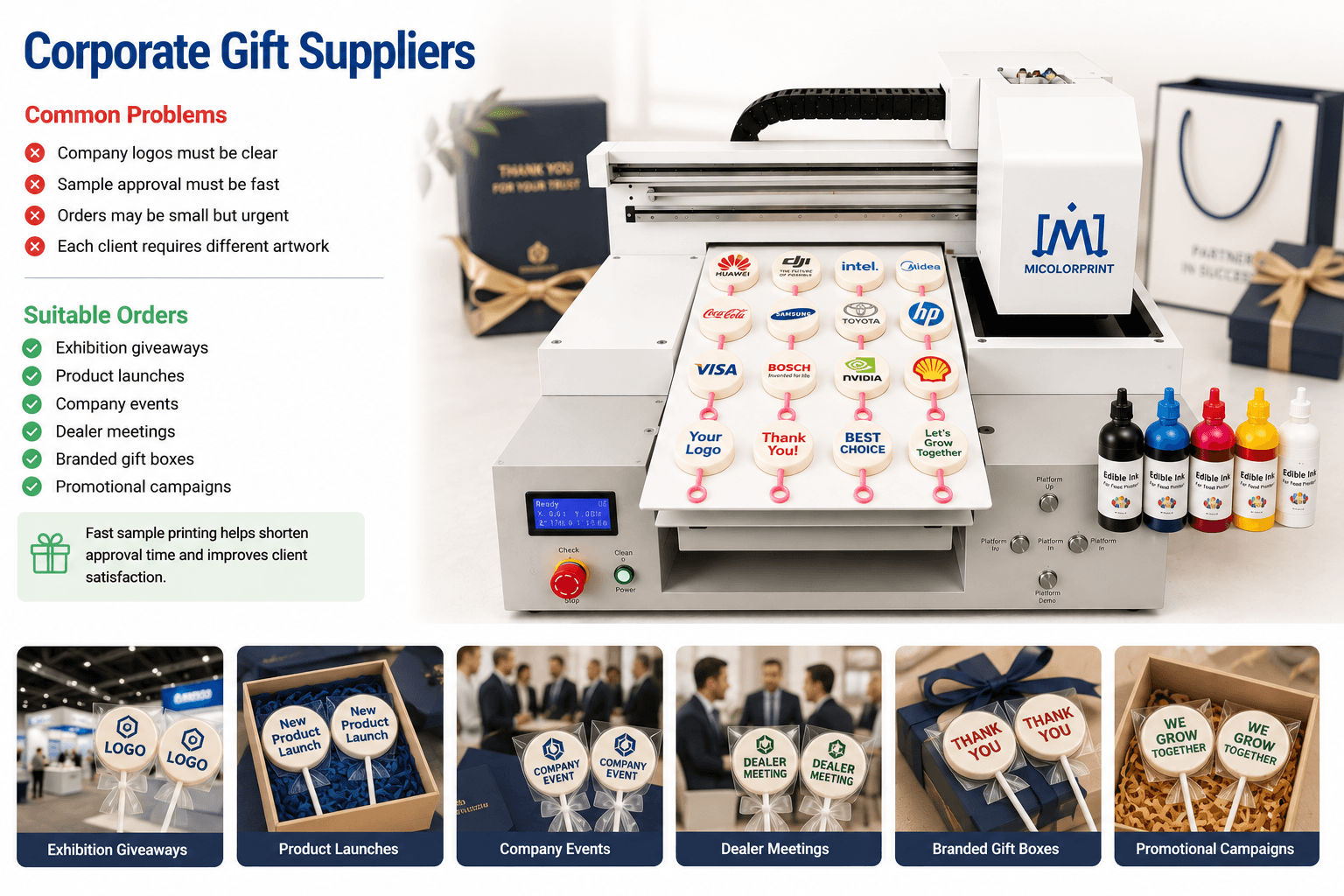
Corporate Gift Suppliers

Common Problems

  • Company logos must be clear
  • Sample approval must be fast
  • Orders may be small but urgent
  • Each client requires different artwork

Suitable Orders

  • Exhibition giveaways
  • Product launches
  • Company events
  • Dealer meetings
  • Branded gift boxes
  • Promotional campaigns

Corporate Gift Suppliers can also use a macaron printer to expand their personalized product range.

Lollipop Printing Application Examples

Application Example 1: Corporate Logo Orders

Customer Need

A promotional supplier needs different logo lollipops for exhibitions and company events.

The supplier is concerned about:

  • Small text clarity
  • Logo position
  • Sample approval time
  • Different designs for each customer
  • Short delivery periods

Printing Approach

The supplier prepares digital artwork, confirms the printable area and produces a sample before batch printing.

A matched tray helps maintain repeated positioning, while in-house production makes design revisions more flexible.

Suitable Orders

  • Exhibition giveaways
  • Product launches
  • Company anniversaries
  • Dealer meetings
  • Branded gift boxes

Application Example 2: Wedding Favor Orders

Customer Need

A wedding supplier receives many small orders with different:

  • Couple names
  • Dates
  • Initials
  • Theme colors
  • Thank-you messages

Hand decoration requires too much time, while outsourcing makes last-minute changes difficult.

Printing Approach

The supplier changes the digital artwork for each wedding and prints the designs on suitable flat lollipops.

Suitable Orders

  • Wedding favors
  • Engagement parties
  • Guest gifts
  • Dessert tables
  • Bridal showers

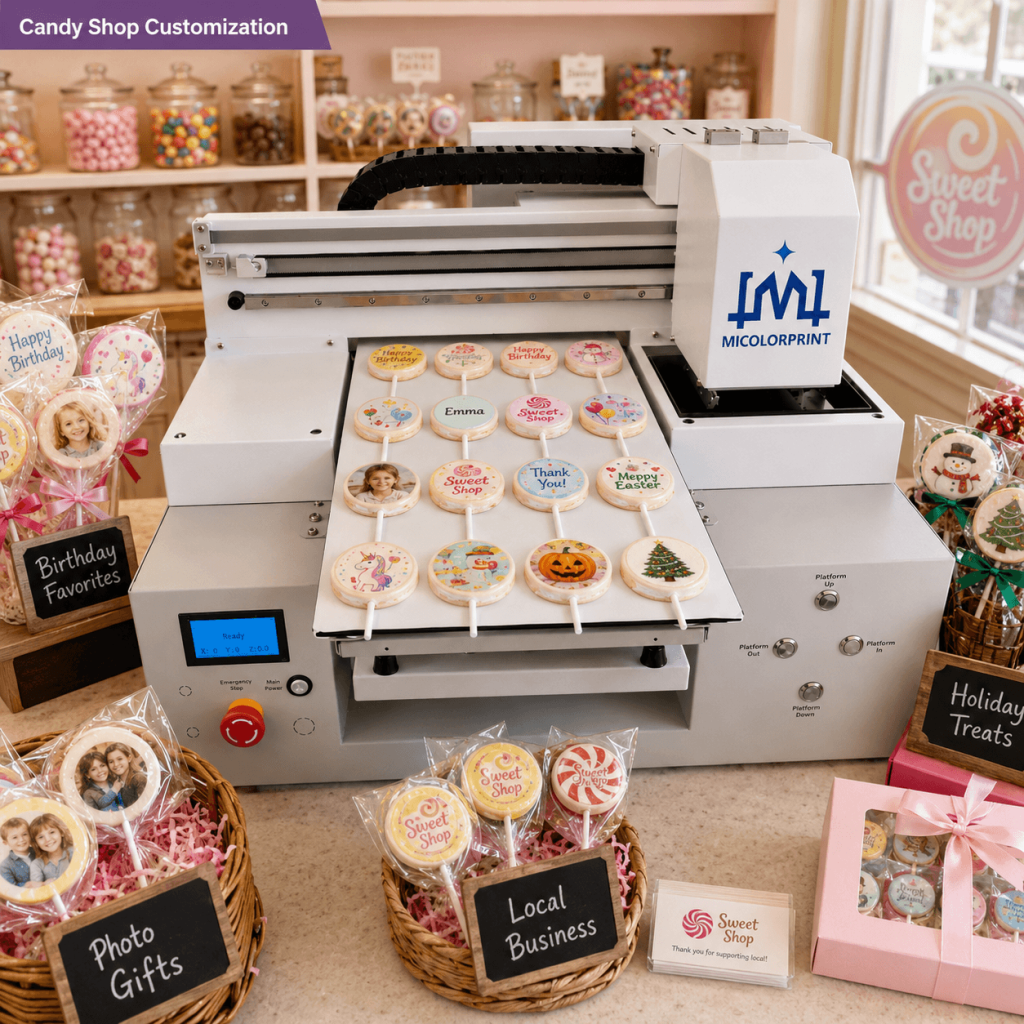
Application Example 3: Candy Shop Customization

Customer Need

A candy shop wants to increase the value of standard lollipops but is concerned about investing in a machine that may be difficult to use.

Printing Approach

The shop starts with simple logos, names and birthday patterns. Staff receive software, loading and maintenance training before taking larger photo orders.

Suitable Orders

  • Birthday candy
  • Holiday products
  • Photo gifts
  • Children’s parties
  • Local business promotions

Food Safety and Ink Considerations


Food safety is one of the most important differences between a lollipop printer and an ordinary flatbed printer.

Use a Dedicated Edible Ink System

The edible ink system must not be contaminated by:

  • UV ink
  • Solvent ink
  • Textile ink
  • Office printer ink
  • Industrial cleaning chemicals

A machine that has previously used non-edible ink should not be converted for edible production without a proper safety assessment.

The edible ink system must not be mixed with UV, solvent, textile or office printer ink.

Check Ink Documentation

Before ordering edible ink, confirm:

  • Ingredient information
  • Product label
  • Shelf life
  • Storage instructions
  • Available testing documents
  • Market-specific requirements

Confirm Local Food Regulations

Food regulations vary by country and region.

The buyer should confirm whether the edible ink, production process, product label and finished candy meet the requirements of the destination market.

The availability of a certificate does not automatically mean that every final product complies with every local regulation.

Maintain a Clean Production Area

Recommended practices include:

  • Keep sugar dust away from moving parts
  • Clean trays between production batches
  • Protect ink containers from contamination
  • Separate edible printing equipment from industrial printers
  • Follow appropriate food-handling procedures

Factory Support Before and After Purchase

Overseas customers are often concerned that the machine may be difficult to install or that support will become slow after payment.

Micolorprint provides support across the main stages of the project.

International buyers often worry about supplier reliability, machine testing, packing safety and after-sales support. As a factory supplier of edible printing machines, we help customers reduce purchasing risk through machine inspection, sample testing and remote guidance.

Before Purchase

1. Product Suitability Evaluation

Before machine selection, we review:

  • Lollipop photos
  • Diameter and thickness
  • Surface condition
  • Required artwork
  • Expected daily output
  • Target market

This helps reduce the risk of choosing a machine before confirming that the product is suitable.

2. Sample Printing

Customers can provide:

  • Physical samples
  • Product photos
  • Artwork files
  • Size information
  • Required result

Testing can help evaluate:

  • Image visibility
  • Surface absorption
  • Drying behavior
  • Product positioning
  • Tray requirements

Sample testing cannot guarantee identical results on future product batches if the candy surface changes.

3. Custom Tray Confirmation

For tray design, we may need:

  • Diameter
  • Thickness
  • Shape
  • Stick diameter
  • Stick direction
  • Product spacing
  • Physical sample

Handmade products with large dimensional differences may still require manual sorting.

4. Machine Assembly and Testing

Before packing, the machine may go through:

  • Frame inspection
  • Platform inspection
  • Ink-system setup
  • Printhead installation
  • Motion-system testing
  • Software configuration
  • Nozzle checks
  • Sample printing

5. Print Quality Inspection

Test samples are checked for:

  • Basic color performance
  • Image positioning
  • Visible banding
  • Product alignment
  • Drying condition
  • Batch consistency

After Purchase

1. Export Packing

The machine is protected using:

  • Protective film
  • Foam
  • Component fixing
  • Moisture protection
  • Export wooden case
  • Accessory packing list

Customers should inspect the package and machine condition after delivery.

2. Remote Installation Guidance

Support may include:

  • Machine unpacking guidance
  • Software installation
  • Basic parameter setup
  • Tray positioning
  • Product-height adjustment
  • Test printing
  • Nozzle checks

3. Operation Training

Training can cover:

  • Artwork preparation
  • Layout setup
  • Mixed-design printing
  • Tray loading
  • Product alignment
  • Print-height control
  • Daily maintenance
  • Basic troubleshooting

4. Maintenance Support

Customers receive guidance for:

  • Nozzle blockage
  • Missing colors
  • Visible banding
  • Positioning errors
  • Ink-flow problems
  • Long-term shutdown
  • Replacement parts

5. Consumables and Spare Parts

Available support may include:

  • Edible ink
  • Cleaning solution
  • Dampers
  • Filters
  • Capping components
  • Wipers
  • Replacement trays
  • Printhead information

The customer should keep basic maintenance parts available, especially when international shipping takes time.

Frequently Asked Questions About Lollipop Printers

A lollipop printer is a direct-to-food inkjet machine used to print edible photos, logos, names, text and patterns on suitable pre-made lollipops.

No. It only prints on finished lollipops. Candy forming, cooking, cooling and wrapping require separate equipment.

No. Flat, dry and stable surfaces are generally more suitable. Transparent, dark, glossy, curved or uneven products should be tested before purchase.

It may be possible, but the image can appear pale because the product has no solid background. A sample test is recommended.

Dark surfaces may reduce color visibility. The result depends on the candy color, artwork and ink configuration.

Slight curvature may be acceptable, but strong curvature can cause uneven clarity and reduce the usable printing area.

Yes. Wet, oily or sticky surfaces may cause ink spreading, slow drying or poor adhesion.

Yes, on a suitable surface. Clear, high-contrast photos normally perform better on the limited printable area of a lollipop.

Yes. A test is recommended for small text, fine lines and strict brand-color requirements.

The software can arrange mixed designs, depending on the machine layout and production workflow.

Capacity depends on printer type area, lollipop diameter, stick direction, spacing and tray design.

Hourly output depends on print settings, tray capacity, loading time, drying, inspection and operator workflow. Please send your product size for a more realistic estimate.

Yes. Trays can be designed according to the product dimensions, shape and stick direction.

Usually, yes. Products with significantly different diameters or shapes normally require separate positioning trays. The use of fixtures is recommended for mass production, while wireframe positioning is recommended for small-batch production.

The ink should be specifically manufactured for edible printing. The buyer should confirm its ingredients and documentation against local food regulations.

No. UV, office, solvent, textile and other non-edible inks must not be used on food.

Follow the ink supplier’s instructions regarding temperature, sunlight, contamination and shelf life. Store away from light at low temperature; use within the shelf life.

Edible ink systems require regular nozzle checks and cleaning. Long periods of inactivity, poor storage and incorrect maintenance increase the risk of blockage.

Daily maintenance normally includes a nozzle check, platform cleaning and inspection of the capping and wiping areas.

Follow the recommended shutdown and storage procedure. The correct process depends on the expected period of inactivity.General 1 week no used lollipop printer, the head no esay clog, if you no used printer over one month, suggest you clean head ink,wrap the ink sac and ink tube in plastic wrap, store them away from light, and keep them in a cool place.

Basic operation can be learned through training, but the operator still needs to understand image sizing, positioning, print-height control and maintenance.

Software compatibility depends on the machine configuration. Some systems require Windows. Confirm this before ordering.

Yes. Send product photos, dimensions and artwork. Physical samples may be required for irregular surfaces.

You can also compare our edible food printers for other suitable flat food products. Each product should be evaluated separately.

Send Your Lollipop Details for a Printing Recommendation

Not sure whether your products can be printed?

Concerned about tray capacity, image clarity, edible ink, maintenance or production output?

Send us your real product information before choosing a machine.

Please Provide

We can help you evaluate:

Scroll to Top

Get In Touch

Fill in the form below and our team will be happy to assist you

Contact Information

Whatsapp:+8613917392762 
Email:service@micolorprint.com

Opening Hours

Monday – Friday 9am-6pm 
Weekend – Closed

Address

501, Building B, No. 13, Maling 2nd Road, Nanlian Community, Longgang Street, Longgang District, Shenzhen, Guangdong, China